Compare commits
No commits in common. "main" and "v4.6.3" have entirely different histories.
@ -8,5 +8,4 @@ README.md
|
|||||||
|
|
||||||
.yalc/
|
.yalc/
|
||||||
yalc.lock
|
yalc.lock
|
||||||
testApi/
|
testApi/
|
||||||
*.local.*
|
|
||||||
@ -1,25 +0,0 @@
|
|||||||
# 构建输出目录
|
|
||||||
dist/
|
|
||||||
build/
|
|
||||||
.next/
|
|
||||||
out/
|
|
||||||
|
|
||||||
# 依赖目录
|
|
||||||
node_modules/
|
|
||||||
|
|
||||||
# 缓存和生成文件
|
|
||||||
coverage/
|
|
||||||
.coverage/
|
|
||||||
.nyc_output/
|
|
||||||
*.log
|
|
||||||
|
|
||||||
# 其他不需要检查的文件
|
|
||||||
*.min.js
|
|
||||||
*.config.js
|
|
||||||
vitest.config.mts
|
|
||||||
|
|
||||||
# 特定目录
|
|
||||||
bin/
|
|
||||||
scripts/
|
|
||||||
deploy/
|
|
||||||
docSite/
|
|
||||||
@ -1,17 +0,0 @@
|
|||||||
{
|
|
||||||
"root": true,
|
|
||||||
"parser": "@typescript-eslint/parser",
|
|
||||||
"plugins": ["@typescript-eslint"],
|
|
||||||
"extends": ["next/core-web-vitals"],
|
|
||||||
"rules": {
|
|
||||||
"react-hooks/rules-of-hooks": 0,
|
|
||||||
"@typescript-eslint/consistent-type-imports": [
|
|
||||||
"error",
|
|
||||||
{
|
|
||||||
"prefer": "type-imports",
|
|
||||||
"disallowTypeAnnotations": false
|
|
||||||
}
|
|
||||||
]
|
|
||||||
},
|
|
||||||
"ignorePatterns": ["node_modules/", "dist/", "build/", "coverage/"]
|
|
||||||
}
|
|
||||||
6
.github/ISSUE_TEMPLATE/bugs.md
vendored
@ -11,7 +11,7 @@ assignees: ''
|
|||||||
[//]: # '方框内填 x 表示打钩'
|
[//]: # '方框内填 x 表示打钩'
|
||||||
|
|
||||||
- [ ] 我已确认目前没有类似 issue
|
- [ ] 我已确认目前没有类似 issue
|
||||||
- [ ] 我已完整查看过项目 README,以及[项目文档](https://doc.tryfastgpt.ai/docs/intro/)
|
- [ ] 我已完整查看过项目 README,以及[项目文档](https://doc.fastgpt.in/docs/intro/)
|
||||||
- [ ] 我使用了自己的 key,并确认我的 key 是可正常使用的
|
- [ ] 我使用了自己的 key,并确认我的 key 是可正常使用的
|
||||||
- [ ] 我理解并愿意跟进此 issue,协助测试和提供反馈
|
- [ ] 我理解并愿意跟进此 issue,协助测试和提供反馈
|
||||||
- [x] 我理解并认可上述内容,并理解项目维护者精力有限,**不遵循规则的 issue 可能会被无视或直接关闭**
|
- [x] 我理解并认可上述内容,并理解项目维护者精力有限,**不遵循规则的 issue 可能会被无视或直接关闭**
|
||||||
@ -19,9 +19,9 @@ assignees: ''
|
|||||||
**你的版本**
|
**你的版本**
|
||||||
|
|
||||||
- [ ] 公有云版本
|
- [ ] 公有云版本
|
||||||
- [ ] 私有部署版本, 具体版本号:
|
- [ ] 私有部署版本
|
||||||
|
|
||||||
**问题描述, 日志截图,配置文件等**
|
**问题描述**
|
||||||
|
|
||||||
**复现步骤**
|
**复现步骤**
|
||||||
|
|
||||||
|
|||||||
4
.github/ISSUE_TEMPLATE/config.yml
vendored
@ -1,5 +1,5 @@
|
|||||||
blank_issues_enabled: false
|
blank_issues_enabled: false
|
||||||
contact_links:
|
contact_links:
|
||||||
- name: 飞书话题群
|
- name: 微信交流群
|
||||||
url: https://oss.laf.run/otnvvf-imgs/fastgpt-feishu1.png
|
url: https://doc.fastgpt.in/wechat-fastgpt.webp
|
||||||
about: FastGPT 全是问题群
|
about: FastGPT 全是问题群
|
||||||
|
|||||||
4
.github/doc-sync-image.yml
vendored
@ -1,4 +0,0 @@
|
|||||||
yangchuansheng/fastgpt-imgs:
|
|
||||||
- source: docSite/assets/imgs/
|
|
||||||
dest: imgs/
|
|
||||||
deleteOrphaned: true
|
|
||||||
30
.github/gh-bot.yml
vendored
Normal file
@ -0,0 +1,30 @@
|
|||||||
|
version: v1
|
||||||
|
debug: true
|
||||||
|
action:
|
||||||
|
printConfig: false
|
||||||
|
release:
|
||||||
|
retry: 15s
|
||||||
|
actionName: Release
|
||||||
|
allowOps:
|
||||||
|
- cuisongliu
|
||||||
|
bot:
|
||||||
|
prefix: /
|
||||||
|
spe: _
|
||||||
|
allowOps:
|
||||||
|
- sealos-ci-robot
|
||||||
|
- sealos-release-robot
|
||||||
|
email: sealos-ci-robot@sealos.io
|
||||||
|
username: sealos-ci-robot
|
||||||
|
repo:
|
||||||
|
org: false
|
||||||
|
|
||||||
|
message:
|
||||||
|
success: |
|
||||||
|
🤖 says: Hooray! The action {{.Body}} has been completed successfully. 🎉
|
||||||
|
format_error: |
|
||||||
|
🤖 says: ‼️ There is a formatting issue with the action, kindly verify the action's format.
|
||||||
|
permission_error: |
|
||||||
|
🤖 says: ‼️ The action doesn't have permission to trigger.
|
||||||
|
release_error: |
|
||||||
|
🤖 says: ‼️ Release action failed.
|
||||||
|
Error details: {{.Error}}
|
||||||
BIN
.github/imgs/image.png
vendored

|
Before Width: | Height: | Size: 15 KiB |
BIN
.github/imgs/intro1.png
vendored

|
Before Width: | Height: | Size: 173 KiB After Width: | Height: | Size: 548 KiB |
BIN
.github/imgs/intro2.png
vendored

|
Before Width: | Height: | Size: 273 KiB After Width: | Height: | Size: 437 KiB |
BIN
.github/imgs/intro3.png
vendored

|
Before Width: | Height: | Size: 168 KiB After Width: | Height: | Size: 574 KiB |
BIN
.github/imgs/intro4.png
vendored

|
Before Width: | Height: | Size: 159 KiB After Width: | Height: | Size: 270 KiB |
34
.github/imgs/logo.svg
vendored

@ -1,20 +1,14 @@
|
|||||||
<svg width="49" height="48" viewBox="0 0 49 48" fill="none" xmlns="http://www.w3.org/2000/svg">
|
<svg width="32" height="32" viewBox="0 0 1041 1348" fill="none" xmlns="http://www.w3.org/2000/svg">
|
||||||
<path
|
<path d="M340.837 0.33933L681.068 0.338989V0.455643C684.032 0.378397 686.999 0.339702 689.967 0.339702C735.961 0.3397 781.504 9.62899 823.997 27.6772C866.49 45.7254 905.099 72.1791 937.622 105.528C970.144 138.877 995.942 178.467 1013.54 222.04C1031.14 265.612 1040.2 312.312 1040.2 359.474L340.836 359.474L340.836 1347.84C296.157 1347.84 251.914 1338.55 210.636 1320.49C169.357 1302.43 131.85 1275.95 100.257 1242.58C68.6636 1209.21 43.6023 1169.59 26.5041 1125.99C11.3834 1087.43 2.75216 1046.42 0.957956 1004.81H0.605869L0.605897 368.098H0.70363C0.105752 341.831 2.23741 315.443 7.14306 289.411C20.2709 219.745 52.6748 155.754 100.257 105.528C147.839 55.3017 208.462 21.0975 274.461 7.24017C296.426 2.62833 318.657 0.339101 340.837 0.33933Z" fill="url(#paint0_linear_1172_228)"/>
|
||||||
d="M20.3692 7.00001L28.9536 7V7.00294C29.0284 7.00099 29.1033 7.00002 29.1782 7.00002C30.3387 7.00002 31.4878 7.2344 32.5599 7.68979C33.6321 8.14518 34.6062 8.81265 35.4268 9.6541C36.2474 10.4956 36.8983 11.4945 37.3424 12.5939C37.7865 13.6933 38.0151 14.8716 38.0151 16.0616L20.3691 16.0616L20.3691 41C19.2418 41 18.1255 40.7655 17.084 40.3097C16.0425 39.854 15.0961 39.1861 14.299 38.344C13.5018 37.502 12.8695 36.5024 12.4381 35.4022C12.0566 34.4292 11.8388 33.3945 11.7935 32.3446H11.7846L11.7846 16.2792H11.7871C11.772 15.6165 11.8258 14.9506 11.9496 14.2938C12.2808 12.536 13.0984 10.9214 14.299 9.6541C15.4995 8.38681 17.0291 7.52377 18.6944 7.17413C19.2486 7.05776 19.8095 7 20.3692 7.00001Z"
|
<path d="M633.639 904.645H513.029V576.37H635.422V576.377C678.161 576.607 720.454 585.093 759.951 601.37C799.997 617.874 836.384 642.064 867.033 672.559C897.683 703.054 921.996 739.257 938.583 779.101C955.171 818.944 963.709 861.648 963.709 904.775H633.639V904.645Z" fill="url(#paint1_linear_1172_228)"/>
|
||||||
fill="url(#paint0_linear_1008_3495)" />
|
<defs>
|
||||||
<path
|
<linearGradient id="paint0_linear_1172_228" x1="520.404" y1="0.338989" x2="520.404" y2="1347.84" gradientUnits="userSpaceOnUse">
|
||||||
d="M27.7569 29.8173H24.7138V21.5343H27.8019V21.5345C28.8803 21.5403 29.9474 21.7544 30.944 22.1651C31.9544 22.5815 32.8725 23.1919 33.6458 23.9613C34.4191 24.7308 35.0326 25.6442 35.4511 26.6496C35.8696 27.6549 36.085 28.7324 36.085 29.8205H27.7569V29.8173Z"
|
<stop stop-color="#326DFF"/>
|
||||||
fill="url(#paint1_linear_1008_3495)" />
|
<stop offset="1" stop-color="#8EAEFF"/>
|
||||||
<defs>
|
</linearGradient>
|
||||||
<linearGradient id="paint0_linear_1008_3495" x1="24.8999" y1="7" x2="24.8999" y2="41"
|
<linearGradient id="paint1_linear_1172_228" x1="738.369" y1="576.37" x2="738.369" y2="904.775" gradientUnits="userSpaceOnUse">
|
||||||
gradientUnits="userSpaceOnUse">
|
<stop stop-color="#326DFF"/>
|
||||||
<stop stop-color="#326DFF" />
|
<stop offset="1" stop-color="#8EAEFF"/>
|
||||||
<stop offset="1" stop-color="#8EAEFF" />
|
</linearGradient>
|
||||||
</linearGradient>
|
</defs>
|
||||||
<linearGradient id="paint1_linear_1008_3495" x1="30.3994" y1="21.5343" x2="30.3994" y2="29.8205"
|
</svg>
|
||||||
gradientUnits="userSpaceOnUse">
|
|
||||||
<stop stop-color="#326DFF" />
|
|
||||||
<stop offset="1" stop-color="#8EAEFF" />
|
|
||||||
</linearGradient>
|
|
||||||
</defs>
|
|
||||||
</svg>
|
|
||||||
|
|||||||
|
Before Width: | Height: | Size: 1.7 KiB After Width: | Height: | Size: 1.6 KiB |
19
.github/workflows/bot-issues-translator.yml
vendored
Normal file
@ -0,0 +1,19 @@
|
|||||||
|
name: 'Github Rebot for issues-translator'
|
||||||
|
on:
|
||||||
|
issues:
|
||||||
|
types: [ opened ]
|
||||||
|
issue_comment:
|
||||||
|
types: [ created ]
|
||||||
|
jobs:
|
||||||
|
translate:
|
||||||
|
permissions:
|
||||||
|
issues: write
|
||||||
|
discussions: write
|
||||||
|
pull-requests: write
|
||||||
|
runs-on: ubuntu-latest
|
||||||
|
steps:
|
||||||
|
- uses: usthe/issues-translate-action@v2.7
|
||||||
|
with:
|
||||||
|
IS_MODIFY_TITLE: true
|
||||||
|
BOT_GITHUB_TOKEN: ${{ secrets.GH_PAT }}
|
||||||
|
CUSTOM_BOT_NOTE: Bot detected the issue body's language is not English, translate it automatically. 👯👭🏻🧑🤝🧑👫🧑🏿🤝🧑🏻👩🏾🤝👨🏿👬🏿
|
||||||
70
.github/workflows/deploy-docs.yml
vendored
Normal file
@ -0,0 +1,70 @@
|
|||||||
|
name: deploy-docs
|
||||||
|
|
||||||
|
on:
|
||||||
|
workflow_dispatch:
|
||||||
|
push:
|
||||||
|
paths:
|
||||||
|
- 'docSite/**'
|
||||||
|
branches:
|
||||||
|
- 'main'
|
||||||
|
tags:
|
||||||
|
- 'v*.*.*'
|
||||||
|
|
||||||
|
# A workflow run is made up of one or more jobs that can run sequentially or in parallel
|
||||||
|
jobs:
|
||||||
|
# This workflow contains jobs "deploy-production"
|
||||||
|
deploy-production:
|
||||||
|
# The environment this job references
|
||||||
|
environment:
|
||||||
|
name: Production
|
||||||
|
url: ${{ steps.vercel-action.outputs.preview-url }}
|
||||||
|
|
||||||
|
# The type of runner that the job will run on
|
||||||
|
runs-on: ubuntu-22.04
|
||||||
|
|
||||||
|
# Job outputs
|
||||||
|
outputs:
|
||||||
|
docs: ${{ steps.filter.outputs.docs }}
|
||||||
|
|
||||||
|
# Steps represent a sequence of tasks that will be executed as part of the job
|
||||||
|
steps:
|
||||||
|
# Step 1 - Checks-out your repository under $GITHUB_WORKSPACE
|
||||||
|
- name: Checkout
|
||||||
|
uses: actions/checkout@v3
|
||||||
|
with:
|
||||||
|
submodules: recursive # Fetch submodules
|
||||||
|
fetch-depth: 0 # Fetch all history for .GitInfo and .Lastmod
|
||||||
|
|
||||||
|
# Step 2 Detect changes to Docs Content
|
||||||
|
- name: Detect changes in doc content
|
||||||
|
uses: dorny/paths-filter@v2
|
||||||
|
id: filter
|
||||||
|
with:
|
||||||
|
filters: |
|
||||||
|
docs:
|
||||||
|
- 'docSite/content/docs/**'
|
||||||
|
base: main
|
||||||
|
|
||||||
|
# Step 3 - Install Hugo (specific version)
|
||||||
|
- name: Install Hugo
|
||||||
|
uses: peaceiris/actions-hugo@v2
|
||||||
|
with:
|
||||||
|
hugo-version: '0.117.0'
|
||||||
|
extended: true
|
||||||
|
|
||||||
|
# Step 4 - Builds the site using Hugo
|
||||||
|
- name: Build
|
||||||
|
run: cd docSite && hugo mod get -u github.com/colinwilson/lotusdocs && hugo -v --minify
|
||||||
|
|
||||||
|
# Step 5 - Push our generated site to Vercel
|
||||||
|
- name: Deploy to Vercel
|
||||||
|
uses: amondnet/vercel-action@v25
|
||||||
|
id: vercel-action
|
||||||
|
with:
|
||||||
|
vercel-token: ${{ secrets.VERCEL_TOKEN }} # Required
|
||||||
|
vercel-org-id: ${{ secrets.VERCEL_ORG_ID }} #Required
|
||||||
|
vercel-project-id: ${{ secrets.VERCEL_PROJECT_ID }} #Required
|
||||||
|
github-comment: false
|
||||||
|
vercel-args: '--prod --local-config ../vercel.json' # Optional
|
||||||
|
working-directory: docSite/public
|
||||||
|
|
||||||
94
.github/workflows/deploy-preview.yml
vendored
Normal file
@ -0,0 +1,94 @@
|
|||||||
|
name: deploy-docs-preview
|
||||||
|
|
||||||
|
on:
|
||||||
|
pull_request_target:
|
||||||
|
paths:
|
||||||
|
- 'docSite/**'
|
||||||
|
branches:
|
||||||
|
- 'main'
|
||||||
|
workflow_dispatch:
|
||||||
|
|
||||||
|
# A workflow run is made up of one or more jobs that can run sequentially or in parallel
|
||||||
|
jobs:
|
||||||
|
# This workflow contains jobs "deploy-production"
|
||||||
|
deploy-preview:
|
||||||
|
# The environment this job references
|
||||||
|
environment:
|
||||||
|
name: Preview
|
||||||
|
url: ${{ steps.vercel-action.outputs.preview-url }}
|
||||||
|
|
||||||
|
# The type of runner that the job will run on
|
||||||
|
runs-on: ubuntu-22.04
|
||||||
|
|
||||||
|
# Job outputs
|
||||||
|
outputs:
|
||||||
|
url: ${{ steps.vercel-action.outputs.preview-url }}
|
||||||
|
|
||||||
|
# Steps represent a sequence of tasks that will be executed as part of the job
|
||||||
|
steps:
|
||||||
|
# Step 1 - Checks-out your repository under $GITHUB_WORKSPACE
|
||||||
|
- name: Checkout
|
||||||
|
uses: actions/checkout@v3
|
||||||
|
with:
|
||||||
|
ref: ${{ github.event.pull_request.head.ref }}
|
||||||
|
repository: ${{ github.event.pull_request.head.repo.full_name }}
|
||||||
|
submodules: recursive # Fetch submodules
|
||||||
|
fetch-depth: 0 # Fetch all history for .GitInfo and .Lastmod
|
||||||
|
|
||||||
|
# Step 2 Detect changes to Docs Content
|
||||||
|
- name: Detect changes in doc content
|
||||||
|
uses: dorny/paths-filter@v2
|
||||||
|
id: filter
|
||||||
|
with:
|
||||||
|
filters: |
|
||||||
|
docs:
|
||||||
|
- 'docSite/content/docs/**'
|
||||||
|
base: main
|
||||||
|
|
||||||
|
# Step 3 - Install Hugo (specific version)
|
||||||
|
- name: Install Hugo
|
||||||
|
uses: peaceiris/actions-hugo@v2
|
||||||
|
with:
|
||||||
|
hugo-version: '0.117.0'
|
||||||
|
extended: true
|
||||||
|
|
||||||
|
# Step 4 - Builds the site using Hugo
|
||||||
|
- name: Build
|
||||||
|
run: cd docSite && hugo mod get -u github.com/colinwilson/lotusdocs && hugo -v --minify
|
||||||
|
|
||||||
|
# Step 5 - Push our generated site to Vercel
|
||||||
|
- name: Deploy to Vercel
|
||||||
|
uses: amondnet/vercel-action@v25
|
||||||
|
id: vercel-action
|
||||||
|
with:
|
||||||
|
vercel-token: ${{ secrets.VERCEL_TOKEN }} # Required
|
||||||
|
vercel-org-id: ${{ secrets.VERCEL_ORG_ID }} #Required
|
||||||
|
vercel-project-id: ${{ secrets.VERCEL_PROJECT_ID }} #Required
|
||||||
|
github-comment: false
|
||||||
|
vercel-args: '--local-config ../vercel.json' # Optional
|
||||||
|
working-directory: docSite/public
|
||||||
|
alias-domains: | #Optional
|
||||||
|
fastgpt-staging.vercel.app
|
||||||
|
docsOutput:
|
||||||
|
needs: [ deploy-preview ]
|
||||||
|
runs-on: ubuntu-latest
|
||||||
|
steps:
|
||||||
|
- uses: actions/checkout@v3
|
||||||
|
with:
|
||||||
|
ref: ${{ github.event.pull_request.head.ref }}
|
||||||
|
repository: ${{ github.event.pull_request.head.repo.full_name }}
|
||||||
|
- name: Write md
|
||||||
|
run: |
|
||||||
|
echo "# 🤖 Generated by deploy action" > report.md
|
||||||
|
echo "[👀 Visit Preview](${{ needs.deploy-preview.outputs.url }})" >> report.md
|
||||||
|
cat report.md
|
||||||
|
- name: Gh Rebot for Sealos
|
||||||
|
uses: labring/gh-rebot@v0.0.6
|
||||||
|
if: ${{ (github.event_name == 'pull_request_target') }}
|
||||||
|
with:
|
||||||
|
version: v0.0.6
|
||||||
|
env:
|
||||||
|
GH_TOKEN: "${{ secrets.GH_PAT }}"
|
||||||
|
SEALOS_TYPE: "pr_comment"
|
||||||
|
SEALOS_FILENAME: "report.md"
|
||||||
|
SEALOS_REPLACE_TAG: "DEFAULT_REPLACE_DEPLOY"
|
||||||
71
.github/workflows/docs-deploy-cf.yml
vendored
@ -1,71 +0,0 @@
|
|||||||
name: Deploy doc image to cf
|
|
||||||
|
|
||||||
on:
|
|
||||||
workflow_dispatch:
|
|
||||||
push:
|
|
||||||
paths:
|
|
||||||
- 'docSite/**'
|
|
||||||
branches:
|
|
||||||
- 'main'
|
|
||||||
|
|
||||||
# A workflow run is made up of one or more jobs that can run sequentially or in parallel
|
|
||||||
jobs:
|
|
||||||
# This workflow contains jobs "deploy-production"
|
|
||||||
deploy-production:
|
|
||||||
# The environment this job references
|
|
||||||
environment:
|
|
||||||
name: Production
|
|
||||||
url: ${{ steps.vercel-action.outputs.preview-url }}
|
|
||||||
|
|
||||||
# The type of runner that the job will run on
|
|
||||||
runs-on: ubuntu-24.04
|
|
||||||
|
|
||||||
permissions:
|
|
||||||
contents: write
|
|
||||||
concurrency:
|
|
||||||
group: ${{ github.workflow }}-${{ github.ref }}
|
|
||||||
|
|
||||||
# Job outputs
|
|
||||||
outputs:
|
|
||||||
docs: ${{ steps.filter.outputs.docs }}
|
|
||||||
|
|
||||||
# Steps represent a sequence of tasks that will be executed as part of the job
|
|
||||||
steps:
|
|
||||||
# Step 1 - Checks-out your repository under $GITHUB_WORKSPACE
|
|
||||||
- name: Checkout
|
|
||||||
uses: actions/checkout@v3
|
|
||||||
with:
|
|
||||||
submodules: recursive # Fetch submodules
|
|
||||||
fetch-depth: 0 # Fetch all history for .GitInfo and .Lastmod
|
|
||||||
|
|
||||||
# Step 2 Detect changes to Docs Content
|
|
||||||
- name: Detect changes in doc content
|
|
||||||
uses: dorny/paths-filter@v2
|
|
||||||
id: filter
|
|
||||||
with:
|
|
||||||
filters: |
|
|
||||||
docs:
|
|
||||||
- 'docSite/content/docs/**'
|
|
||||||
base: main
|
|
||||||
|
|
||||||
- name: Add cdn for images
|
|
||||||
run: |
|
|
||||||
sed -i "s#\](/imgs/#\](https://cdn.jsdelivr.net/gh/yangchuansheng/fastgpt-imgs@main/imgs/#g" $(grep -rl "\](/imgs/" docSite/content/zh-cn/docs)
|
|
||||||
|
|
||||||
# Step 3 - Install Hugo (specific version)
|
|
||||||
- name: Install Hugo
|
|
||||||
uses: peaceiris/actions-hugo@v2
|
|
||||||
with:
|
|
||||||
hugo-version: '0.117.0'
|
|
||||||
extended: true
|
|
||||||
|
|
||||||
# Step 4 - Builds the site using Hugo
|
|
||||||
- name: Build
|
|
||||||
run: cd docSite && hugo mod get -u github.com/colinwilson/lotusdocs@6d0568e && hugo -v --minify
|
|
||||||
|
|
||||||
- name: Deploy to GitHub Pages
|
|
||||||
uses: peaceiris/actions-gh-pages@v4
|
|
||||||
if: github.ref == 'refs/heads/main'
|
|
||||||
with:
|
|
||||||
github_token: ${{ secrets.GITHUB_TOKEN }}
|
|
||||||
publish_dir: docSite/public
|
|
||||||
90
.github/workflows/docs-deploy-kubeconfig.yml
vendored
@ -1,90 +0,0 @@
|
|||||||
name: Deploy doc image by kubeconfig
|
|
||||||
on:
|
|
||||||
workflow_dispatch:
|
|
||||||
push:
|
|
||||||
paths:
|
|
||||||
- 'docSite/**'
|
|
||||||
branches:
|
|
||||||
- 'main'
|
|
||||||
|
|
||||||
jobs:
|
|
||||||
build-fastgpt-docs-images:
|
|
||||||
runs-on: ubuntu-latest
|
|
||||||
|
|
||||||
permissions:
|
|
||||||
contents: read
|
|
||||||
packages: write
|
|
||||||
attestations: write
|
|
||||||
id-token: write
|
|
||||||
|
|
||||||
steps:
|
|
||||||
- name: Checkout
|
|
||||||
uses: actions/checkout@v4
|
|
||||||
|
|
||||||
- name: Change baseURL
|
|
||||||
run: sed -i 's|^baseURL =.*|baseURL = "https://doc.fastgpt.cn"|g' ./docSite/hugo.toml
|
|
||||||
|
|
||||||
- name: Get current date and time
|
|
||||||
id: datetime
|
|
||||||
run: echo "datetime=$(date +'%Y%m%d%H%M%S')" >> "$GITHUB_OUTPUT"
|
|
||||||
|
|
||||||
- name: Docker meta
|
|
||||||
id: meta
|
|
||||||
uses: docker/metadata-action@v5
|
|
||||||
with:
|
|
||||||
# list of Docker images to use as base name for tags
|
|
||||||
images: |
|
|
||||||
ghcr.io/${{ github.repository_owner }}/fastgpt-docs
|
|
||||||
registry.cn-hangzhou.aliyuncs.com/${{ secrets.ALI_HUB_USERNAME }}/fastgpt-docs
|
|
||||||
tags: |
|
|
||||||
${{ steps.datetime.outputs.datetime }}
|
|
||||||
flavor: latest=false
|
|
||||||
|
|
||||||
- name: Set up QEMU
|
|
||||||
uses: docker/setup-qemu-action@v3
|
|
||||||
|
|
||||||
- name: Set up Docker Buildx
|
|
||||||
uses: docker/setup-buildx-action@v3
|
|
||||||
|
|
||||||
- name: Login to ghcr.io
|
|
||||||
uses: docker/login-action@v3
|
|
||||||
with:
|
|
||||||
registry: ghcr.io
|
|
||||||
username: ${{ github.actor }}
|
|
||||||
password: ${{ secrets.GITHUB_TOKEN }}
|
|
||||||
|
|
||||||
- name: Login to Aliyun
|
|
||||||
uses: docker/login-action@v3
|
|
||||||
with:
|
|
||||||
registry: registry.cn-hangzhou.aliyuncs.com
|
|
||||||
username: ${{ secrets.ALI_HUB_USERNAME }}
|
|
||||||
password: ${{ secrets.ALI_HUB_PASSWORD }}
|
|
||||||
|
|
||||||
- name: Build and push Docker images to ghcr.io and DockerHub
|
|
||||||
uses: docker/build-push-action@v5
|
|
||||||
with:
|
|
||||||
context: .
|
|
||||||
file: ./docSite/Dockerfile
|
|
||||||
push: true
|
|
||||||
tags: ${{ steps.meta.outputs.tags }}
|
|
||||||
labels: ${{ steps.meta.outputs.labels }}
|
|
||||||
outputs:
|
|
||||||
tags: ${{ steps.datetime.outputs.datetime }}
|
|
||||||
|
|
||||||
update-docs-image:
|
|
||||||
needs: build-fastgpt-docs-images
|
|
||||||
runs-on: ubuntu-24.04
|
|
||||||
if: github.repository == 'labring/FastGPT'
|
|
||||||
steps:
|
|
||||||
- name: Checkout code
|
|
||||||
uses: actions/checkout@v3
|
|
||||||
- uses: actions-hub/kubectl@master
|
|
||||||
env:
|
|
||||||
KUBE_CONFIG: ${{ secrets.KUBE_CONFIG }}
|
|
||||||
with:
|
|
||||||
args: set image deployment/fastgpt-docs fastgpt-docs=registry.cn-hangzhou.aliyuncs.com/${{ secrets.ALI_HUB_USERNAME }}/fastgpt-docs:${{ needs.build-fastgpt-docs-images.outputs.tags }}
|
|
||||||
- uses: actions-hub/kubectl@master
|
|
||||||
env:
|
|
||||||
KUBE_CONFIG: ${{ secrets.KUBE_CONFIG }}
|
|
||||||
with:
|
|
||||||
args: annotate deployment/fastgpt-docs originImageName="registry.cn-hangzhou.aliyuncs.com/${{ secrets.ALI_HUB_USERNAME }}/fastgpt-docs:${{ needs.build-fastgpt-docs-images.outputs.tags }}" --overwrite
|
|
||||||
98
.github/workflows/docs-image.yml
vendored
Normal file
@ -0,0 +1,98 @@
|
|||||||
|
name: Build FastGPT docs images and copy image to docker hub
|
||||||
|
on:
|
||||||
|
workflow_dispatch:
|
||||||
|
push:
|
||||||
|
paths:
|
||||||
|
- 'docSite/**'
|
||||||
|
branches:
|
||||||
|
- 'main'
|
||||||
|
tags:
|
||||||
|
- 'v*.*.*'
|
||||||
|
jobs:
|
||||||
|
build-fastgpt-docs-images:
|
||||||
|
runs-on: ubuntu-20.04
|
||||||
|
steps:
|
||||||
|
- name: Checkout
|
||||||
|
uses: actions/checkout@v3
|
||||||
|
with:
|
||||||
|
fetch-depth: 1
|
||||||
|
- name: Set up QEMU (optional)
|
||||||
|
uses: docker/setup-qemu-action@v2
|
||||||
|
- name: Set up Docker Buildx
|
||||||
|
uses: docker/setup-buildx-action@v2
|
||||||
|
with:
|
||||||
|
driver-opts: network=host
|
||||||
|
- name: Cache Docker layers
|
||||||
|
uses: actions/cache@v2
|
||||||
|
with:
|
||||||
|
path: /tmp/.buildx-cache
|
||||||
|
key: ${{ runner.os }}-buildx-${{ github.sha }}
|
||||||
|
restore-keys: |
|
||||||
|
${{ runner.os }}-buildx-
|
||||||
|
- name: Login to GitHub Container Registry
|
||||||
|
uses: docker/login-action@v2
|
||||||
|
with:
|
||||||
|
registry: ghcr.io
|
||||||
|
username: ${{ github.repository_owner }}
|
||||||
|
password: ${{ secrets.GH_PAT }}
|
||||||
|
- name: Set DOCKER_REPO_TAGGED based on branch or tag
|
||||||
|
run: |
|
||||||
|
if [[ "${{ github.ref_name }}" == "main" ]]; then
|
||||||
|
echo "DOCKER_REPO_TAGGED=ghcr.io/${{ github.repository_owner }}/fastgpt-docs:latest" >> $GITHUB_ENV
|
||||||
|
else
|
||||||
|
echo "DOCKER_REPO_TAGGED=ghcr.io/${{ github.repository_owner }}/fastgpt-docs:${{ github.ref_name }}" >> $GITHUB_ENV
|
||||||
|
fi
|
||||||
|
- name: Build and publish image for main branch or tag push event
|
||||||
|
env:
|
||||||
|
DOCKER_REPO_TAGGED: ${{ env.DOCKER_REPO_TAGGED }}
|
||||||
|
run: |
|
||||||
|
docker buildx build \
|
||||||
|
--build-arg name=app \
|
||||||
|
--platform linux/amd64,linux/arm64 \
|
||||||
|
--label "org.opencontainers.image.source= https://github.com/ ${{ github.repository_owner }}/FastGPT" \
|
||||||
|
--label "org.opencontainers.image.description=fastgpt image" \
|
||||||
|
--label "org.opencontainers.image.licenses=Apache" \
|
||||||
|
--push \
|
||||||
|
--cache-from=type=local,src=/tmp/.buildx-cache \
|
||||||
|
--cache-to=type=local,dest=/tmp/.buildx-cache \
|
||||||
|
-t ${DOCKER_REPO_TAGGED} \
|
||||||
|
-f docSite/Dockerfile \
|
||||||
|
.
|
||||||
|
push-to-docker-hub:
|
||||||
|
needs: build-fastgpt-docs-images
|
||||||
|
runs-on: ubuntu-20.04
|
||||||
|
if: github.repository == 'labring/FastGPT'
|
||||||
|
steps:
|
||||||
|
- name: Checkout code
|
||||||
|
uses: actions/checkout@v3
|
||||||
|
- name: Login to Docker Hub
|
||||||
|
uses: docker/login-action@v2
|
||||||
|
with:
|
||||||
|
username: ${{ secrets.DOCKER_HUB_NAME }}
|
||||||
|
password: ${{ secrets.DOCKER_HUB_PASSWORD }}
|
||||||
|
- name: Set DOCKER_REPO_TAGGED based on branch or tag
|
||||||
|
run: |
|
||||||
|
if [[ "${{ github.ref_name }}" == "main" ]]; then
|
||||||
|
echo "IMAGE_TAG=latest" >> $GITHUB_ENV
|
||||||
|
else
|
||||||
|
echo "IMAGE_TAG=${{ github.ref_name }}" >> $GITHUB_ENV
|
||||||
|
fi
|
||||||
|
- name: Pull image from GitHub Container Registry
|
||||||
|
run: docker pull ghcr.io/${{ github.repository_owner }}/fastgpt-docs:${{env.IMAGE_TAG}}
|
||||||
|
- name: Tag image with Docker Hub repository name and version tag
|
||||||
|
run: docker tag ghcr.io/${{ github.repository_owner }}/fastgpt-docs:${{env.IMAGE_TAG}} ${{ secrets.DOCKER_IMAGE_NAME }}:${{env.IMAGE_TAG}}
|
||||||
|
- name: Push image to Docker Hub
|
||||||
|
run: docker push ${{ secrets.DOCKER_IMAGE_NAME }}:${{env.IMAGE_TAG}}
|
||||||
|
|
||||||
|
update-docs-image:
|
||||||
|
needs: build-fastgpt-docs-images
|
||||||
|
runs-on: ubuntu-20.04
|
||||||
|
if: github.repository == 'labring/FastGPT'
|
||||||
|
steps:
|
||||||
|
- name: Checkout code
|
||||||
|
uses: actions/checkout@v3
|
||||||
|
- uses: actions-hub/kubectl@master
|
||||||
|
env:
|
||||||
|
KUBE_CONFIG: ${{ secrets.KUBE_CONFIG }}
|
||||||
|
with:
|
||||||
|
args: rollout restart deployment fastgpt-docs
|
||||||
95
.github/workflows/docs-preview.yml
vendored
@ -1,95 +0,0 @@
|
|||||||
name: Preview FastGPT docs
|
|
||||||
|
|
||||||
on:
|
|
||||||
pull_request_target:
|
|
||||||
paths:
|
|
||||||
- 'docSite/**'
|
|
||||||
workflow_dispatch:
|
|
||||||
|
|
||||||
# A workflow run is made up of one or more jobs that can run sequentially or in parallel
|
|
||||||
jobs:
|
|
||||||
# This workflow contains jobs "deploy-production"
|
|
||||||
deploy-preview:
|
|
||||||
permissions:
|
|
||||||
contents: read
|
|
||||||
packages: write
|
|
||||||
attestations: write
|
|
||||||
id-token: write
|
|
||||||
pull-requests: write
|
|
||||||
# The environment this job references
|
|
||||||
environment:
|
|
||||||
name: Preview
|
|
||||||
url: ${{ steps.vercel-action.outputs.preview-url }}
|
|
||||||
|
|
||||||
# The type of runner that the job will run on
|
|
||||||
runs-on: ubuntu-24.04
|
|
||||||
|
|
||||||
# Job outputs
|
|
||||||
outputs:
|
|
||||||
url: ${{ steps.vercel-action.outputs.preview-url }}
|
|
||||||
|
|
||||||
# Steps represent a sequence of tasks that will be executed as part of the job
|
|
||||||
steps:
|
|
||||||
# Step 1 - Checks-out your repository under $GITHUB_WORKSPACE
|
|
||||||
- name: Checkout
|
|
||||||
uses: actions/checkout@v3
|
|
||||||
with:
|
|
||||||
ref: ${{ github.event.pull_request.head.ref }}
|
|
||||||
repository: ${{ github.event.pull_request.head.repo.full_name }}
|
|
||||||
submodules: recursive # Fetch submodules
|
|
||||||
fetch-depth: 0 # Fetch all history for .GitInfo and .Lastmod
|
|
||||||
token: ${{ secrets.GITHUB_TOKEN }}
|
|
||||||
|
|
||||||
# Step 2 Detect changes to Docs Content
|
|
||||||
- name: Detect changes in doc content
|
|
||||||
uses: dorny/paths-filter@v2
|
|
||||||
id: filter
|
|
||||||
with:
|
|
||||||
filters: |
|
|
||||||
docs:
|
|
||||||
- 'docSite/content/docs/**'
|
|
||||||
base: main
|
|
||||||
|
|
||||||
# Step 3 - Install Hugo (specific version)
|
|
||||||
- name: Install Hugo
|
|
||||||
uses: peaceiris/actions-hugo@v2
|
|
||||||
with:
|
|
||||||
hugo-version: '0.117.0'
|
|
||||||
extended: true
|
|
||||||
|
|
||||||
# Step 4 - Builds the site using Hugo
|
|
||||||
- name: Build
|
|
||||||
run: cd docSite && hugo mod get -u github.com/colinwilson/lotusdocs@6d0568e && hugo -v --minify
|
|
||||||
|
|
||||||
# Step 5 - Push our generated site to Cloudflare
|
|
||||||
- name: Deploy to Cloudflare Pages
|
|
||||||
id: deploy
|
|
||||||
uses: cloudflare/wrangler-action@v3
|
|
||||||
with:
|
|
||||||
apiToken: ${{ secrets.CLOUDFLARE_API_TOKEN }}
|
|
||||||
accountId: ${{ secrets.CLOUDFLARE_ACCOUNT_ID }}
|
|
||||||
command: pages deploy ./docSite/public --project-name=fastgpt-doc
|
|
||||||
packageManager: npm
|
|
||||||
|
|
||||||
- name: Create deployment status comment
|
|
||||||
if: always()
|
|
||||||
env:
|
|
||||||
JOB_STATUS: ${{ job.status }}
|
|
||||||
PREVIEW_URL: ${{ steps.deploy.outputs.deployment-url }}
|
|
||||||
uses: actions/github-script@v6
|
|
||||||
with:
|
|
||||||
token: ${{ secrets.GITHUB_TOKEN }}
|
|
||||||
script: |
|
|
||||||
const success = process.env.JOB_STATUS === 'success';
|
|
||||||
const deploymentUrl = `${process.env.PREVIEW_URL}`;
|
|
||||||
const status = success ? '✅ Success' : '❌ Failed';
|
|
||||||
console.log(process.env.JOB_STATUS);
|
|
||||||
|
|
||||||
const commentBody = `**Deployment Status: ${status}**
|
|
||||||
${success ? `🔗 Preview URL: ${deploymentUrl}` : ''}`;
|
|
||||||
|
|
||||||
await github.rest.issues.createComment({
|
|
||||||
...context.repo,
|
|
||||||
issue_number: context.payload.pull_request.number,
|
|
||||||
body: commentBody
|
|
||||||
});
|
|
||||||
28
.github/workflows/docs-sync_imgs.yml
vendored
@ -1,28 +0,0 @@
|
|||||||
name: Sync images
|
|
||||||
on:
|
|
||||||
pull_request:
|
|
||||||
branches:
|
|
||||||
- main
|
|
||||||
paths:
|
|
||||||
- docSite/assets/imgs/**
|
|
||||||
push:
|
|
||||||
branches:
|
|
||||||
- main
|
|
||||||
paths:
|
|
||||||
- docSite/assets/imgs/**
|
|
||||||
workflow_dispatch:
|
|
||||||
jobs:
|
|
||||||
sync:
|
|
||||||
runs-on: ubuntu-latest
|
|
||||||
steps:
|
|
||||||
- name: Checkout
|
|
||||||
uses: actions/checkout@v3
|
|
||||||
|
|
||||||
- name: Run GitHub File Sync
|
|
||||||
uses: BetaHuhn/repo-file-sync-action@v1.21.0
|
|
||||||
with:
|
|
||||||
GH_PAT: ${{ secrets.IMG_GH_PAT }}
|
|
||||||
CONFIG_PATH: .github/doc-sync-image.yml
|
|
||||||
ORIGINAL_MESSAGE: true
|
|
||||||
SKIP_PR: true
|
|
||||||
COMMIT_EACH_FILE: false
|
|
||||||
@ -1,57 +0,0 @@
|
|||||||
name: Build FastGPT images in Personal warehouse
|
|
||||||
on:
|
|
||||||
workflow_dispatch:
|
|
||||||
push:
|
|
||||||
paths:
|
|
||||||
- 'projects/app/**'
|
|
||||||
- 'packages/**'
|
|
||||||
branches:
|
|
||||||
- 'main'
|
|
||||||
jobs:
|
|
||||||
build-fastgpt-images:
|
|
||||||
permissions:
|
|
||||||
packages: write
|
|
||||||
contents: read
|
|
||||||
attestations: write
|
|
||||||
id-token: write
|
|
||||||
runs-on: ubuntu-24.04
|
|
||||||
if: github.repository != 'labring/FastGPT'
|
|
||||||
steps:
|
|
||||||
- name: Checkout
|
|
||||||
uses: actions/checkout@v3
|
|
||||||
with:
|
|
||||||
fetch-depth: 0
|
|
||||||
- name: Set up Docker Buildx
|
|
||||||
uses: docker/setup-buildx-action@v2
|
|
||||||
with:
|
|
||||||
driver-opts: network=host
|
|
||||||
- name: Cache Docker layers
|
|
||||||
uses: actions/cache@v3
|
|
||||||
with:
|
|
||||||
path: /tmp/.buildx-cache
|
|
||||||
key: ${{ runner.os }}-buildx-${{ github.sha }}
|
|
||||||
restore-keys: |
|
|
||||||
${{ runner.os }}-buildx-
|
|
||||||
- name: Login to GitHub Container Registry
|
|
||||||
uses: docker/login-action@v2
|
|
||||||
with:
|
|
||||||
registry: ghcr.io
|
|
||||||
username: ${{ github.repository_owner }}
|
|
||||||
password: ${{ secrets.GITHUB_TOKEN }}
|
|
||||||
- name: Set DOCKER_REPO_TAGGED based on branch or tag
|
|
||||||
run: |
|
|
||||||
echo "DOCKER_REPO_TAGGED=ghcr.io/${{ github.repository_owner }}/fastgpt:latest" >> $GITHUB_ENV
|
|
||||||
- name: Build and publish image for main branch or tag push event
|
|
||||||
env:
|
|
||||||
DOCKER_REPO_TAGGED: ${{ env.DOCKER_REPO_TAGGED }}
|
|
||||||
run: |
|
|
||||||
docker buildx build \
|
|
||||||
--build-arg name=app \
|
|
||||||
--label "org.opencontainers.image.source=https://github.com/${{ github.repository_owner }}/FastGPT" \
|
|
||||||
--label "org.opencontainers.image.description=fastgpt image" \
|
|
||||||
--push \
|
|
||||||
--cache-from=type=local,src=/tmp/.buildx-cache \
|
|
||||||
--cache-to=type=local,dest=/tmp/.buildx-cache \
|
|
||||||
-t ${DOCKER_REPO_TAGGED} \
|
|
||||||
-f Dockerfile \
|
|
||||||
.
|
|
||||||
171
.github/workflows/fastgpt-build-image.yml
vendored
@ -1,171 +0,0 @@
|
|||||||
name: Build FastGPT images
|
|
||||||
|
|
||||||
on:
|
|
||||||
workflow_dispatch:
|
|
||||||
push:
|
|
||||||
paths:
|
|
||||||
- "projects/app/**"
|
|
||||||
- "packages/**"
|
|
||||||
tags:
|
|
||||||
- "v*"
|
|
||||||
|
|
||||||
jobs:
|
|
||||||
build-fastgpt-images:
|
|
||||||
permissions:
|
|
||||||
packages: write
|
|
||||||
contents: read
|
|
||||||
attestations: write
|
|
||||||
id-token: write
|
|
||||||
strategy:
|
|
||||||
matrix:
|
|
||||||
sub_routes:
|
|
||||||
- repo: fastgpt
|
|
||||||
base_url: ""
|
|
||||||
- repo: fastgpt-sub-route
|
|
||||||
base_url: "/fastai"
|
|
||||||
- repo: fastgpt-sub-route-gchat
|
|
||||||
base_url: "/gchat"
|
|
||||||
archs:
|
|
||||||
- arch: amd64
|
|
||||||
- arch: arm64
|
|
||||||
runs-on: ubuntu-24.04-arm
|
|
||||||
runs-on: ${{ matrix.archs.runs-on || 'ubuntu-24.04' }}
|
|
||||||
steps:
|
|
||||||
# install env
|
|
||||||
- name: Checkout
|
|
||||||
uses: actions/checkout@v4
|
|
||||||
with:
|
|
||||||
fetch-depth: 1
|
|
||||||
|
|
||||||
- name: Set up Docker Buildx
|
|
||||||
uses: docker/setup-buildx-action@v3
|
|
||||||
with:
|
|
||||||
driver-opts: network=host
|
|
||||||
|
|
||||||
- name: Cache Docker layers
|
|
||||||
uses: actions/cache@v4
|
|
||||||
with:
|
|
||||||
path: /tmp/.buildx-cache
|
|
||||||
key: ${{ runner.os }}-${{ matrix.sub_routes.repo }}-buildx-${{ github.sha }}
|
|
||||||
restore-keys: |
|
|
||||||
${{ runner.os }}-${{ matrix.sub_routes.repo }}-buildx-
|
|
||||||
|
|
||||||
# login docker
|
|
||||||
- name: Login to GitHub Container Registry
|
|
||||||
uses: docker/login-action@v3
|
|
||||||
with:
|
|
||||||
registry: ghcr.io
|
|
||||||
username: ${{ github.repository_owner }}
|
|
||||||
password: ${{ secrets.GITHUB_TOKEN }}
|
|
||||||
- name: Login to Ali Hub
|
|
||||||
uses: docker/login-action@v3
|
|
||||||
with:
|
|
||||||
registry: registry.cn-hangzhou.aliyuncs.com
|
|
||||||
username: ${{ secrets.ALI_HUB_USERNAME }}
|
|
||||||
password: ${{ secrets.ALI_HUB_PASSWORD }}
|
|
||||||
- name: Login to Docker Hub
|
|
||||||
uses: docker/login-action@v3
|
|
||||||
with:
|
|
||||||
username: ${{ secrets.DOCKER_HUB_NAME }}
|
|
||||||
password: ${{ secrets.DOCKER_HUB_PASSWORD }}
|
|
||||||
|
|
||||||
- name: Build for ${{ matrix.archs.arch }}
|
|
||||||
id: build
|
|
||||||
uses: docker/build-push-action@v6
|
|
||||||
with:
|
|
||||||
context: .
|
|
||||||
file: projects/app/Dockerfile
|
|
||||||
platforms: linux/${{ matrix.archs.arch }}
|
|
||||||
build-args: |
|
|
||||||
${{ matrix.sub_routes.base_url && format('base_url={0}', matrix.sub_routes.base_url) || '' }}
|
|
||||||
labels: |
|
|
||||||
org.opencontainers.image.source=https://github.com/${{ github.repository }}
|
|
||||||
org.opencontainers.image.description=${{ matrix.sub_routes.repo }} image
|
|
||||||
outputs: type=image,"name=ghcr.io/${{ github.repository_owner }}/${{ matrix.sub_routes.repo }},${{ secrets.ALI_IMAGE_NAME }}/${{ matrix.sub_routes.repo }},${{ secrets.DOCKER_IMAGE_NAME }}/${{ matrix.sub_routes.repo }}",push-by-digest=true,push=true
|
|
||||||
cache-from: type=local,src=/tmp/.buildx-cache
|
|
||||||
cache-to: type=local,dest=/tmp/.buildx-cache
|
|
||||||
|
|
||||||
- name: Export digest
|
|
||||||
run: |
|
|
||||||
mkdir -p ${{ runner.temp }}/digests/${{ matrix.sub_routes.repo }}
|
|
||||||
digest="${{ steps.build.outputs.digest }}"
|
|
||||||
touch "${{ runner.temp }}/digests/${{ matrix.sub_routes.repo }}/${digest#sha256:}"
|
|
||||||
|
|
||||||
- name: Upload digest
|
|
||||||
uses: actions/upload-artifact@v4
|
|
||||||
with:
|
|
||||||
name: digests-${{ matrix.sub_routes.repo }}-${{ github.sha }}-${{ matrix.archs.arch }}
|
|
||||||
path: ${{ runner.temp }}/digests/${{ matrix.sub_routes.repo }}/*
|
|
||||||
if-no-files-found: error
|
|
||||||
retention-days: 1
|
|
||||||
|
|
||||||
release-fastgpt-images:
|
|
||||||
permissions:
|
|
||||||
packages: write
|
|
||||||
contents: read
|
|
||||||
attestations: write
|
|
||||||
id-token: write
|
|
||||||
needs: build-fastgpt-images
|
|
||||||
strategy:
|
|
||||||
matrix:
|
|
||||||
sub_routes:
|
|
||||||
- repo: fastgpt
|
|
||||||
- repo: fastgpt-sub-route
|
|
||||||
- repo: fastgpt-sub-route-gchat
|
|
||||||
runs-on: ubuntu-24.04
|
|
||||||
steps:
|
|
||||||
- name: Login to GitHub Container Registry
|
|
||||||
uses: docker/login-action@v3
|
|
||||||
with:
|
|
||||||
registry: ghcr.io
|
|
||||||
username: ${{ github.repository_owner }}
|
|
||||||
password: ${{ secrets.GITHUB_TOKEN }}
|
|
||||||
- name: Login to Ali Hub
|
|
||||||
uses: docker/login-action@v3
|
|
||||||
with:
|
|
||||||
registry: registry.cn-hangzhou.aliyuncs.com
|
|
||||||
username: ${{ secrets.ALI_HUB_USERNAME }}
|
|
||||||
password: ${{ secrets.ALI_HUB_PASSWORD }}
|
|
||||||
- name: Login to Docker Hub
|
|
||||||
uses: docker/login-action@v3
|
|
||||||
with:
|
|
||||||
username: ${{ secrets.DOCKER_HUB_NAME }}
|
|
||||||
password: ${{ secrets.DOCKER_HUB_PASSWORD }}
|
|
||||||
|
|
||||||
- name: Download digests
|
|
||||||
uses: actions/download-artifact@v4
|
|
||||||
with:
|
|
||||||
path: ${{ runner.temp }}/digests
|
|
||||||
pattern: digests-${{ matrix.sub_routes.repo }}-${{ github.sha }}-*
|
|
||||||
merge-multiple: true
|
|
||||||
|
|
||||||
- name: Set up Docker Buildx
|
|
||||||
uses: docker/setup-buildx-action@v3
|
|
||||||
|
|
||||||
- name: Set image name and tag
|
|
||||||
run: |
|
|
||||||
if [[ "${{ github.ref_name }}" == "main" ]]; then
|
|
||||||
echo "Git_Tag=ghcr.io/${{ github.repository_owner }}/${{ matrix.sub_routes.repo }}:latest" >> $GITHUB_ENV
|
|
||||||
echo "Git_Latest=ghcr.io/${{ github.repository_owner }}/${{ matrix.sub_routes.repo }}:latest" >> $GITHUB_ENV
|
|
||||||
echo "Ali_Tag=${{ secrets.ALI_IMAGE_NAME }}/${{ matrix.sub_routes.repo }}:latest" >> $GITHUB_ENV
|
|
||||||
echo "Ali_Latest=${{ secrets.ALI_IMAGE_NAME }}/${{ matrix.sub_routes.repo }}:latest" >> $GITHUB_ENV
|
|
||||||
echo "Docker_Hub_Tag=${{ secrets.DOCKER_IMAGE_NAME }}/${{ matrix.sub_routes.repo }}:latest" >> $GITHUB_ENV
|
|
||||||
echo "Docker_Hub_Latest=${{ secrets.DOCKER_IMAGE_NAME }}/${{ matrix.sub_routes.repo }}:latest" >> $GITHUB_ENV
|
|
||||||
else
|
|
||||||
echo "Git_Tag=ghcr.io/${{ github.repository_owner }}/${{ matrix.sub_routes.repo }}:${{ github.ref_name }}" >> $GITHUB_ENV
|
|
||||||
echo "Git_Latest=ghcr.io/${{ github.repository_owner }}/${{ matrix.sub_routes.repo }}:latest" >> $GITHUB_ENV
|
|
||||||
echo "Ali_Tag=${{ secrets.ALI_IMAGE_NAME }}/${{ matrix.sub_routes.repo }}:${{ github.ref_name }}" >> $GITHUB_ENV
|
|
||||||
echo "Ali_Latest=${{ secrets.ALI_IMAGE_NAME }}/${{ matrix.sub_routes.repo }}:latest" >> $GITHUB_ENV
|
|
||||||
echo "Docker_Hub_Tag=${{ secrets.DOCKER_IMAGE_NAME }}/${{ matrix.sub_routes.repo }}:${{ github.ref_name }}" >> $GITHUB_ENV
|
|
||||||
echo "Docker_Hub_Latest=${{ secrets.DOCKER_IMAGE_NAME }}/${{ matrix.sub_routes.repo }}:latest" >> $GITHUB_ENV
|
|
||||||
fi
|
|
||||||
|
|
||||||
- name: Create manifest list and push
|
|
||||||
working-directory: ${{ runner.temp }}/digests
|
|
||||||
run: |
|
|
||||||
TAGS="$(echo -e "${Git_Tag}\n${Git_Latest}\n${Ali_Tag}\n${Ali_Latest}\n${Docker_Hub_Tag}\n${Docker_Hub_Latest}")"
|
|
||||||
for TAG in $TAGS; do
|
|
||||||
docker buildx imagetools create -t $TAG \
|
|
||||||
$(printf 'ghcr.io/${{ github.repository_owner }}/${{ matrix.sub_routes.repo }}@sha256:%s ' *)
|
|
||||||
sleep 5
|
|
||||||
done
|
|
||||||
52
.github/workflows/fastgpt-image-personal.yml
vendored
Normal file
@ -0,0 +1,52 @@
|
|||||||
|
name: Build FastGPT images in Personal warehouse
|
||||||
|
on:
|
||||||
|
workflow_dispatch:
|
||||||
|
push:
|
||||||
|
paths:
|
||||||
|
- 'projects/app/**'
|
||||||
|
- 'packages/**'
|
||||||
|
branches:
|
||||||
|
- 'main'
|
||||||
|
jobs:
|
||||||
|
build-fastgpt-images:
|
||||||
|
runs-on: ubuntu-20.04
|
||||||
|
if: github.repository != 'labring/FastGPT'
|
||||||
|
steps:
|
||||||
|
- name: Checkout
|
||||||
|
uses: actions/checkout@v3
|
||||||
|
with:
|
||||||
|
fetch-depth: 0
|
||||||
|
- name: Set up Docker Buildx
|
||||||
|
uses: docker/setup-buildx-action@v2
|
||||||
|
with:
|
||||||
|
driver-opts: network=host
|
||||||
|
- name: Cache Docker layers
|
||||||
|
uses: actions/cache@v3
|
||||||
|
with:
|
||||||
|
path: /tmp/.buildx-cache
|
||||||
|
key: ${{ runner.os }}-buildx-${{ github.sha }}
|
||||||
|
restore-keys: |
|
||||||
|
${{ runner.os }}-buildx-
|
||||||
|
- name: Login to GitHub Container Registry
|
||||||
|
uses: docker/login-action@v2
|
||||||
|
with:
|
||||||
|
registry: ghcr.io
|
||||||
|
username: ${{ github.repository_owner }}
|
||||||
|
password: ${{ secrets.GH_PAT }}
|
||||||
|
- name: Set DOCKER_REPO_TAGGED based on branch or tag
|
||||||
|
run: |
|
||||||
|
echo "DOCKER_REPO_TAGGED=ghcr.io/${{ github.repository_owner }}/fastgpt:latest" >> $GITHUB_ENV
|
||||||
|
- name: Build and publish image for main branch or tag push event
|
||||||
|
env:
|
||||||
|
DOCKER_REPO_TAGGED: ${{ env.DOCKER_REPO_TAGGED }}
|
||||||
|
run: |
|
||||||
|
docker buildx build \
|
||||||
|
--build-arg name=app \
|
||||||
|
--label "org.opencontainers.image.source=https://github.com/${{ github.repository_owner }}/FastGPT" \
|
||||||
|
--label "org.opencontainers.image.description=fastgpt image" \
|
||||||
|
--push \
|
||||||
|
--cache-from=type=local,src=/tmp/.buildx-cache \
|
||||||
|
--cache-to=type=local,dest=/tmp/.buildx-cache \
|
||||||
|
-t ${DOCKER_REPO_TAGGED} \
|
||||||
|
-f Dockerfile \
|
||||||
|
.
|
||||||
112
.github/workflows/fastgpt-image.yml
vendored
Normal file
@ -0,0 +1,112 @@
|
|||||||
|
name: Build FastGPT images and copy image to docker hub
|
||||||
|
on:
|
||||||
|
workflow_dispatch:
|
||||||
|
push:
|
||||||
|
paths:
|
||||||
|
- 'projects/app/**'
|
||||||
|
- 'packages/**'
|
||||||
|
tags:
|
||||||
|
- 'v*.*.*'
|
||||||
|
jobs:
|
||||||
|
build-fastgpt-images:
|
||||||
|
runs-on: ubuntu-20.04
|
||||||
|
steps:
|
||||||
|
- name: Checkout
|
||||||
|
uses: actions/checkout@v3
|
||||||
|
with:
|
||||||
|
fetch-depth: 1
|
||||||
|
- name: Install Dependencies
|
||||||
|
run: |
|
||||||
|
sudo apt update && sudo apt install -y nodejs npm
|
||||||
|
- name: Set up QEMU (optional)
|
||||||
|
uses: docker/setup-qemu-action@v2
|
||||||
|
- name: Set up Docker Buildx
|
||||||
|
uses: docker/setup-buildx-action@v2
|
||||||
|
with:
|
||||||
|
driver-opts: network=host
|
||||||
|
- name: Cache Docker layers
|
||||||
|
uses: actions/cache@v2
|
||||||
|
with:
|
||||||
|
path: /tmp/.buildx-cache
|
||||||
|
key: ${{ runner.os }}-buildx-${{ github.sha }}
|
||||||
|
restore-keys: |
|
||||||
|
${{ runner.os }}-buildx-
|
||||||
|
- name: Login to GitHub Container Registry
|
||||||
|
uses: docker/login-action@v2
|
||||||
|
with:
|
||||||
|
registry: ghcr.io
|
||||||
|
username: ${{ github.repository_owner }}
|
||||||
|
password: ${{ secrets.GH_PAT }}
|
||||||
|
- name: Set DOCKER_REPO_TAGGED based on branch or tag
|
||||||
|
run: |
|
||||||
|
if [[ "${{ github.ref_name }}" == "main" ]]; then
|
||||||
|
echo "DOCKER_REPO_TAGGED=ghcr.io/${{ github.repository_owner }}/fastgpt:latest" >> $GITHUB_ENV
|
||||||
|
else
|
||||||
|
echo "DOCKER_REPO_TAGGED=ghcr.io/${{ github.repository_owner }}/fastgpt:${{ github.ref_name }}" >> $GITHUB_ENV
|
||||||
|
fi
|
||||||
|
- name: Build and publish image for main branch or tag push event
|
||||||
|
env:
|
||||||
|
DOCKER_REPO_TAGGED: ${{ env.DOCKER_REPO_TAGGED }}
|
||||||
|
run: |
|
||||||
|
docker buildx build \
|
||||||
|
--build-arg name=app \
|
||||||
|
--platform linux/amd64,linux/arm64 \
|
||||||
|
--label "org.opencontainers.image.source=https://github.com/${{ github.repository_owner }}/FastGPT" \
|
||||||
|
--label "org.opencontainers.image.description=fastgpt image" \
|
||||||
|
--push \
|
||||||
|
--cache-from=type=local,src=/tmp/.buildx-cache \
|
||||||
|
--cache-to=type=local,dest=/tmp/.buildx-cache \
|
||||||
|
-t ${DOCKER_REPO_TAGGED} \
|
||||||
|
-f Dockerfile \
|
||||||
|
.
|
||||||
|
push-to-docker-hub:
|
||||||
|
needs: build-fastgpt-images
|
||||||
|
runs-on: ubuntu-20.04
|
||||||
|
if: github.repository == 'labring/FastGPT'
|
||||||
|
steps:
|
||||||
|
- name: Checkout code
|
||||||
|
uses: actions/checkout@v3
|
||||||
|
- name: Login to Docker Hub
|
||||||
|
uses: docker/login-action@v2
|
||||||
|
with:
|
||||||
|
username: ${{ secrets.DOCKER_HUB_NAME }}
|
||||||
|
password: ${{ secrets.DOCKER_HUB_PASSWORD }}
|
||||||
|
- name: Set DOCKER_REPO_TAGGED based on branch or tag
|
||||||
|
run: |
|
||||||
|
if [[ "${{ github.ref_name }}" == "main" ]]; then
|
||||||
|
echo "IMAGE_TAG=latest" >> $GITHUB_ENV
|
||||||
|
else
|
||||||
|
echo "IMAGE_TAG=${{ github.ref_name }}" >> $GITHUB_ENV
|
||||||
|
fi
|
||||||
|
- name: Pull image from GitHub Container Registry
|
||||||
|
run: docker pull ghcr.io/${{ github.repository_owner }}/fastgpt:${{env.IMAGE_TAG}}
|
||||||
|
- name: Tag image with Docker Hub repository name and version tag
|
||||||
|
run: docker tag ghcr.io/${{ github.repository_owner }}/fastgpt:${{env.IMAGE_TAG}} ${{ secrets.DOCKER_IMAGE_NAME }}:${{env.IMAGE_TAG}}
|
||||||
|
- name: Push image to Docker Hub
|
||||||
|
run: docker push ${{ secrets.DOCKER_IMAGE_NAME }}:${{env.IMAGE_TAG}}
|
||||||
|
push-to-ali-hub:
|
||||||
|
needs: build-fastgpt-images
|
||||||
|
if: github.repository == 'labring/FastGPT'
|
||||||
|
runs-on: ubuntu-20.04
|
||||||
|
steps:
|
||||||
|
- name: Checkout code
|
||||||
|
uses: actions/checkout@v3
|
||||||
|
- name: Login to Ali Hub
|
||||||
|
uses: docker/login-action@v2
|
||||||
|
with:
|
||||||
|
registry: registry.cn-hangzhou.aliyuncs.com
|
||||||
|
username: ${{ secrets.ALI_HUB_USERNAME }}
|
||||||
|
password: ${{ secrets.ALI_HUB_PASSWORD }}
|
||||||
|
- name: Set DOCKER_REPO_TAGGED based on branch or tag
|
||||||
|
run: |
|
||||||
|
if [[ "${{ github.ref_name }}" == "main" ]]; then
|
||||||
|
echo "IMAGE_TAG=latest" >> $GITHUB_ENV
|
||||||
|
else
|
||||||
|
echo "IMAGE_TAG=${{ github.ref_name }}" >> $GITHUB_ENV
|
||||||
|
fi
|
||||||
|
- name: Pull image from GitHub Container Registry
|
||||||
|
run: docker pull ghcr.io/${{ github.repository_owner }}/fastgpt:${{env.IMAGE_TAG}}
|
||||||
|
- name: Tag image with Docker Hub repository name and version tag
|
||||||
|
run: docker tag ghcr.io/${{ github.repository_owner }}/fastgpt:${{env.IMAGE_TAG}} ${{ secrets.ALI_IMAGE_NAME }}:${{env.IMAGE_TAG}}
|
||||||
|
- name: Push image to Docker Hub
|
||||||
|
run: docker push ${{ secrets.ALI_IMAGE_NAME }}:${{env.IMAGE_TAG}}
|
||||||
89
.github/workflows/fastgpt-preview-image.yml
vendored
@ -1,89 +0,0 @@
|
|||||||
name: Preview FastGPT images
|
|
||||||
on:
|
|
||||||
pull_request_target:
|
|
||||||
workflow_dispatch:
|
|
||||||
|
|
||||||
jobs:
|
|
||||||
preview-fastgpt-images:
|
|
||||||
permissions:
|
|
||||||
contents: read
|
|
||||||
packages: write
|
|
||||||
attestations: write
|
|
||||||
id-token: write
|
|
||||||
pull-requests: write
|
|
||||||
|
|
||||||
runs-on: ubuntu-24.04
|
|
||||||
strategy:
|
|
||||||
matrix:
|
|
||||||
image: [fastgpt, sandbox, mcp_server]
|
|
||||||
fail-fast: false # 即使一个镜像构建失败,也继续构建其他镜像
|
|
||||||
|
|
||||||
steps:
|
|
||||||
- name: Checkout
|
|
||||||
uses: actions/checkout@v3
|
|
||||||
with:
|
|
||||||
ref: ${{ github.event.pull_request.head.ref }}
|
|
||||||
repository: ${{ github.event.pull_request.head.repo.full_name }}
|
|
||||||
fetch-depth: 0
|
|
||||||
token: ${{ secrets.GITHUB_TOKEN }}
|
|
||||||
|
|
||||||
- name: Set up Docker Buildx
|
|
||||||
uses: docker/setup-buildx-action@v2
|
|
||||||
with:
|
|
||||||
driver-opts: network=host
|
|
||||||
|
|
||||||
- name: Cache Docker layers
|
|
||||||
uses: actions/cache@v3
|
|
||||||
with:
|
|
||||||
path: /tmp/.buildx-cache
|
|
||||||
key: ${{ runner.os }}-buildx-${{ github.sha }}-${{ matrix.image }}
|
|
||||||
restore-keys: |
|
|
||||||
${{ runner.os }}-buildx-${{ github.sha }}-
|
|
||||||
${{ runner.os }}-buildx-
|
|
||||||
|
|
||||||
- name: Login to GitHub Container Registry
|
|
||||||
uses: docker/login-action@v2
|
|
||||||
with:
|
|
||||||
registry: ghcr.io
|
|
||||||
username: ${{ github.repository_owner }}
|
|
||||||
password: ${{ secrets.GITHUB_TOKEN }}
|
|
||||||
|
|
||||||
- name: Set image config
|
|
||||||
id: config
|
|
||||||
run: |
|
|
||||||
if [[ "${{ matrix.image }}" == "fastgpt" ]]; then
|
|
||||||
echo "DOCKERFILE=projects/app/Dockerfile" >> $GITHUB_OUTPUT
|
|
||||||
echo "DESCRIPTION=fastgpt-pr image" >> $GITHUB_OUTPUT
|
|
||||||
echo "DOCKER_REPO_TAGGED=ghcr.io/${{ github.repository_owner }}/fastgpt-pr:fatsgpt_${{ github.event.pull_request.head.sha }}" >> $GITHUB_OUTPUT
|
|
||||||
elif [[ "${{ matrix.image }}" == "sandbox" ]]; then
|
|
||||||
echo "DOCKERFILE=projects/sandbox/Dockerfile" >> $GITHUB_OUTPUT
|
|
||||||
echo "DESCRIPTION=fastgpt-sandbox-pr image" >> $GITHUB_OUTPUT
|
|
||||||
echo "DOCKER_REPO_TAGGED=ghcr.io/${{ github.repository_owner }}/fastgpt-pr:fatsgpt_sandbox_${{ github.event.pull_request.head.sha }}" >> $GITHUB_OUTPUT
|
|
||||||
elif [[ "${{ matrix.image }}" == "mcp_server" ]]; then
|
|
||||||
echo "DOCKERFILE=projects/mcp_server/Dockerfile" >> $GITHUB_OUTPUT
|
|
||||||
echo "DESCRIPTION=fastgpt-mcp_server-pr image" >> $GITHUB_OUTPUT
|
|
||||||
echo "DOCKER_REPO_TAGGED=ghcr.io/${{ github.repository_owner }}/fastgpt-pr:fatsgpt_mcp_server_${{ github.event.pull_request.head.sha }}" >> $GITHUB_OUTPUT
|
|
||||||
fi
|
|
||||||
|
|
||||||
- name: Build ${{ matrix.image }} image for PR
|
|
||||||
run: |
|
|
||||||
docker buildx build \
|
|
||||||
-f ${{ steps.config.outputs.DOCKERFILE }} \
|
|
||||||
--label "org.opencontainers.image.source=https://github.com/${{ github.repository_owner }}/FastGPT" \
|
|
||||||
--label "org.opencontainers.image.description=${{ steps.config.outputs.DESCRIPTION }}" \
|
|
||||||
--push \
|
|
||||||
--cache-from=type=local,src=/tmp/.buildx-cache \
|
|
||||||
--cache-to=type=local,dest=/tmp/.buildx-cache \
|
|
||||||
-t ${{ steps.config.outputs.DOCKER_REPO_TAGGED }} \
|
|
||||||
.
|
|
||||||
|
|
||||||
- uses: actions/github-script@v7
|
|
||||||
with:
|
|
||||||
github-token: ${{secrets.GITHUB_TOKEN}}
|
|
||||||
script: |
|
|
||||||
github.rest.issues.createComment({
|
|
||||||
issue_number: context.issue.number,
|
|
||||||
owner: context.repo.owner,
|
|
||||||
repo: context.repo.repo,
|
|
||||||
body: 'Preview ${{ matrix.image }} Image: `${{ steps.config.outputs.DOCKER_REPO_TAGGED }}`'
|
|
||||||
})
|
|
||||||
32
.github/workflows/fastgpt-test.yaml
vendored
@ -1,32 +0,0 @@
|
|||||||
name: 'FastGPT-Test'
|
|
||||||
on:
|
|
||||||
pull_request:
|
|
||||||
workflow_dispatch:
|
|
||||||
|
|
||||||
jobs:
|
|
||||||
test:
|
|
||||||
runs-on: ubuntu-latest
|
|
||||||
|
|
||||||
permissions:
|
|
||||||
# Required to checkout the code
|
|
||||||
contents: read
|
|
||||||
# Required to put a comment into the pull-request
|
|
||||||
pull-requests: write
|
|
||||||
|
|
||||||
steps:
|
|
||||||
- uses: actions/checkout@v4
|
|
||||||
with:
|
|
||||||
ref: ${{ github.event.pull_request.head.ref }}
|
|
||||||
repository: ${{ github.event.pull_request.head.repo.full_name }}
|
|
||||||
- uses: pnpm/action-setup@v4
|
|
||||||
with:
|
|
||||||
version: 10
|
|
||||||
- name: 'Install Deps'
|
|
||||||
run: pnpm install
|
|
||||||
- name: 'Test'
|
|
||||||
run: pnpm run test
|
|
||||||
- name: 'Report Coverage'
|
|
||||||
# Set if: always() to also generate the report if tests are failing
|
|
||||||
# Only works if you set `reportOnFailure: true` in your vite config as specified above
|
|
||||||
if: always()
|
|
||||||
uses: davelosert/vitest-coverage-report-action@v2
|
|
||||||
34
.github/workflows/helm-release.yaml
vendored
@ -1,34 +0,0 @@
|
|||||||
name: Release helm chart
|
|
||||||
|
|
||||||
on:
|
|
||||||
push:
|
|
||||||
tags:
|
|
||||||
- 'v*.*.*'
|
|
||||||
workflow_dispatch:
|
|
||||||
|
|
||||||
jobs:
|
|
||||||
helm:
|
|
||||||
permissions:
|
|
||||||
packages: write
|
|
||||||
contents: read
|
|
||||||
attestations: write
|
|
||||||
id-token: write
|
|
||||||
runs-on: ubuntu-24.04
|
|
||||||
steps:
|
|
||||||
- name: Checkout
|
|
||||||
uses: actions/checkout@v4
|
|
||||||
with:
|
|
||||||
fetch-tags: true
|
|
||||||
fetch-depth: 0
|
|
||||||
- name: Set output
|
|
||||||
id: vars
|
|
||||||
run: echo "tag=$(git describe --tags)" >> $GITHUB_OUTPUT
|
|
||||||
- name: Release Helm
|
|
||||||
run: |
|
|
||||||
echo ${{ secrets.GITHUB_TOKEN }} | helm registry login ghcr.io -u ${{ github.repository_owner }} --password-stdin
|
|
||||||
export APP_VERSION=${{ steps.vars.outputs.tag }}
|
|
||||||
export HELM_VERSION=${{ steps.vars.outputs.tag }}
|
|
||||||
export HELM_REPO=ghcr.io/${{ github.repository_owner }}
|
|
||||||
helm dependency update deploy/helm/fastgpt
|
|
||||||
helm package deploy/helm/fastgpt --version ${HELM_VERSION}-helm --app-version ${APP_VERSION} -d bin
|
|
||||||
helm push bin/fastgpt-${HELM_VERSION}-helm.tgz oci://${HELM_REPO}
|
|
||||||
151
.github/workflows/mcp_server-build-image.yml
vendored
@ -1,151 +0,0 @@
|
|||||||
name: Build fastgpt-mcp-server images
|
|
||||||
on:
|
|
||||||
workflow_dispatch:
|
|
||||||
push:
|
|
||||||
paths:
|
|
||||||
- 'projects/mcp_server/**'
|
|
||||||
tags:
|
|
||||||
- 'v*'
|
|
||||||
jobs:
|
|
||||||
build-fastgpt-mcp_server-images:
|
|
||||||
permissions:
|
|
||||||
packages: write
|
|
||||||
contents: read
|
|
||||||
attestations: write
|
|
||||||
id-token: write
|
|
||||||
strategy:
|
|
||||||
matrix:
|
|
||||||
include:
|
|
||||||
- arch: amd64
|
|
||||||
- arch: arm64
|
|
||||||
runs-on: ubuntu-24.04-arm
|
|
||||||
runs-on: ${{ matrix.runs-on || 'ubuntu-24.04' }}
|
|
||||||
steps:
|
|
||||||
# install env
|
|
||||||
- name: Checkout
|
|
||||||
uses: actions/checkout@v3
|
|
||||||
with:
|
|
||||||
fetch-depth: 0
|
|
||||||
- name: Set up Docker Buildx
|
|
||||||
uses: docker/setup-buildx-action@v3
|
|
||||||
with:
|
|
||||||
driver-opts: network=host
|
|
||||||
- name: Cache Docker layers
|
|
||||||
uses: actions/cache@v4
|
|
||||||
with:
|
|
||||||
path: /tmp/.buildx-cache
|
|
||||||
key: ${{ runner.os }}-mcp-server-buildx-${{ github.sha }}
|
|
||||||
restore-keys: |
|
|
||||||
${{ runner.os }}-mcp_server-buildx-
|
|
||||||
|
|
||||||
# login docker
|
|
||||||
- name: Login to GitHub Container Registry
|
|
||||||
uses: docker/login-action@v3
|
|
||||||
with:
|
|
||||||
registry: ghcr.io
|
|
||||||
username: ${{ github.repository_owner }}
|
|
||||||
password: ${{ secrets.GITHUB_TOKEN }}
|
|
||||||
- name: Login to Ali Hub
|
|
||||||
uses: docker/login-action@v3
|
|
||||||
with:
|
|
||||||
registry: registry.cn-hangzhou.aliyuncs.com
|
|
||||||
username: ${{ secrets.ALI_HUB_USERNAME }}
|
|
||||||
password: ${{ secrets.ALI_HUB_PASSWORD }}
|
|
||||||
- name: Login to Docker Hub
|
|
||||||
uses: docker/login-action@v3
|
|
||||||
with:
|
|
||||||
username: ${{ secrets.DOCKER_HUB_NAME }}
|
|
||||||
password: ${{ secrets.DOCKER_HUB_PASSWORD }}
|
|
||||||
|
|
||||||
- name: Build for ${{ matrix.arch }}
|
|
||||||
id: build
|
|
||||||
uses: docker/build-push-action@v6
|
|
||||||
with:
|
|
||||||
context: .
|
|
||||||
file: projects/mcp_server/Dockerfile
|
|
||||||
platforms: linux/${{ matrix.arch }}
|
|
||||||
labels: |
|
|
||||||
org.opencontainers.image.source=https://github.com/${{ github.repository }}
|
|
||||||
org.opencontainers.image.description=fastgpt-mcp_server image
|
|
||||||
outputs: type=image,"name=ghcr.io/${{ github.repository_owner }}/fastgpt-mcp_server,${{ secrets.ALI_IMAGE_NAME }}/fastgpt-mcp_server,${{ secrets.DOCKER_IMAGE_NAME }}/fastgpt-mcp_server",push-by-digest=true,push=true
|
|
||||||
cache-from: type=local,src=/tmp/.buildx-cache
|
|
||||||
cache-to: type=local,dest=/tmp/.buildx-cache
|
|
||||||
|
|
||||||
- name: Export digest
|
|
||||||
run: |
|
|
||||||
mkdir -p ${{ runner.temp }}/digests
|
|
||||||
digest="${{ steps.build.outputs.digest }}"
|
|
||||||
touch "${{ runner.temp }}/digests/${digest#sha256:}"
|
|
||||||
|
|
||||||
- name: Upload digest
|
|
||||||
uses: actions/upload-artifact@v4
|
|
||||||
with:
|
|
||||||
name: digests-fastgpt-mcp_server-${{ github.sha }}-${{ matrix.arch }}
|
|
||||||
path: ${{ runner.temp }}/digests/*
|
|
||||||
if-no-files-found: error
|
|
||||||
retention-days: 1
|
|
||||||
|
|
||||||
release-fastgpt-mcp_server-images:
|
|
||||||
permissions:
|
|
||||||
packages: write
|
|
||||||
contents: read
|
|
||||||
attestations: write
|
|
||||||
id-token: write
|
|
||||||
needs: build-fastgpt-mcp_server-images
|
|
||||||
runs-on: ubuntu-24.04
|
|
||||||
steps:
|
|
||||||
- name: Login to GitHub Container Registry
|
|
||||||
uses: docker/login-action@v3
|
|
||||||
with:
|
|
||||||
registry: ghcr.io
|
|
||||||
username: ${{ github.repository_owner }}
|
|
||||||
password: ${{ secrets.GITHUB_TOKEN }}
|
|
||||||
- name: Login to Ali Hub
|
|
||||||
uses: docker/login-action@v3
|
|
||||||
with:
|
|
||||||
registry: registry.cn-hangzhou.aliyuncs.com
|
|
||||||
username: ${{ secrets.ALI_HUB_USERNAME }}
|
|
||||||
password: ${{ secrets.ALI_HUB_PASSWORD }}
|
|
||||||
- name: Login to Docker Hub
|
|
||||||
uses: docker/login-action@v3
|
|
||||||
with:
|
|
||||||
username: ${{ secrets.DOCKER_HUB_NAME }}
|
|
||||||
password: ${{ secrets.DOCKER_HUB_PASSWORD }}
|
|
||||||
|
|
||||||
- name: Download digests
|
|
||||||
uses: actions/download-artifact@v4
|
|
||||||
with:
|
|
||||||
path: ${{ runner.temp }}/digests
|
|
||||||
pattern: digests-fastgpt-mcp_server-${{ github.sha }}-*
|
|
||||||
merge-multiple: true
|
|
||||||
|
|
||||||
- name: Set up Docker Buildx
|
|
||||||
uses: docker/setup-buildx-action@v3
|
|
||||||
|
|
||||||
- name: Set image name and tag
|
|
||||||
run: |
|
|
||||||
if [[ "${{ github.ref_name }}" == "main" ]]; then
|
|
||||||
echo "Git_Tag=ghcr.io/${{ github.repository_owner }}/fastgpt-mcp_server:latest" >> $GITHUB_ENV
|
|
||||||
echo "Git_Latest=ghcr.io/${{ github.repository_owner }}/fastgpt-mcp_server:latest" >> $GITHUB_ENV
|
|
||||||
echo "Ali_Tag=${{ secrets.ALI_IMAGE_NAME }}/fastgpt-mcp_server:latest" >> $GITHUB_ENV
|
|
||||||
echo "Ali_Latest=${{ secrets.ALI_IMAGE_NAME }}/fastgpt-mcp_server:latest" >> $GITHUB_ENV
|
|
||||||
echo "Docker_Hub_Tag=${{ secrets.DOCKER_IMAGE_NAME }}/fastgpt-mcp_server:latest" >> $GITHUB_ENV
|
|
||||||
echo "Docker_Hub_Latest=${{ secrets.DOCKER_IMAGE_NAME }}/fastgpt-mcp_server:latest" >> $GITHUB_ENV
|
|
||||||
else
|
|
||||||
echo "Git_Tag=ghcr.io/${{ github.repository_owner }}/fastgpt-mcp_server:${{ github.ref_name }}" >> $GITHUB_ENV
|
|
||||||
echo "Git_Latest=ghcr.io/${{ github.repository_owner }}/fastgpt-mcp_server:latest" >> $GITHUB_ENV
|
|
||||||
echo "Ali_Tag=${{ secrets.ALI_IMAGE_NAME }}/fastgpt-mcp_server:${{ github.ref_name }}" >> $GITHUB_ENV
|
|
||||||
echo "Ali_Latest=${{ secrets.ALI_IMAGE_NAME }}/fastgpt-mcp_server:latest" >> $GITHUB_ENV
|
|
||||||
echo "Docker_Hub_Tag=${{ secrets.DOCKER_IMAGE_NAME }}/fastgpt-mcp_server:${{ github.ref_name }}" >> $GITHUB_ENV
|
|
||||||
echo "Docker_Hub_Latest=${{ secrets.DOCKER_IMAGE_NAME }}/fastgpt-mcp_server:latest" >> $GITHUB_ENV
|
|
||||||
fi
|
|
||||||
|
|
||||||
- name: Create manifest list and push
|
|
||||||
working-directory: ${{ runner.temp }}/digests
|
|
||||||
run: |
|
|
||||||
TAGS="$(echo -e "${Git_Tag}\n${Git_Latest}\n${Ali_Tag}\n${Ali_Latest}\n${Docker_Hub_Tag}\n${Docker_Hub_Latest}")"
|
|
||||||
for TAG in $TAGS; do
|
|
||||||
docker buildx imagetools create -t $TAG \
|
|
||||||
$(printf 'ghcr.io/${{ github.repository_owner }}/fastgpt-mcp_server@sha256:%s ' *)
|
|
||||||
sleep 5
|
|
||||||
done
|
|
||||||
56
.github/workflows/preview-image.yml
vendored
Normal file
@ -0,0 +1,56 @@
|
|||||||
|
name: Preview FastGPT images
|
||||||
|
on:
|
||||||
|
pull_request_target:
|
||||||
|
paths:
|
||||||
|
- 'projects/app/**'
|
||||||
|
- 'packages/**'
|
||||||
|
branches:
|
||||||
|
- 'main'
|
||||||
|
workflow_dispatch:
|
||||||
|
|
||||||
|
jobs:
|
||||||
|
build-fastgpt-images:
|
||||||
|
runs-on: ubuntu-20.04
|
||||||
|
steps:
|
||||||
|
- name: Checkout
|
||||||
|
uses: actions/checkout@v3
|
||||||
|
with:
|
||||||
|
ref: ${{ github.event.pull_request.head.ref }}
|
||||||
|
repository: ${{ github.event.pull_request.head.repo.full_name }}
|
||||||
|
submodules: recursive # Fetch submodules
|
||||||
|
fetch-depth: 0 # Fetch all history for .GitInfo and .Lastmod
|
||||||
|
- name: Set up Docker Buildx
|
||||||
|
uses: docker/setup-buildx-action@v2
|
||||||
|
with:
|
||||||
|
driver-opts: network=host
|
||||||
|
- name: Cache Docker layers
|
||||||
|
uses: actions/cache@v3
|
||||||
|
with:
|
||||||
|
path: /tmp/.buildx-cache
|
||||||
|
key: ${{ runner.os }}-buildx-${{ github.sha }}
|
||||||
|
restore-keys: |
|
||||||
|
${{ runner.os }}-buildx-
|
||||||
|
- name: Login to GitHub Container Registry
|
||||||
|
uses: docker/login-action@v2
|
||||||
|
with:
|
||||||
|
registry: ghcr.io
|
||||||
|
username: ${{ github.repository_owner }}
|
||||||
|
password: ${{ secrets.GH_PAT }}
|
||||||
|
- name: Set DOCKER_REPO_TAGGED based on branch or tag
|
||||||
|
run: |
|
||||||
|
echo "DOCKER_REPO_TAGGED=ghcr.io/${{ github.repository_owner }}/fastgpt-pr:${{ github.event.pull_request.number }}" >> $GITHUB_ENV
|
||||||
|
- name: Build image for PR
|
||||||
|
env:
|
||||||
|
DOCKER_REPO_TAGGED: ${{ env.DOCKER_REPO_TAGGED }}
|
||||||
|
run: |
|
||||||
|
docker buildx build \
|
||||||
|
--build-arg name=app \
|
||||||
|
--label "org.opencontainers.image.source= https://github.com/ ${{ github.repository_owner }}/FastGPT" \
|
||||||
|
--label "org.opencontainers.image.description=fastgpt-pr image" \
|
||||||
|
--label "org.opencontainers.image.licenses=Apache" \
|
||||||
|
--push \
|
||||||
|
--cache-from=type=local,src=/tmp/.buildx-cache \
|
||||||
|
--cache-to=type=local,dest=/tmp/.buildx-cache \
|
||||||
|
-t ${DOCKER_REPO_TAGGED} \
|
||||||
|
-f Dockerfile \
|
||||||
|
.
|
||||||
151
.github/workflows/sandbox-build-image.yml
vendored
@ -1,151 +0,0 @@
|
|||||||
name: Build fastgpt-sandbox images
|
|
||||||
on:
|
|
||||||
workflow_dispatch:
|
|
||||||
push:
|
|
||||||
paths:
|
|
||||||
- 'projects/sandbox/**'
|
|
||||||
tags:
|
|
||||||
- 'v*'
|
|
||||||
jobs:
|
|
||||||
build-fastgpt-sandbox-images:
|
|
||||||
permissions:
|
|
||||||
packages: write
|
|
||||||
contents: read
|
|
||||||
attestations: write
|
|
||||||
id-token: write
|
|
||||||
strategy:
|
|
||||||
matrix:
|
|
||||||
include:
|
|
||||||
- arch: amd64
|
|
||||||
- arch: arm64
|
|
||||||
runs-on: ubuntu-24.04-arm
|
|
||||||
runs-on: ${{ matrix.runs-on || 'ubuntu-24.04' }}
|
|
||||||
steps:
|
|
||||||
# install env
|
|
||||||
- name: Checkout
|
|
||||||
uses: actions/checkout@v3
|
|
||||||
with:
|
|
||||||
fetch-depth: 0
|
|
||||||
- name: Set up Docker Buildx
|
|
||||||
uses: docker/setup-buildx-action@v3
|
|
||||||
with:
|
|
||||||
driver-opts: network=host
|
|
||||||
- name: Cache Docker layers
|
|
||||||
uses: actions/cache@v4
|
|
||||||
with:
|
|
||||||
path: /tmp/.buildx-cache
|
|
||||||
key: ${{ runner.os }}-sandbox-buildx-${{ github.sha }}
|
|
||||||
restore-keys: |
|
|
||||||
${{ runner.os }}-sandbox-buildx-
|
|
||||||
|
|
||||||
# login docker
|
|
||||||
- name: Login to GitHub Container Registry
|
|
||||||
uses: docker/login-action@v3
|
|
||||||
with:
|
|
||||||
registry: ghcr.io
|
|
||||||
username: ${{ github.repository_owner }}
|
|
||||||
password: ${{ secrets.GITHUB_TOKEN }}
|
|
||||||
- name: Login to Ali Hub
|
|
||||||
uses: docker/login-action@v3
|
|
||||||
with:
|
|
||||||
registry: registry.cn-hangzhou.aliyuncs.com
|
|
||||||
username: ${{ secrets.ALI_HUB_USERNAME }}
|
|
||||||
password: ${{ secrets.ALI_HUB_PASSWORD }}
|
|
||||||
- name: Login to Docker Hub
|
|
||||||
uses: docker/login-action@v3
|
|
||||||
with:
|
|
||||||
username: ${{ secrets.DOCKER_HUB_NAME }}
|
|
||||||
password: ${{ secrets.DOCKER_HUB_PASSWORD }}
|
|
||||||
|
|
||||||
- name: Build for ${{ matrix.arch }}
|
|
||||||
id: build
|
|
||||||
uses: docker/build-push-action@v6
|
|
||||||
with:
|
|
||||||
context: .
|
|
||||||
file: projects/sandbox/Dockerfile
|
|
||||||
platforms: linux/${{ matrix.arch }}
|
|
||||||
labels: |
|
|
||||||
org.opencontainers.image.source=https://github.com/${{ github.repository }}
|
|
||||||
org.opencontainers.image.description=fastgpt-sandbox image
|
|
||||||
outputs: type=image,"name=ghcr.io/${{ github.repository_owner }}/fastgpt-sandbox,${{ secrets.ALI_IMAGE_NAME }}/fastgpt-sandbox,${{ secrets.DOCKER_IMAGE_NAME }}/fastgpt-sandbox",push-by-digest=true,push=true
|
|
||||||
cache-from: type=local,src=/tmp/.buildx-cache
|
|
||||||
cache-to: type=local,dest=/tmp/.buildx-cache
|
|
||||||
|
|
||||||
- name: Export digest
|
|
||||||
run: |
|
|
||||||
mkdir -p ${{ runner.temp }}/digests
|
|
||||||
digest="${{ steps.build.outputs.digest }}"
|
|
||||||
touch "${{ runner.temp }}/digests/${digest#sha256:}"
|
|
||||||
|
|
||||||
- name: Upload digest
|
|
||||||
uses: actions/upload-artifact@v4
|
|
||||||
with:
|
|
||||||
name: digests-fastgpt-sandbox-${{ github.sha }}-${{ matrix.arch }}
|
|
||||||
path: ${{ runner.temp }}/digests/*
|
|
||||||
if-no-files-found: error
|
|
||||||
retention-days: 1
|
|
||||||
|
|
||||||
release-fastgpt-sandbox-images:
|
|
||||||
permissions:
|
|
||||||
packages: write
|
|
||||||
contents: read
|
|
||||||
attestations: write
|
|
||||||
id-token: write
|
|
||||||
needs: build-fastgpt-sandbox-images
|
|
||||||
runs-on: ubuntu-24.04
|
|
||||||
steps:
|
|
||||||
- name: Login to GitHub Container Registry
|
|
||||||
uses: docker/login-action@v3
|
|
||||||
with:
|
|
||||||
registry: ghcr.io
|
|
||||||
username: ${{ github.repository_owner }}
|
|
||||||
password: ${{ secrets.GITHUB_TOKEN }}
|
|
||||||
- name: Login to Ali Hub
|
|
||||||
uses: docker/login-action@v3
|
|
||||||
with:
|
|
||||||
registry: registry.cn-hangzhou.aliyuncs.com
|
|
||||||
username: ${{ secrets.ALI_HUB_USERNAME }}
|
|
||||||
password: ${{ secrets.ALI_HUB_PASSWORD }}
|
|
||||||
- name: Login to Docker Hub
|
|
||||||
uses: docker/login-action@v3
|
|
||||||
with:
|
|
||||||
username: ${{ secrets.DOCKER_HUB_NAME }}
|
|
||||||
password: ${{ secrets.DOCKER_HUB_PASSWORD }}
|
|
||||||
|
|
||||||
- name: Download digests
|
|
||||||
uses: actions/download-artifact@v4
|
|
||||||
with:
|
|
||||||
path: ${{ runner.temp }}/digests
|
|
||||||
pattern: digests-fastgpt-sandbox-${{ github.sha }}-*
|
|
||||||
merge-multiple: true
|
|
||||||
|
|
||||||
- name: Set up Docker Buildx
|
|
||||||
uses: docker/setup-buildx-action@v3
|
|
||||||
|
|
||||||
- name: Set image name and tag
|
|
||||||
run: |
|
|
||||||
if [[ "${{ github.ref_name }}" == "main" ]]; then
|
|
||||||
echo "Git_Tag=ghcr.io/${{ github.repository_owner }}/fastgpt-sandbox:latest" >> $GITHUB_ENV
|
|
||||||
echo "Git_Latest=ghcr.io/${{ github.repository_owner }}/fastgpt-sandbox:latest" >> $GITHUB_ENV
|
|
||||||
echo "Ali_Tag=${{ secrets.ALI_IMAGE_NAME }}/fastgpt-sandbox:latest" >> $GITHUB_ENV
|
|
||||||
echo "Ali_Latest=${{ secrets.ALI_IMAGE_NAME }}/fastgpt-sandbox:latest" >> $GITHUB_ENV
|
|
||||||
echo "Docker_Hub_Tag=${{ secrets.DOCKER_IMAGE_NAME }}/fastgpt-sandbox:latest" >> $GITHUB_ENV
|
|
||||||
echo "Docker_Hub_Latest=${{ secrets.DOCKER_IMAGE_NAME }}/fastgpt-sandbox:latest" >> $GITHUB_ENV
|
|
||||||
else
|
|
||||||
echo "Git_Tag=ghcr.io/${{ github.repository_owner }}/fastgpt-sandbox:${{ github.ref_name }}" >> $GITHUB_ENV
|
|
||||||
echo "Git_Latest=ghcr.io/${{ github.repository_owner }}/fastgpt-sandbox:latest" >> $GITHUB_ENV
|
|
||||||
echo "Ali_Tag=${{ secrets.ALI_IMAGE_NAME }}/fastgpt-sandbox:${{ github.ref_name }}" >> $GITHUB_ENV
|
|
||||||
echo "Ali_Latest=${{ secrets.ALI_IMAGE_NAME }}/fastgpt-sandbox:latest" >> $GITHUB_ENV
|
|
||||||
echo "Docker_Hub_Tag=${{ secrets.DOCKER_IMAGE_NAME }}/fastgpt-sandbox:${{ github.ref_name }}" >> $GITHUB_ENV
|
|
||||||
echo "Docker_Hub_Latest=${{ secrets.DOCKER_IMAGE_NAME }}/fastgpt-sandbox:latest" >> $GITHUB_ENV
|
|
||||||
fi
|
|
||||||
|
|
||||||
- name: Create manifest list and push
|
|
||||||
working-directory: ${{ runner.temp }}/digests
|
|
||||||
run: |
|
|
||||||
TAGS="$(echo -e "${Git_Tag}\n${Git_Latest}\n${Ali_Tag}\n${Ali_Latest}\n${Docker_Hub_Tag}\n${Docker_Hub_Latest}")"
|
|
||||||
for TAG in $TAGS; do
|
|
||||||
docker buildx imagetools create -t $TAG \
|
|
||||||
$(printf 'ghcr.io/${{ github.repository_owner }}/fastgpt-sandbox@sha256:%s ' *)
|
|
||||||
sleep 5
|
|
||||||
done
|
|
||||||
11
.gitignore
vendored
@ -35,13 +35,4 @@ dist/
|
|||||||
**/.hugo_build.lock
|
**/.hugo_build.lock
|
||||||
docSite/public/
|
docSite/public/
|
||||||
docSite/resources/_gen/
|
docSite/resources/_gen/
|
||||||
docSite/.vercel
|
docSite/.vercel
|
||||||
*.local.*
|
|
||||||
|
|
||||||
|
|
||||||
.idea/
|
|
||||||
files/helm/fastgpt/fastgpt-0.1.0.tgz
|
|
||||||
files/helm/fastgpt/charts/*.tgz
|
|
||||||
|
|
||||||
tmp/
|
|
||||||
coverage
|
|
||||||
@ -1,9 +0,0 @@
|
|||||||
{
|
|
||||||
"schedule": "daily", // daily|weekly|monthly
|
|
||||||
"ignoredFiles": [
|
|
||||||
"*.svg",
|
|
||||||
"packages/*",
|
|
||||||
"projects/*",
|
|
||||||
],
|
|
||||||
"minKBReduced": 200, // delay new prs until size reduction meets this threshold (default to 10)
|
|
||||||
}
|
|
||||||
3
.npmrc
@ -1,3 +0,0 @@
|
|||||||
public-hoist-pattern[]=*tiktoken*
|
|
||||||
public-hoist-pattern[]=*@zilliz/milvus2-sdk-node*
|
|
||||||
registry=https://registry.npmjs.org/
|
|
||||||
@ -2,9 +2,4 @@ dist
|
|||||||
.vscode
|
.vscode
|
||||||
**/.DS_Store
|
**/.DS_Store
|
||||||
node_modules
|
node_modules
|
||||||
docSite/
|
docSite/
|
||||||
*.md
|
|
||||||
|
|
||||||
pnpm-lock.yaml
|
|
||||||
cl100l_base.ts
|
|
||||||
dict.json
|
|
||||||
36
.vscode/i18n-ally-custom-framework.yml
vendored
@ -1,36 +0,0 @@
|
|||||||
# .vscode/i18n-ally-custom-framework.yml
|
|
||||||
|
|
||||||
# An array of strings which contain Language Ids defined by VS Code
|
|
||||||
# You can check available language ids here: https://code.visualstudio.com/docs/languages/identifiers
|
|
||||||
languageIds:
|
|
||||||
- javascript
|
|
||||||
- typescript
|
|
||||||
- javascriptreact
|
|
||||||
- typescriptreact
|
|
||||||
|
|
||||||
# An array of RegExes to find the key usage. **The key should be captured in the first match group**.
|
|
||||||
# You should unescape RegEx strings in order to fit in the YAML file
|
|
||||||
# To help with this, you can use https://www.freeformatter.com/json-escape.html
|
|
||||||
usageMatchRegex:
|
|
||||||
# The following example shows how to detect `t("your.i18n.keys")`
|
|
||||||
# the `{key}` will be placed by a proper keypath matching regex,
|
|
||||||
# you can ignore it and use your own matching rules as well
|
|
||||||
- "[^\\w\\d]t\\(['\"`]({key})['\"`]"
|
|
||||||
- "[^\\w\\d]i18nT\\(['\"`]({key})['\"`]"
|
|
||||||
|
|
||||||
# A RegEx to set a custom scope range. This scope will be used as a prefix when detecting keys
|
|
||||||
# and works like how the i18next framework identifies the namespace scope from the
|
|
||||||
# useTranslation() hook.
|
|
||||||
# You should unescape RegEx strings in order to fit in the YAML file
|
|
||||||
# To help with this, you can use https://www.freeformatter.com/json-escape.html
|
|
||||||
scopeRangeRegex: "([^:]+):"
|
|
||||||
|
|
||||||
# An array of strings containing refactor templates.
|
|
||||||
# The "$1" will be replaced by the keypath specified.
|
|
||||||
# Optional: uncomment the following two lines to use
|
|
||||||
|
|
||||||
# refactorTemplates:
|
|
||||||
# - i18n.get("$1")
|
|
||||||
|
|
||||||
# If set to true, only enables this custom framework (will disable all built-in frameworks)
|
|
||||||
monopoly: false
|
|
||||||
39
.vscode/launch.json
vendored
@ -1,39 +0,0 @@
|
|||||||
{
|
|
||||||
"version": "0.2.0",
|
|
||||||
"configurations": [
|
|
||||||
{
|
|
||||||
"name": "Next.js: debug server-side",
|
|
||||||
"type": "node-terminal",
|
|
||||||
"request": "launch",
|
|
||||||
"command": "pnpm run dev",
|
|
||||||
"cwd": "${workspaceFolder}/projects/app"
|
|
||||||
},
|
|
||||||
{
|
|
||||||
"name": "Next.js: debug client-side",
|
|
||||||
"type": "chrome",
|
|
||||||
"request": "launch",
|
|
||||||
"url": "http://localhost:3000"
|
|
||||||
},
|
|
||||||
{
|
|
||||||
"name": "Next.js: debug client-side (Edge)",
|
|
||||||
"type": "msedge",
|
|
||||||
"request": "launch",
|
|
||||||
"url": "http://localhost:3000"
|
|
||||||
},
|
|
||||||
{
|
|
||||||
"name": "Next.js: debug full stack",
|
|
||||||
"type": "node-terminal",
|
|
||||||
"request": "launch",
|
|
||||||
"command": "pnpm run dev",
|
|
||||||
"cwd": "${workspaceFolder}/projects/app",
|
|
||||||
"skipFiles": ["<node_internals>/**"],
|
|
||||||
"serverReadyAction": {
|
|
||||||
"action": "debugWithEdge",
|
|
||||||
"killOnServerStop": true,
|
|
||||||
"pattern": "- Local:.+(https?://.+)",
|
|
||||||
"uriFormat": "%s",
|
|
||||||
"webRoot": "${workspaceFolder}/projects/app"
|
|
||||||
}
|
|
||||||
}
|
|
||||||
]
|
|
||||||
}
|
|
||||||
68
.vscode/nextapi.code-snippets
vendored
@ -1,68 +0,0 @@
|
|||||||
{
|
|
||||||
// Place your FastGPT 工作区 snippets here. Each snippet is defined under a snippet name and has a scope, prefix, body and
|
|
||||||
// description. Add comma separated ids of the languages where the snippet is applicable in the scope field. If scope
|
|
||||||
// is left empty or omitted, the snippet gets applied to all languages. The prefix is what is
|
|
||||||
// used to trigger the snippet and the body will be expanded and inserted. Possible variables are:
|
|
||||||
// $1, $2 for tab stops, $0 for the final cursor position, and ${1:label}, ${2:another} for placeholders.
|
|
||||||
// Placeholders with the same ids are connected.
|
|
||||||
// Example:
|
|
||||||
"Next api template": {
|
|
||||||
"scope": "javascript,typescript",
|
|
||||||
"prefix": "nextapi",
|
|
||||||
"body": [
|
|
||||||
"import type { ApiRequestProps, ApiResponseType } from '@fastgpt/service/type/next';",
|
|
||||||
"import { NextAPI } from '@/service/middleware/entry';",
|
|
||||||
"",
|
|
||||||
"export type ${TM_FILENAME_BASE}Query = {};",
|
|
||||||
"",
|
|
||||||
"export type ${TM_FILENAME_BASE}Body = {};",
|
|
||||||
"",
|
|
||||||
"export type ${TM_FILENAME_BASE}Response = {};",
|
|
||||||
"",
|
|
||||||
"async function handler(",
|
|
||||||
" req: ApiRequestProps<${TM_FILENAME_BASE}Body, ${TM_FILENAME_BASE}Query>,",
|
|
||||||
" res: ApiResponseType<any>",
|
|
||||||
"): Promise<${TM_FILENAME_BASE}Response> {",
|
|
||||||
" $1",
|
|
||||||
" return {}",
|
|
||||||
"}",
|
|
||||||
"",
|
|
||||||
"export default NextAPI(handler);"
|
|
||||||
],
|
|
||||||
"description": "FastGPT Next API template"
|
|
||||||
},
|
|
||||||
"use context template": {
|
|
||||||
"scope": "typescriptreact",
|
|
||||||
"prefix": "context",
|
|
||||||
"body": [
|
|
||||||
"import React, { ReactNode } from 'react';",
|
|
||||||
"import { createContext } from 'use-context-selector';",
|
|
||||||
"",
|
|
||||||
"type ContextType = {$1};",
|
|
||||||
"",
|
|
||||||
"export const Context = createContext<ContextType>({});",
|
|
||||||
"",
|
|
||||||
"const ContextProvider = ({ children }: { children: ReactNode }) => {",
|
|
||||||
" const contextValue: ContextType = {};",
|
|
||||||
" return <Context.Provider value={contextValue}>{children}</Context.Provider>;",
|
|
||||||
"};",
|
|
||||||
"",
|
|
||||||
"export default ContextProvider"
|
|
||||||
],
|
|
||||||
"description": "FastGPT usecontext template"
|
|
||||||
},
|
|
||||||
|
|
||||||
"Vitest test case template": {
|
|
||||||
"scope": "typescript",
|
|
||||||
"prefix": "template_test",
|
|
||||||
"body": [
|
|
||||||
"import { describe, it, expect } from 'vitest';",
|
|
||||||
"",
|
|
||||||
"describe('authType2UsageSource', () => {",
|
|
||||||
" it('Test description', () => {",
|
|
||||||
" expect().toBe();",
|
|
||||||
" });",
|
|
||||||
"});"
|
|
||||||
]
|
|
||||||
}
|
|
||||||
}
|
|
||||||
30
.vscode/settings.json
vendored
@ -1,31 +1,15 @@
|
|||||||
{
|
{
|
||||||
"editor.formatOnSave": true,
|
"editor.formatOnSave": true,
|
||||||
"editor.mouseWheelZoom": true,
|
"editor.mouseWheelZoom": true,
|
||||||
"editor.defaultFormatter": "esbenp.prettier-vscode",
|
|
||||||
"prettier.prettierPath": "node_modules/prettier",
|
|
||||||
"typescript.tsdk": "node_modules/typescript/lib",
|
"typescript.tsdk": "node_modules/typescript/lib",
|
||||||
|
"prettier.prettierPath": "./node_modules/prettier",
|
||||||
"i18n-ally.localesPaths": [
|
"i18n-ally.localesPaths": [
|
||||||
"packages/web/i18n",
|
"projects/app/public/locales"
|
||||||
],
|
],
|
||||||
"i18n-ally.enabledParsers": [
|
"i18n-ally.enabledParsers": ["json"],
|
||||||
"json",
|
"i18n-ally.keystyle": "nested",
|
||||||
"yaml",
|
|
||||||
"js",
|
|
||||||
"ts"
|
|
||||||
],
|
|
||||||
"i18n-ally.keystyle": "flat",
|
|
||||||
"i18n-ally.sortKeys": true,
|
"i18n-ally.sortKeys": true,
|
||||||
"i18n-ally.keepFulfilled": false,
|
"i18n-ally.keepFulfilled": true,
|
||||||
"i18n-ally.sourceLanguage": "zh-CN", // 根据此语言文件翻译其他语言文件的变量和内容
|
"i18n-ally.sourceLanguage": "zh", // 根据此语言文件翻译其他语言文件的变量和内容
|
||||||
"i18n-ally.displayLanguage": "zh-CN", // 显示语言
|
"i18n-ally.displayLanguage": "en", // 显示语言
|
||||||
"i18n-ally.namespace": true,
|
|
||||||
"i18n-ally.pathMatcher": "{locale}/{namespaces}.json",
|
|
||||||
"i18n-ally.extract.targetPickingStrategy": "most-similar-by-key",
|
|
||||||
"i18n-ally.translate.engines": ["deepl","google"],
|
|
||||||
"[typescript]": {
|
|
||||||
"editor.defaultFormatter": "esbenp.prettier-vscode"
|
|
||||||
},
|
|
||||||
"markdown.copyFiles.destination": {
|
|
||||||
"/docSite/content/**/*": "${documentWorkspaceFolder}/docSite/assets/imgs/"
|
|
||||||
}
|
|
||||||
}
|
}
|
||||||
66
Dockerfile
Normal file
@ -0,0 +1,66 @@
|
|||||||
|
# Install dependencies only when needed
|
||||||
|
FROM node:18.15-alpine AS deps
|
||||||
|
# Check https://github.com/nodejs/docker-node/tree/b4117f9333da4138b03a546ec926ef50a31506c3#nodealpine to understand why libc6-compat might be needed.
|
||||||
|
RUN apk add --no-cache libc6-compat && npm install -g pnpm
|
||||||
|
WORKDIR /app
|
||||||
|
|
||||||
|
ARG name
|
||||||
|
|
||||||
|
# copy packages and one project
|
||||||
|
COPY package.json pnpm-lock.yaml pnpm-workspace.yaml ./
|
||||||
|
COPY ./packages ./packages
|
||||||
|
COPY ./projects/$name/package.json ./projects/$name/package.json
|
||||||
|
|
||||||
|
RUN [ -f pnpm-lock.yaml ] || (echo "Lockfile not found." && exit 1)
|
||||||
|
|
||||||
|
RUN pnpm install
|
||||||
|
|
||||||
|
# Rebuild the source code only when needed
|
||||||
|
FROM node:18.15-alpine AS builder
|
||||||
|
WORKDIR /app
|
||||||
|
|
||||||
|
ARG name
|
||||||
|
|
||||||
|
# copy common node_modules and one project node_modules
|
||||||
|
COPY package.json pnpm-workspace.yaml ./
|
||||||
|
COPY --from=deps /app/node_modules ./node_modules
|
||||||
|
COPY --from=deps /app/packages ./packages
|
||||||
|
COPY ./projects/$name ./projects/$name
|
||||||
|
COPY --from=deps /app/projects/$name/node_modules ./projects/$name/node_modules
|
||||||
|
|
||||||
|
# Uncomment the following line in case you want to disable telemetry during the build.
|
||||||
|
ENV NEXT_TELEMETRY_DISABLED 1
|
||||||
|
RUN npm install -g pnpm
|
||||||
|
RUN pnpm --filter=$name run build
|
||||||
|
|
||||||
|
FROM node:18.15-alpine AS runner
|
||||||
|
WORKDIR /app
|
||||||
|
|
||||||
|
ARG name
|
||||||
|
|
||||||
|
# create user and use it
|
||||||
|
RUN addgroup --system --gid 1001 nodejs
|
||||||
|
RUN adduser --system --uid 1001 nextjs
|
||||||
|
|
||||||
|
RUN apk add --no-cache curl ca-certificates \
|
||||||
|
&& update-ca-certificates
|
||||||
|
|
||||||
|
# copy running files
|
||||||
|
COPY --from=builder /app/projects/$name/public ./projects/$name/public
|
||||||
|
COPY --from=builder /app/projects/$name/next.config.js ./projects/$name/next.config.js
|
||||||
|
COPY --from=builder --chown=nextjs:nodejs /app/projects/$name/.next/standalone ./
|
||||||
|
COPY --from=builder --chown=nextjs:nodejs /app/projects/$name/.next/static ./projects/$name/.next/static
|
||||||
|
# copy package.json to version file
|
||||||
|
COPY --from=builder /app/projects/$name/package.json ./package.json
|
||||||
|
|
||||||
|
ENV NODE_ENV production
|
||||||
|
ENV NEXT_TELEMETRY_DISABLED 1
|
||||||
|
ENV PORT=3000
|
||||||
|
|
||||||
|
EXPOSE 3000
|
||||||
|
|
||||||
|
USER nextjs
|
||||||
|
|
||||||
|
ENV serverPath=./projects/$name/server.js
|
||||||
|
|
||||||
|
ENTRYPOINT ["sh","-c","node ${serverPath}"]
|
||||||
2
LICENSE
@ -5,7 +5,7 @@ The FastGPT is licensed under the Apache License 2.0, with the following additio
|
|||||||
1. FastGPT is permitted to be used for commercialization. You can use FastGPT as a "backend-as-a-service" for your other applications, or delivering it to enterprises as an application development platform. However, when the following conditions are met, you must contact the producer to obtain a commercial license:
|
1. FastGPT is permitted to be used for commercialization. You can use FastGPT as a "backend-as-a-service" for your other applications, or delivering it to enterprises as an application development platform. However, when the following conditions are met, you must contact the producer to obtain a commercial license:
|
||||||
|
|
||||||
a. Multi-tenant SaaS service: Unless explicitly authorized by FastGPT in writing, you may not use the FastGPT.AI source code to operate a multi-tenant SaaS service that is similar to the FastGPT.
|
a. Multi-tenant SaaS service: Unless explicitly authorized by FastGPT in writing, you may not use the FastGPT.AI source code to operate a multi-tenant SaaS service that is similar to the FastGPT.
|
||||||
b. LOGO and copyright information: In the process of using FastGPT, you may not remove or modify the LOGO or copyright information in the FastGPT console.
|
b. LOGO and copyright information: In the process of using FastGPT, you may not remove or moFastGPT the LOGO or copyright information in the FastGPT console.
|
||||||
|
|
||||||
Please contact yujinlong@sealos.io by email to inquire about licensing matters.
|
Please contact yujinlong@sealos.io by email to inquire about licensing matters.
|
||||||
|
|
||||||
|
|||||||
25
Makefile
@ -1,25 +0,0 @@
|
|||||||
# 定义默认变量
|
|
||||||
proxy=null
|
|
||||||
image=null
|
|
||||||
|
|
||||||
# 定义目标
|
|
||||||
.PHONY: build
|
|
||||||
|
|
||||||
# 检查 target 是否定义
|
|
||||||
ifndef name
|
|
||||||
$(error name is not defined)
|
|
||||||
endif
|
|
||||||
|
|
||||||
filePath=./projects/$(name)/Dockerfile
|
|
||||||
|
|
||||||
dev:
|
|
||||||
pnpm --prefix ./projects/$(name) dev
|
|
||||||
|
|
||||||
build:
|
|
||||||
ifeq ($(proxy), taobao)
|
|
||||||
docker build -f $(filePath) -t $(image) . --build-arg proxy=taobao
|
|
||||||
else ifeq ($(proxy), clash)
|
|
||||||
docker build -f $(filePath) -t $(image) . --network host --build-arg HTTP_PROXY=http://127.0.0.1:7890 --build-arg HTTPS_PROXY=http://127.0.0.1:7890
|
|
||||||
else
|
|
||||||
docker build -f $(filePath) -t $(image) .
|
|
||||||
endif
|
|
||||||
176
README.md
@ -1,6 +1,6 @@
|
|||||||
<div align="center">
|
<div align="center">
|
||||||
|
|
||||||
<a href="https://tryfastgpt.ai/"><img src="/.github/imgs/logo.svg" width="120" height="120" alt="fastgpt logo"></a>
|
<a href="https://fastgpt.run/"><img src="/.github/imgs/logo.svg" width="120" height="120" alt="fastgpt logo"></a>
|
||||||
|
|
||||||
# FastGPT
|
# FastGPT
|
||||||
|
|
||||||
@ -10,30 +10,34 @@
|
|||||||
<a href="./README_ja.md">日语</a>
|
<a href="./README_ja.md">日语</a>
|
||||||
</p>
|
</p>
|
||||||
|
|
||||||
FastGPT 是一个 AI Agent 构建平台,提供开箱即用的数据处理、模型调用等能力,同时可以通过 Flow 可视化进行工作流编排,从而实现复杂的应用场景!
|
FastGPT 是一个基于 LLM 大语言模型的知识库问答系统,提供开箱即用的数据处理、模型调用等能力。同时可以通过 Flow 可视化进行工作流编排,从而实现复杂的问答场景!
|
||||||
|
|
||||||
</div>
|
</div>
|
||||||
|
|
||||||
<p align="center">
|
<p align="center">
|
||||||
<a href="https://tryfastgpt.ai/">
|
<a href="https://fastgpt.run/">
|
||||||
<img height="21" src="https://img.shields.io/badge/在线使用-d4eaf7?style=flat-square&logo=spoj&logoColor=7d09f1" alt="cloud">
|
<img height="21" src="https://img.shields.io/badge/在线使用-d4eaf7?style=flat-square&logo=spoj&logoColor=7d09f1" alt="cloud">
|
||||||
</a>
|
</a>
|
||||||
<a href="https://doc.tryfastgpt.ai/docs/intro">
|
<a href="https://doc.fastgpt.in/docs/intro">
|
||||||
<img height="21" src="https://img.shields.io/badge/相关文档-7d09f1?style=flat-square" alt="document">
|
<img height="21" src="https://img.shields.io/badge/相关文档-7d09f1?style=flat-square" alt="document">
|
||||||
</a>
|
</a>
|
||||||
<a href="https://doc.tryfastgpt.ai/docs/development">
|
<a href="https://doc.fastgpt.in/docs/development">
|
||||||
<img height="21" src="https://img.shields.io/badge/本地开发-%23d4eaf7?style=flat-square&logo=xcode&logoColor=7d09f1" alt="development">
|
<img height="21" src="https://img.shields.io/badge/本地开发-%23d4eaf7?style=flat-square&logo=xcode&logoColor=7d09f1" alt="development">
|
||||||
</a>
|
</a>
|
||||||
<a href="/#-%E7%9B%B8%E5%85%B3%E9%A1%B9%E7%9B%AE">
|
<a href="/#-%E7%9B%B8%E5%85%B3%E9%A1%B9%E7%9B%AE">
|
||||||
<img height="21" src="https://img.shields.io/badge/相关项目-7d09f1?style=flat-square" alt="project">
|
<img height="21" src="https://img.shields.io/badge/相关项目-7d09f1?style=flat-square" alt="project">
|
||||||
</a>
|
</a>
|
||||||
|
<a href="https://github.com/labring/FastGPT/blob/main/LICENSE">
|
||||||
|
<img height="21" src="https://img.shields.io/badge/License-Apache--2.0-ffffff?style=flat-square&labelColor=d4eaf7&color=7d09f1" alt="license">
|
||||||
|
</a>
|
||||||
</p>
|
</p>
|
||||||
|
|
||||||
https://github.com/labring/FastGPT/assets/15308462/7d3a38df-eb0e-4388-9250-2409bd33f6d4
|
https://github.com/labring/FastGPT/assets/15308462/7d3a38df-eb0e-4388-9250-2409bd33f6d4
|
||||||
|
|
||||||
## 🛸 在线使用
|
## 🛸 在线使用
|
||||||
|
|
||||||
- 🌍 国际版:[tryfastgpt.ai](https://tryfastgpt.ai/)
|
- 🌐 国内版:[ai.fastgpt.in](https://ai.fastgpt.in/)
|
||||||
|
- 🌍 海外版:[fastgpt.run](https://fastgpt.run/)
|
||||||
|
|
||||||
| | |
|
| | |
|
||||||
| ---------------------------------- | ---------------------------------- |
|
| ---------------------------------- | ---------------------------------- |
|
||||||
@ -44,49 +48,40 @@ https://github.com/labring/FastGPT/assets/15308462/7d3a38df-eb0e-4388-9250-2409b
|
|||||||
<img src="https://img.shields.io/badge/-返回顶部-7d09f1.svg" alt="#" align="right">
|
<img src="https://img.shields.io/badge/-返回顶部-7d09f1.svg" alt="#" align="right">
|
||||||
</a>
|
</a>
|
||||||
|
|
||||||
## 💡 RoadMap
|
## 💡 功能
|
||||||
|
|
||||||
`1` 应用编排能力
|
1. 强大的可视化编排,轻松构建 AI 应用
|
||||||
- [x] 对话工作流、插件工作流
|
- [x] 提供简易模式,无需操作编排
|
||||||
- [x] 工具调用
|
- [x] 用户对话前引导,全局字符串变量
|
||||||
- [x] Code sandbox
|
- [x] 知识库搜索
|
||||||
- [x] 循环调用
|
- [x] 多 LLM 模型对话
|
||||||
- [x] 用户选择
|
- [x] 文本内容提取成结构化数据
|
||||||
- [x] 表单输入
|
- [x] HTTP 扩展
|
||||||
|
- [ ] 嵌入 Laf,实现在线编写 HTTP 模块
|
||||||
`2` 知识库能力
|
- [x] 对话下一步指引
|
||||||
|
- [ ] 对话多路线选择
|
||||||
|
- [x] 源文件引用追踪
|
||||||
|
- [x] 模块封装,实现多级复用
|
||||||
|
2. 丰富的知识库预处理
|
||||||
- [x] 多库复用,混用
|
- [x] 多库复用,混用
|
||||||
- [x] chunk 记录修改和删除
|
- [x] chunk 记录修改和删除
|
||||||
- [x] 支持手动输入,直接分段,QA 拆分导入
|
- [x] 支持手动输入,直接分段,QA 拆分导入
|
||||||
- [x] 支持 txt,md,html,pdf,docx,pptx,csv,xlsx (有需要更多可 PR file loader),支持 url 读取、CSV 批量导入
|
- [x] 支持 url 读取、CSV 批量导入
|
||||||
- [x] 混合检索 & 重排
|
- [x] 支持知识库单独设置向量模型
|
||||||
- [x] API 知识库
|
- [x] 源文件存储
|
||||||
- [ ] 自定义文件读取服务
|
- [ ] 文件学习 Agent
|
||||||
- [ ] 自定义分块服务
|
3. 多种效果测试渠道
|
||||||
|
|
||||||
`3` 应用调试能力
|
|
||||||
- [x] 知识库单点搜索测试
|
- [x] 知识库单点搜索测试
|
||||||
- [x] 对话时反馈引用并可修改与删除
|
- [x] 对话时反馈引用并可修改与删除
|
||||||
- [x] 完整上下文呈现
|
- [x] 完整上下文呈现
|
||||||
- [x] 完整模块中间值呈现
|
- [x] 完整模块中间值呈现
|
||||||
- [ ] 高级编排 DeBug 模式
|
4. OpenAPI
|
||||||
|
- [x] completions 接口 (对齐 GPT 接口)
|
||||||
`4` OpenAPI 接口
|
- [ ] 知识库 CRUD
|
||||||
- [x] completions 接口 (chat 模式对齐 GPT 接口)
|
5. 运营功能
|
||||||
- [x] 知识库 CRUD
|
|
||||||
- [x] 对话 CRUD
|
|
||||||
|
|
||||||
`5` 运营能力
|
|
||||||
- [x] 免登录分享窗口
|
- [x] 免登录分享窗口
|
||||||
- [x] Iframe 一键嵌入
|
- [x] Iframe 一键嵌入
|
||||||
- [x] 聊天窗口嵌入支持自定义 Icon,默认打开,拖拽等功能
|
|
||||||
- [x] 统一查阅对话记录,并对数据进行标注
|
- [x] 统一查阅对话记录,并对数据进行标注
|
||||||
|
|
||||||
`6` 其他
|
|
||||||
- [x] 可视化模型配置。
|
|
||||||
- [x] 支持语音输入和输出 (可配置语音输入语音回答)
|
|
||||||
- [x] 模糊输入提示
|
|
||||||
- [x] 模板市场
|
|
||||||
|
|
||||||
<a href="#readme">
|
<a href="#readme">
|
||||||
<img src="https://img.shields.io/badge/-返回顶部-7d09f1.svg" alt="#" align="right">
|
<img src="https://img.shields.io/badge/-返回顶部-7d09f1.svg" alt="#" align="right">
|
||||||
@ -94,45 +89,23 @@ https://github.com/labring/FastGPT/assets/15308462/7d3a38df-eb0e-4388-9250-2409b
|
|||||||
|
|
||||||
## 👨💻 开发
|
## 👨💻 开发
|
||||||
|
|
||||||
项目技术栈:NextJs + TS + ChakraUI + MongoDB + PostgreSQL (PG Vector 插件)/Milvus
|
项目技术栈:NextJs + TS + ChakraUI + Mongo + Postgres (Vector 插件)
|
||||||
|
|
||||||
- **⚡ 快速部署**
|
- **⚡ 快速部署**
|
||||||
|
|
||||||
> 使用 [Sealos](https://sealos.io) 服务,无需采购服务器、无需域名,支持高并发 & 动态伸缩,并且数据库应用采用 kubeblocks 的数据库,在 IO 性能方面,远超于简单的 Docker 容器部署。
|
> Sealos 的服务器在国外,不需要额外处理网络问题,无需服务器、无需魔法、无需域名,支持高并发 & 动态伸缩。点击以下按钮即可一键部署 👇
|
||||||
|
|
||||||
[点击查看 Sealos 一键部署 FastGPT 教程](https://doc.tryfastgpt.ai/docs/development/sealos/)
|
[](https://cloud.sealos.io/?openapp=system-fastdeploy%3FtemplateName%3Dfastgpt)
|
||||||
|
|
||||||
* [快速开始本地开发](https://doc.tryfastgpt.ai/docs/development/intro/)
|
由于需要部署数据库,部署完后需要等待 2~4 分钟才能正常访问。默认用了最低配置,首次访问时会有些慢。
|
||||||
* [部署 FastGPT](https://doc.tryfastgpt.ai/docs/development/sealos/)
|
|
||||||
* [系统配置文件说明](https://doc.tryfastgpt.ai/docs/development/configuration/)
|
|
||||||
* [多模型配置方案](https://doc.tryfastgpt.ai/docs/development/modelconfig/one-api/)
|
|
||||||
* [版本更新/升级介绍](https://doc.tryfastgpt.ai/docs/development/upgrading/)
|
|
||||||
* [OpenAPI API 文档](https://doc.tryfastgpt.ai/docs/development/openapi/)
|
|
||||||
* [知识库结构详解](https://doc.tryfastgpt.ai/docs/guide/knowledge_base/rag/)
|
|
||||||
|
|
||||||
<a href="#readme">
|
* [快开始本地开发](https://doc.fastgpt.in/docs/development/intro/)
|
||||||
<img src="https://img.shields.io/badge/-返回顶部-7d09f1.svg" alt="#" align="right">
|
* [部署 FastGPT](https://doc.fastgpt.in/docs/development/sealos)
|
||||||
</a>
|
* [系统配置文件说明](https://doc.fastgpt.in/docs/development/configuration/)
|
||||||
|
* [多模型配置](https://doc.fastgpt.in/docs/development/one-api/)
|
||||||
## 🏘️ 加入我们
|
* [版本更新/升级介绍](https://doc.fastgpt.in/docs/development/upgrading)
|
||||||
|
* [OpenAPI API 文档](https://doc.fastgpt.in/docs/development/openapi/)
|
||||||
我们正在寻找志同道合的小伙伴,加速 FastGPT 的发展。你可以通过 [FastGPT 2025 招聘](https://fael3z0zfze.feishu.cn/wiki/P7FOwEmPziVcaYkvVaacnVX1nvg)了解 FastGPT 的招聘信息。
|
* [知识库结构详解](https://doc.fastgpt.in/docs/use-cases/datasetengine/)
|
||||||
|
|
||||||
## 💪 相关项目
|
|
||||||
|
|
||||||
- [Laf:3 分钟快速接入三方应用](https://github.com/labring/laf)
|
|
||||||
- [Sealos:快速部署集群应用](https://github.com/labring/sealos)
|
|
||||||
- [One API:多模型管理,支持 Azure、文心一言等](https://github.com/songquanpeng/one-api)
|
|
||||||
|
|
||||||
<a href="#readme">
|
|
||||||
<img src="https://img.shields.io/badge/-返回顶部-7d09f1.svg" alt="#" align="right">
|
|
||||||
</a>
|
|
||||||
|
|
||||||
## 🌿 第三方生态
|
|
||||||
- [PPIO 派欧云:一键调用高性价比的开源模型 API 和 GPU 容器](https://ppinfra.com/user/register?invited_by=VITYVU&utm_source=github_fastgpt)
|
|
||||||
- [AI Proxy:国内模型聚合服务](https://sealos.run/aiproxy/?k=fastgpt-github/)
|
|
||||||
- [SiliconCloud (硅基流动) —— 开源模型在线体验平台](https://cloud.siliconflow.cn/i/TR9Ym0c4)
|
|
||||||
- [COW 个人微信/企微机器人](https://doc.tryfastgpt.ai/docs/use-cases/external-integration/onwechat/)
|
|
||||||
|
|
||||||
<a href="#readme">
|
<a href="#readme">
|
||||||
<img src="https://img.shields.io/badge/-返回顶部-7d09f1.svg" alt="#" align="right">
|
<img src="https://img.shields.io/badge/-返回顶部-7d09f1.svg" alt="#" align="right">
|
||||||
@ -140,9 +113,20 @@ https://github.com/labring/FastGPT/assets/15308462/7d3a38df-eb0e-4388-9250-2409b
|
|||||||
|
|
||||||
## 🏘️ 社区交流群
|
## 🏘️ 社区交流群
|
||||||
|
|
||||||
扫码加入飞书话题群:
|
添加 wx 小助手加入:
|
||||||
|
|
||||||

|

|
||||||
|
|
||||||
|
<a href="#readme">
|
||||||
|
<img src="https://img.shields.io/badge/-返回顶部-7d09f1.svg" alt="#" align="right">
|
||||||
|
</a>
|
||||||
|
|
||||||
|
## 💪 相关项目
|
||||||
|
|
||||||
|
- [Laf:3 分钟快速接入三方应用](https://github.com/labring/laf)
|
||||||
|
- [Sealos:快速部署集群应用](https://github.com/labring/sealos)
|
||||||
|
- [One API:多模型管理,支持 Azure、文心一言等](https://github.com/songquanpeng/one-api)
|
||||||
|
- [TuShan:5 分钟搭建后台管理系统](https://github.com/msgbyte/tushan)
|
||||||
|
|
||||||
<a href="#readme">
|
<a href="#readme">
|
||||||
<img src="https://img.shields.io/badge/-返回顶部-7d09f1.svg" alt="#" align="right">
|
<img src="https://img.shields.io/badge/-返回顶部-7d09f1.svg" alt="#" align="right">
|
||||||
@ -158,51 +142,17 @@ https://github.com/labring/FastGPT/assets/15308462/7d3a38df-eb0e-4388-9250-2409b
|
|||||||
<img src="https://img.shields.io/badge/-返回顶部-7d09f1.svg" alt="#" align="right">
|
<img src="https://img.shields.io/badge/-返回顶部-7d09f1.svg" alt="#" align="right">
|
||||||
</a>
|
</a>
|
||||||
|
|
||||||
## 🤝 参与贡献
|
## 🤝 第三方生态
|
||||||
|
|
||||||
我们非常欢迎各种形式的贡献。如果你对贡献代码感兴趣,可以查看我们的 GitHub [Issues](https://github.com/labring/FastGPT/issues?q=is%3Aissue+is%3Aopen+sort%3Aupdated-desc),大展身手,向我们展示你的奇思妙想。
|
- [OnWeChat 个人微信/企微机器人](https://doc.fastgpt.in/docs/use-cases/onwechat/)
|
||||||
|
|
||||||
<a href="https://github.com/labring/FastGPT/graphs/contributors" target="_blank">
|
<a href="#readme">
|
||||||
<table>
|
<img src="https://img.shields.io/badge/-返回顶部-7d09f1.svg" alt="#" align="right">
|
||||||
<tr>
|
|
||||||
<th colspan="2">
|
|
||||||
<br><img src="https://contrib.rocks/image?repo=labring/FastGPT"><br><br>
|
|
||||||
</th>
|
|
||||||
</tr>
|
|
||||||
<tr>
|
|
||||||
<td>
|
|
||||||
<picture>
|
|
||||||
<source media="(prefers-color-scheme: dark)" srcset="https://next.ossinsight.io/widgets/official/compose-org-active-contributors/thumbnail.png?activity=active&period=past_28_days&owner_id=102226726&repo_ids=605673387&image_size=2x3&color_scheme=dark">
|
|
||||||
<img alt="Active participants of labring - past 28 days" src="https://next.ossinsight.io/widgets/official/compose-org-active-contributors/thumbnail.png?activity=active&period=past_28_days&owner_id=102226726&repo_ids=605673387&image_size=2x3&color_scheme=light">
|
|
||||||
</picture>****
|
|
||||||
</td>
|
|
||||||
<td rowspan="2">
|
|
||||||
<picture>
|
|
||||||
<source media="(prefers-color-scheme: dark)" srcset="https://next.ossinsight.io/widgets/official/compose-org-participants-growth/thumbnail.png?activity=new&period=past_28_days&owner_id=102226726&repo_ids=605673387&image_size=4x7&color_scheme=dark">
|
|
||||||
<img alt="New trends of labring" src="https://next.ossinsight.io/widgets/official/compose-org-participants-growth/thumbnail.png?activity=new&period=past_28_days&owner_id=102226726&repo_ids=605673387&image_size=4x7&color_scheme=light">
|
|
||||||
</picture>
|
|
||||||
</td>
|
|
||||||
</tr>
|
|
||||||
<tr>
|
|
||||||
<td>
|
|
||||||
<picture>
|
|
||||||
<source media="(prefers-color-scheme: dark)" srcset="https://next.ossinsight.io/widgets/official/compose-org-active-contributors/thumbnail.png?activity=new&period=past_28_days&owner_id=102226726&repo_ids=605673387&image_size=2x3&color_scheme=dark">
|
|
||||||
<img alt="New participants of labring - past 28 days" src="https://next.ossinsight.io/widgets/official/compose-org-active-contributors/thumbnail.png?activity=new&period=past_28_days&owner_id=102226726&repo_ids=605673387&image_size=2x3&color_scheme=light">
|
|
||||||
</picture>
|
|
||||||
</td>
|
|
||||||
</tr>
|
|
||||||
</table>
|
|
||||||
</a>
|
</a>
|
||||||
|
|
||||||
## 🌟 Star History
|
## 🌟 Star History
|
||||||
|
|
||||||
<a href="https://github.com/labring/FastGPT/stargazers" target="_blank" style="display: block" align="center">
|
[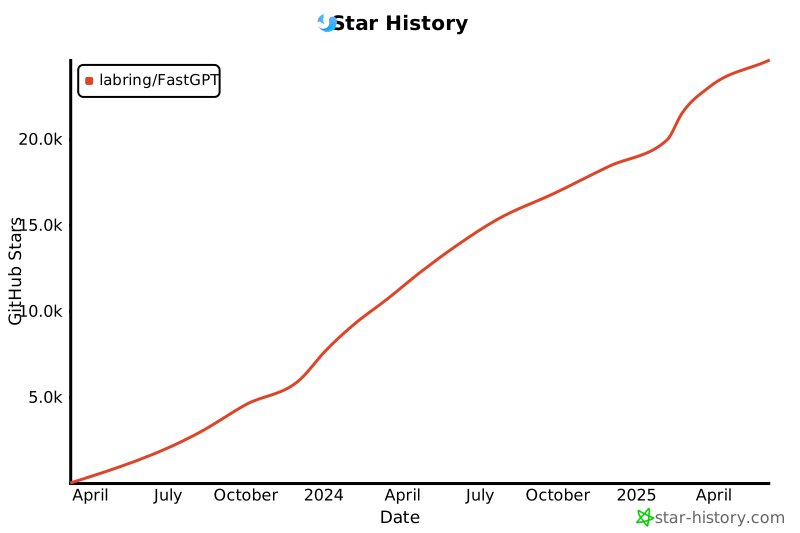](https://star-history.com/#labring/FastGPT&Date)
|
||||||
<picture>
|
|
||||||
<source media="(prefers-color-scheme: dark)" srcset="https://api.star-history.com/svg?repos=labring/FastGPT&type=Date&theme=dark" />
|
|
||||||
<source media="(prefers-color-scheme: light)" srcset="https://api.star-history.com/svg?repos=labring/FastGPT&type=Date" />
|
|
||||||
<img alt="Star History Chart" src="https://api.star-history.com/svg?repos=labring/FastGPT&type=Date" />
|
|
||||||
</picture>
|
|
||||||
</a>
|
|
||||||
|
|
||||||
<a href="#readme">
|
<a href="#readme">
|
||||||
<img src="https://img.shields.io/badge/-返回顶部-7d09f1.svg" alt="#" align="right">
|
<img src="https://img.shields.io/badge/-返回顶部-7d09f1.svg" alt="#" align="right">
|
||||||
@ -215,4 +165,4 @@ https://github.com/labring/FastGPT/assets/15308462/7d3a38df-eb0e-4388-9250-2409b
|
|||||||
1. 允许作为后台服务直接商用,但不允许提供 SaaS 服务。
|
1. 允许作为后台服务直接商用,但不允许提供 SaaS 服务。
|
||||||
2. 未经商业授权,任何形式的商用服务均需保留相关版权信息。
|
2. 未经商业授权,任何形式的商用服务均需保留相关版权信息。
|
||||||
3. 完整请查看 [FastGPT Open Source License](./LICENSE)
|
3. 完整请查看 [FastGPT Open Source License](./LICENSE)
|
||||||
4. 联系方式:Dennis@sealos.io,[点击查看商业版定价策略](https://doc.tryfastgpt.ai/docs/shopping_cart/intro/)
|
4. 联系方式:yujinlong@sealos.io,[点击查看商业版定价策略](https://doc.fastgpt.in/docs/commercial)
|
||||||
|
|||||||
227
README_en.md
@ -1,118 +1,126 @@
|
|||||||
<div align="center">
|
<div align="center">
|
||||||
|
|
||||||
<a href="https://tryfastgpt.ai/"><img src="/.github/imgs/logo.svg" width="120" height="120" alt="fastgpt logo"></a>
|
<a href="https://fastgpt.run/"><img src="/.github/imgs/logo.svg" width="120" height="120" alt="fastgpt logo"></a>
|
||||||
|
|
||||||
# FastGPT
|
# FastGPT
|
||||||
|
|
||||||

|
|
||||||
|
|
||||||
<p align="center">
|
<p align="center">
|
||||||
<a href="./README_en.md">English</a> |
|
<a href="./README_en.md">English</a> |
|
||||||
<a href="./README.md">简体中文</a> |
|
<a href="./README.md">简体中文</a> |
|
||||||
<a href="./README_ja.md">日语</a>
|
<a href="./README_ja.md">日语</a>
|
||||||
</p>
|
</p>
|
||||||
|
|
||||||
FastGPT is a knowledge-based platform built on the LLMs, offers a comprehensive suite of out-of-the-box capabilities such as data processing, RAG retrieval, and visual AI workflow orchestration, letting you easily develop and deploy complex question-answering systems without the need for extensive setup or configuration.
|
FastGPT is a knowledge-based Q&A system built on the LLM, offers out-of-the-box data processing and model invocation capabilities, allows for workflow orchestration through Flow visualization!
|
||||||
|
|
||||||
[](https://github.com/labring/FastGPT/stargazers)
|
|
||||||
[](https://github.com/labring/FastGPT/pulls)
|
|
||||||
[](https://github.com/labring/FastGPT/pulls)
|
|
||||||
[](https://github.com/labring/FastGPT/blob/main/LICENSE)
|
|
||||||
[](https://doc.tryfastgpt.ai/docs/intro)
|
|
||||||
[](https://doc.tryfastgpt.ai/docs/intro)
|
|
||||||
[](https://tryfastgpt.ai/)
|
|
||||||
|
|
||||||
[](https://discord.gg/mp68xkZn2Q)
|
|
||||||
[](https://oss.laf.run/otnvvf-imgs/feishu3.png)
|
|
||||||
|
|
||||||
</div>
|
</div>
|
||||||
|
|
||||||
## 🎥 Comprehensive Feature Demonstration
|
<p align="center">
|
||||||
|
<a href="https://fastgpt.run/">
|
||||||
|
<img height="21" src="https://img.shields.io/badge/在线使用-d4eaf7?style=flat-square&logo=spoj&logoColor=7d09f1" alt="cloud">
|
||||||
|
</a>
|
||||||
|
<a href="https://doc.fastgpt.run/docs/intro">
|
||||||
|
<img height="21" src="https://img.shields.io/badge/相关文档-7d09f1?style=flat-square" alt="document">
|
||||||
|
</a>
|
||||||
|
<a href="https://doc.fastgpt.run/docs/development">
|
||||||
|
<img height="21" src="https://img.shields.io/badge/本地开发-%23d4eaf7?style=flat-square&logo=xcode&logoColor=7d09f1" alt="development">
|
||||||
|
</a>
|
||||||
|
<a href="/#-%E7%9B%B8%E5%85%B3%E9%A1%B9%E7%9B%AE">
|
||||||
|
<img height="21" src="https://img.shields.io/badge/相关项目-7d09f1?style=flat-square" alt="project">
|
||||||
|
</a>
|
||||||
|
<a href="https://github.com/labring/FastGPT/blob/main/LICENSE">
|
||||||
|
<img height="21" src="https://img.shields.io/badge/License-Apache--2.0-ffffff?style=flat-square&labelColor=d4eaf7&color=7d09f1" alt="license">
|
||||||
|
</a>
|
||||||
|
</p>
|
||||||
|
|
||||||
https://github.com/labring/FastGPT/assets/15308462/7d3a38df-eb0e-4388-9250-2409bd33f6d4
|
https://github.com/labring/FastGPT/assets/15308462/7d3a38df-eb0e-4388-9250-2409bd33f6d4
|
||||||
|
|
||||||
## 🛸 Online Use
|
## 🛸 Use Cloud Services
|
||||||
|
|
||||||
Website: [tryfastgpt.ai](https://tryfastgpt.ai/)
|
|
||||||
|
|
||||||
|
[fastgpt.run](https://fastgpt.run/)
|
||||||
| | |
|
| | |
|
||||||
| ---------------------------------- | ---------------------------------- |
|
| ---------------------------------- | ---------------------------------- |
|
||||||
| Conversational AI Setup | Workflow Automation |
|
|
||||||
|  |  |
|
|  |  |
|
||||||
| Knowledge Base Setup | Integration Process |
|
|
||||||
|  |  |
|
|  |  |
|
||||||
|
|
||||||
<a href="#FastGPT">
|
<a href="#readme">
|
||||||
<img src="https://img.shields.io/badge/-Back_to_Top-7d09f1.svg" alt="#" align="right">
|
<img src="https://img.shields.io/badge/-Back_to_Top-7d09f1.svg" alt="#" align="right">
|
||||||
</a>
|
</a>
|
||||||
|
|
||||||
## 💡 Features
|
## 💡 Features
|
||||||
|
|
||||||
| **Features** | **Details** |
|
1. Powerful visual workflows: Effortlessly craft AI applications
|
||||||
|--------------------------------------------|---------------------------------------------------|
|
|
||||||
| **Application Orchestration Features** | ✅ Offers a straightforward mode, eliminating the need for complex orchestration <br> ✅ Provides clear next-step instructions in dialogues <br> ✅ Facilitates workflow orchestration <br> ✅ Tracks references in source files <br> ✅ Encapsulates modules for enhanced reuse at multiple levels <br> ✅ Combines search and reordering functions <br> 🔜 Includes a tool module <br> 🔜 Integrates [Laf](https://github.com/labring/laf) for online HTTP module creation <br> 🔜 Plugin encapsulation capabilities |
|
|
||||||
| **Knowledge Base Features** | ✅ Allows for the mixed use of multiple databases <br> ✅ Keeps track of modifications and deletions in data chunks <br> ✅ Enables specific vector models for each knowledge base <br> ✅ Stores original source files <br> ✅ Supports direct input and segment-based QA import <br> ✅ Compatible with a variety of file formats: pdf, docx, txt, html, md, csv <br> ✅ Facilitates URL reading and bulk CSV importing <br> 🔜 Supports PPT and Excel file import <br> 🔜 Features a file reader <br> 🔜 Offers diverse data preprocessing options |
|
|
||||||
| **Application Debugging Features** | ✅ Enables targeted search testing within the knowledge base <br> ✅ Allows feedback, editing, and deletion during conversations <br> ✅ Presents the full context of interactions <br> ✅ Displays all intermediate values within modules <br> 🔜 Advanced Debug mode for orchestration |
|
|
||||||
| **OpenAPI Interface** | ✅ The completions interface (aligned with GPT's chat mode interface) <br> ✅ CRUD operations for the knowledge base <br> 🔜 CRUD operations for conversation |
|
|
||||||
| **Operational Features** | ✅ Share without requiring login <br> ✅ Easy embedding with Iframe <br> ✅ Customizable chat window embedding with features like default open, drag-and-drop <br> ✅ Centralizes conversation records for review and annotation |
|
|
||||||
|
|
||||||
|
- [x] Simple mode on deck - no need for manual arrangement
|
||||||
|
- [x] User dialogue pre-guidance
|
||||||
|
- [x] Global variables
|
||||||
|
- [x] Knowledge base search
|
||||||
|
- [x] Dialogue via multiple LLM models
|
||||||
|
- [x] Text magic - convert to structured data
|
||||||
|
- [x] Extend with HTTP
|
||||||
|
- [ ] Embed Laf for on-the-fly HTTP module crafting
|
||||||
|
- [x] Directions for the next dialogue steps
|
||||||
|
- [x] Tracking source file references
|
||||||
|
- [ ] Custom file reader
|
||||||
|
- [ ] Modules are packaged into plug-ins to achieve reuse
|
||||||
|
|
||||||
<a href="#FastGPT">
|
2. Extensive knowledge base preprocessing
|
||||||
|
|
||||||
|
- [x] Reuse and mix multiple knowledge bases
|
||||||
|
- [x] Track chunk modifications and deletions
|
||||||
|
- [x] Supports manual entries, direct segmentation, and QA split imports
|
||||||
|
- [x] Supports URL fetching and batch CSV imports
|
||||||
|
- [x] Supports Set unique vector models for knowledge bases
|
||||||
|
- [x] Store original files
|
||||||
|
- [ ] File learning Agent
|
||||||
|
|
||||||
|
3. Multiple effect testing channels
|
||||||
|
|
||||||
|
- [x] Single-point knowledge base search test
|
||||||
|
- [x] Feedback references and ability to modify and delete during dialogue
|
||||||
|
- [x] Complete context presentation
|
||||||
|
- [ ] Complete module intermediate value presentation
|
||||||
|
|
||||||
|
4. OpenAPI
|
||||||
|
|
||||||
|
- [x] completions interface (aligned with GPT interface)
|
||||||
|
- [ ] Knowledge base CRUD
|
||||||
|
|
||||||
|
5. Operational functions
|
||||||
|
|
||||||
|
- [x] Login-free sharing window
|
||||||
|
- [x] One-click embedding with Iframe
|
||||||
|
- [ ] Unified access to dialogue records
|
||||||
|
|
||||||
|
<a href="#readme">
|
||||||
<img src="https://img.shields.io/badge/-Back_to_Top-7d09f1.svg" alt="#" align="right">
|
<img src="https://img.shields.io/badge/-Back_to_Top-7d09f1.svg" alt="#" align="right">
|
||||||
</a>
|
</a>
|
||||||
|
|
||||||
## 👨💻 Development
|
## 👨💻 Development
|
||||||
|
|
||||||
Project tech stack: NextJs + TS + ChakraUI + MongoDB + PostgreSQL (PG Vector plug-in)/Milvus
|
Project tech stack: NextJs + TS + ChakraUI + Mongo + Postgres (Vector plugin)
|
||||||
|
|
||||||
- **⚡ Fast Deployment**
|
- **⚡ Deployment**
|
||||||
|
|
||||||
> When using [Sealos](https://sealos.io) services, there is no need to purchase servers or domain names. It supports high concurrency and dynamic scaling, and the database application uses the kubeblocks database, which far exceeds the simple Docker container deployment in terms of IO performance.
|
[](https://cloud.sealos.io/?openapp=system-fastdeploy%3FtemplateName%3Dfastgpt)
|
||||||
<div align="center">
|
|
||||||
[](https://cloud.sealos.io/?openapp=system-fastdeploy%3FtemplateName%3Dfastgpt&uid=fnWRt09fZP)
|
|
||||||
</div>
|
|
||||||
|
|
||||||
Give it a 2-4 minute wait after deployment as it sets up the database. Initially, it might be a too slow since we're using the basic settings.
|
Give it a 2-4 minute wait after deployment as it sets up the database. Initially, it might be a tad slow since we're using the basic settings.
|
||||||
|
|
||||||
[sealos one click deployment tutorial](https://doc.tryfastgpt.ai/docs/development/sealos/)
|
- [Getting Started with Local Development](https://doc.fastgpt.run/docs/development)
|
||||||
|
- [Deploying FastGPT](https://doc.fastgpt.run/docs/installation)
|
||||||
|
- [Guide on System Configs](https://doc.fastgpt.run/docs/installation/reference)
|
||||||
|
- [Configuring Multiple Models](https://doc.fastgpt.run/docs/installation/reference/models)
|
||||||
|
- [Version Updates & Upgrades](https://doc.fastgpt.run/docs/installation/upgrading)
|
||||||
|
|
||||||
- [Getting Started with Local Development](https://doc.tryfastgpt.ai/docs/development)
|
<!-- ## :point_right: RoadMap
|
||||||
- [Deploying FastGPT](https://doc.tryfastgpt.ai/docs/installation)
|
- [FastGPT RoadMap](https://kjqvjse66l.feishu.cn/docx/RVUxdqE2WolDYyxEKATcM0XXnte) -->
|
||||||
- [Guide on System Configs](https://doc.tryfastgpt.ai/docs/installation/reference)
|
|
||||||
- [Configuring Multiple Models](https://doc.tryfastgpt.ai/docs/installation/reference/models)
|
|
||||||
- [Version Updates & Upgrades](https://doc.tryfastgpt.ai/docs/installation/upgrading)
|
|
||||||
|
|
||||||
<a href="#FastGPT">
|
<!-- ## 🏘️ Community
|
||||||
<img src="https://img.shields.io/badge/-Back_to_Top-7d09f1.svg" alt="#" align="right">
|
|
||||||
</a>
|
|
||||||
|
|
||||||
## 💪 Related Projects
|
| Community Group | Assistant |
|
||||||
|
| ------------------------------------------------- | ---------------------------------------------- |
|
||||||
|
|  |  | -->
|
||||||
|
|
||||||
- [Laf: 3-minute quick access to third-party applications](https://github.com/labring/laf)
|
<a href="#readme">
|
||||||
- [Sealos: Rapid deployment of cluster applications](https://github.com/labring/sealos)
|
|
||||||
- [One API: Multi-model management, supports Azure, Wenxin Yiyuan, etc.](https://github.com/songquanpeng/one-api)
|
|
||||||
- [TuShan: Build a backend management system in 5 minutes](https://github.com/msgbyte/tushan)
|
|
||||||
|
|
||||||
<a href="#FastGPT">
|
|
||||||
<img src="https://img.shields.io/badge/-Back_to_Top-7d09f1.svg" alt="#" align="right">
|
|
||||||
</a>
|
|
||||||
|
|
||||||
## 🤝 Third-party Ecosystem
|
|
||||||
|
|
||||||
- [luolinAI: Enterprise WeChat bot, ready to use](https://github.com/luolin-ai/FastGPT-Enterprise-WeChatbot)
|
|
||||||
|
|
||||||
<a href="#FastGPT">
|
|
||||||
<img src="https://img.shields.io/badge/-Back_to_Top-7d09f1.svg" alt="#" align="right">
|
|
||||||
</a>
|
|
||||||
|
|
||||||
|
|
||||||
## 🏘️ Community & Support
|
|
||||||
|
|
||||||
+ 🌐 Visit the [FastGPT website](https://tryfastgpt.ai/) for full documentation and useful links.
|
|
||||||
+ 💬 Join our [Discord server](https://discord.gg/mp68xkZn2Q) is to chat with FastGPT developers and other FastGPT users. This is a good place to learn about FastGPT, ask questions, and share your experiences.
|
|
||||||
+ 🐞 Create [GitHub Issues](https://github.com/labring/FastGPT/issues/new/choose) for bug reports and feature requests.
|
|
||||||
|
|
||||||
<a href="#FastGPT">
|
|
||||||
<img src="https://img.shields.io/badge/-Back_to_Top-7d09f1.svg" alt="#" align="right">
|
<img src="https://img.shields.io/badge/-Back_to_Top-7d09f1.svg" alt="#" align="right">
|
||||||
</a>
|
</a>
|
||||||
|
|
||||||
@ -123,70 +131,29 @@ Project tech stack: NextJs + TS + ChakraUI + MongoDB + PostgreSQL (PG Vector plu
|
|||||||
- [Official Account Integration Video Tutorial](https://www.bilibili.com/video/BV1xh4y1t7fy/)
|
- [Official Account Integration Video Tutorial](https://www.bilibili.com/video/BV1xh4y1t7fy/)
|
||||||
- [FastGPT Knowledge Base Demo](https://www.bilibili.com/video/BV1Wo4y1p7i1/)
|
- [FastGPT Knowledge Base Demo](https://www.bilibili.com/video/BV1Wo4y1p7i1/)
|
||||||
|
|
||||||
<a href="#FastGPT">
|
<a href="#readme">
|
||||||
<img src="https://img.shields.io/badge/-Back_to_Top-7d09f1.svg" alt="#" align="right">
|
<img src="https://img.shields.io/badge/-Back_to_Top-7d09f1.svg" alt="#" align="right">
|
||||||
</a>
|
</a>
|
||||||
|
|
||||||
## 🌱 Contributors
|
## 💪 Related Projects
|
||||||
|
|
||||||
We welcome all forms of contributions. If you are interested in contributing code, you can check out our GitHub [Issues](https://github.com/labring/FastGPT/issues?q=is%3Aissue+is%3Aopen+sort%3Aupdated-desc) to show us your ideas.
|
- [Laf: 3-minute quick access to third-party applications](https://github.com/labring/laf)
|
||||||
|
- [Sealos: Rapid deployment of cluster applications](https://github.com/labring/sealos)
|
||||||
|
- [One API: Multi-model management, supports Azure, Wenxin Yiyuan, etc.](https://github.com/songquanpeng/one-api)
|
||||||
|
- [TuShan: Build a backend management system in 5 minutes](https://github.com/msgbyte/tushan)
|
||||||
|
|
||||||
<a href="https://github.com/labring/FastGPT/graphs/contributors" target="_blank">
|
<a href="#readme">
|
||||||
<table>
|
<img src="https://img.shields.io/badge/-Back_to_Top-7d09f1.svg" alt="#" align="right">
|
||||||
<tr>
|
|
||||||
<th colspan="2">
|
|
||||||
<br><img src="https://contrib.rocks/image?repo=labring/FastGPT"><br><br>
|
|
||||||
</th>
|
|
||||||
</tr>
|
|
||||||
<tr>
|
|
||||||
<td>
|
|
||||||
<picture>
|
|
||||||
<source media="(prefers-color-scheme: dark)" srcset="https://next.ossinsight.io/widgets/official/compose-org-active-contributors/thumbnail.png?activity=active&period=past_28_days&owner_id=102226726&repo_ids=605673387&image_size=2x3&color_scheme=dark">
|
|
||||||
<img alt="Active participants of labring - past 28 days" src="https://next.ossinsight.io/widgets/official/compose-org-active-contributors/thumbnail.png?activity=active&period=past_28_days&owner_id=102226726&repo_ids=605673387&image_size=2x3&color_scheme=light">
|
|
||||||
</picture>
|
|
||||||
</td>
|
|
||||||
<td rowspan="2">
|
|
||||||
<picture>
|
|
||||||
<source media="(prefers-color-scheme: dark)" srcset="https://next.ossinsight.io/widgets/official/compose-org-participants-growth/thumbnail.png?activity=new&period=past_28_days&owner_id=102226726&repo_ids=605673387&image_size=4x7&color_scheme=dark">
|
|
||||||
<img alt="New trends of labring" src="https://next.ossinsight.io/widgets/official/compose-org-participants-growth/thumbnail.png?activity=new&period=past_28_days&owner_id=102226726&repo_ids=605673387&image_size=4x7&color_scheme=light">
|
|
||||||
</picture>
|
|
||||||
</td>
|
|
||||||
</tr>
|
|
||||||
<tr>
|
|
||||||
<td>
|
|
||||||
<picture>
|
|
||||||
<source media="(prefers-color-scheme: dark)" srcset="https://next.ossinsight.io/widgets/official/compose-org-active-contributors/thumbnail.png?activity=new&period=past_28_days&owner_id=102226726&repo_ids=605673387&image_size=2x3&color_scheme=dark">
|
|
||||||
<img alt="New participants of labring - past 28 days" src="https://next.ossinsight.io/widgets/official/compose-org-active-contributors/thumbnail.png?activity=new&period=past_28_days&owner_id=102226726&repo_ids=605673387&image_size=2x3&color_scheme=light">
|
|
||||||
</picture>
|
|
||||||
</td>
|
|
||||||
</tr>
|
|
||||||
</table>
|
|
||||||
</a>
|
</a>
|
||||||
|
|
||||||
|
## 🤝 Third-party Ecosystem
|
||||||
|
|
||||||
|
- [luolinAI: Enterprise WeChat bot, ready to use](https://github.com/luolin-ai/FastGPT-Enterprise-WeChatbot)
|
||||||
|
|
||||||
|
<a href="#readme">
|
||||||
|
<img src="https://img.shields.io/badge/-Back_to_Top-7d09f1.svg" alt="#" align="right">
|
||||||
|
</a>
|
||||||
|
|
||||||
## 🌟 Star History
|
## 🌟 Star History
|
||||||
|
|
||||||
<a href="https://github.com/labring/FastGPT/stargazers" target="_blank" style="display: block" align="center">
|
[](https://star-history.com/#labring/FastGPT&Date)
|
||||||
<picture>
|
|
||||||
<source media="(prefers-color-scheme: dark)" srcset="https://api.star-history.com/svg?repos=labring/FastGPT&type=Date&theme=dark" />
|
|
||||||
<source media="(prefers-color-scheme: light)" srcset="https://api.star-history.com/svg?repos=labring/FastGPT&type=Date" />
|
|
||||||
<img alt="Star History Chart" src="https://api.star-history.com/svg?repos=labring/FastGPT&type=Date" />
|
|
||||||
</picture>
|
|
||||||
</a>
|
|
||||||
|
|
||||||
<a href="#FastGPT">
|
|
||||||
<img src="https://img.shields.io/badge/-Back_to_Top-7d09f1.svg" alt="#" align="right">
|
|
||||||
</a>
|
|
||||||
|
|
||||||
## 📄 Usage Agreement
|
|
||||||
|
|
||||||
This repository complies with the [FastGPT Open Source License](./LICENSE) open source agreement.
|
|
||||||
|
|
||||||
1. Direct commercial use as a backend service is allowed, but provision of SaaS services is not allowed.
|
|
||||||
2. Without commercial authorization, any form of commercial service must retain relevant copyright information.
|
|
||||||
3. For full details, please see [FastGPT Open Source License](./LICENSE)
|
|
||||||
4. Contact: Dennis@sealos.io , [click to view commercial version pricing strategy](https://doc.tryfastgpt.ai/docs/commercial)
|
|
||||||
|
|
||||||
<a href="#FastGPT">
|
|
||||||
<img src="https://img.shields.io/badge/-Back_to_Top-7d09f1.svg" alt="#" align="right">
|
|
||||||
</a>
|
|
||||||
|
|||||||
23
README_ja.md
@ -1,6 +1,6 @@
|
|||||||
<div align="center">
|
<div align="center">
|
||||||
|
|
||||||
<a href="https://tryfastgpt.ai/"><img src="/.github/imgs/logo.svg" width="120" height="120" alt="fastgpt logo"></a>
|
<a href="https://fastgpt.run/"><img src="/.github/imgs/logo.svg" width="120" height="120" alt="fastgpt logo"></a>
|
||||||
|
|
||||||
# FastGPT
|
# FastGPT
|
||||||
|
|
||||||
@ -15,13 +15,13 @@ FastGPT は、LLM 上 に 構築 された 知識 ベースの Q&A システム
|
|||||||
</div>
|
</div>
|
||||||
|
|
||||||
<p align="center">
|
<p align="center">
|
||||||
<a href="https://tryfastgpt.ai/">
|
<a href="https://fastgpt.run/">
|
||||||
<img height="21" src="https://img.shields.io/badge/在线使用-d4eaf7?style=flat-square&logo=spoj&logoColor=7d09f1" alt="cloud">
|
<img height="21" src="https://img.shields.io/badge/在线使用-d4eaf7?style=flat-square&logo=spoj&logoColor=7d09f1" alt="cloud">
|
||||||
</a>
|
</a>
|
||||||
<a href="https://doc.tryfastgpt.ai/docs/intro">
|
<a href="https://doc.fastgpt.run/docs/intro">
|
||||||
<img height="21" src="https://img.shields.io/badge/相关文档-7d09f1?style=flat-square" alt="document">
|
<img height="21" src="https://img.shields.io/badge/相关文档-7d09f1?style=flat-square" alt="document">
|
||||||
</a>
|
</a>
|
||||||
<a href="https://doc.tryfastgpt.ai/docs/development">
|
<a href="https://doc.fastgpt.run/docs/development">
|
||||||
<img height="21" src="https://img.shields.io/badge/本地开发-%23d4eaf7?style=flat-square&logo=xcode&logoColor=7d09f1" alt="development">
|
<img height="21" src="https://img.shields.io/badge/本地开发-%23d4eaf7?style=flat-square&logo=xcode&logoColor=7d09f1" alt="development">
|
||||||
</a>
|
</a>
|
||||||
<a href="/#-%E7%9B%B8%E5%85%B3%E9%A1%B9%E7%9B%AE">
|
<a href="/#-%E7%9B%B8%E5%85%B3%E9%A1%B9%E7%9B%AE">
|
||||||
@ -36,8 +36,7 @@ https://github.com/labring/FastGPT/assets/15308462/7d3a38df-eb0e-4388-9250-2409b
|
|||||||
|
|
||||||
## 🛸 クラウドサービスの 利用
|
## 🛸 クラウドサービスの 利用
|
||||||
|
|
||||||
[tryfastgpt.ai](https://tryfastgpt.ai/)
|
[fastgpt.run](https://fastgpt.run/)
|
||||||
|
|
||||||
| | |
|
| | |
|
||||||
| ---------------------------------- | ---------------------------------- |
|
| ---------------------------------- | ---------------------------------- |
|
||||||
|  |  |
|
|  |  |
|
||||||
@ -94,15 +93,15 @@ https://github.com/labring/FastGPT/assets/15308462/7d3a38df-eb0e-4388-9250-2409b
|
|||||||
|
|
||||||
- **⚡ デプロイ**
|
- **⚡ デプロイ**
|
||||||
|
|
||||||
[](https://cloud.sealos.io/?openapp=system-fastdeploy%3FtemplateName%3Dfastgpt&uid=fnWRt09fZP)
|
[](https://cloud.sealos.io/?openapp=system-fastdeploy%3FtemplateName%3Dfastgpt)
|
||||||
|
|
||||||
デプロイ 後、データベースをセットアップするので、2~4分待 ってください。基本設定 を 使 っているので、最初 は 少 し 遅 いかもしれません。
|
デプロイ 後、データベースをセットアップするので、2~4分待 ってください。基本設定 を 使 っているので、最初 は 少 し 遅 いかもしれません。
|
||||||
|
|
||||||
- [ローカル 開発入門](https://doc.tryfastgpt.ai/docs/development)
|
- [ローカル 開発入門](https://doc.fastgpt.run/docs/development)
|
||||||
- [FastGPT のデプロイ](https://doc.tryfastgpt.ai/docs/installation)
|
- [FastGPT のデプロイ](https://doc.fastgpt.run/docs/installation)
|
||||||
- [システム 設定 ガイド](https://doc.tryfastgpt.ai/docs/installation/reference)
|
- [システム 設定 ガイド](https://doc.fastgpt.run/docs/installation/reference)
|
||||||
- [複数 モデルの 設定](https://doc.tryfastgpt.ai/docs/installation/reference/models)
|
- [複数 モデルの 設定](https://doc.fastgpt.run/docs/installation/reference/models)
|
||||||
- [バージョン 更新 とアップグレード](https://doc.tryfastgpt.ai/docs/installation/upgrading)
|
- [バージョン 更新 とアップグレード](https://doc.fastgpt.run/docs/installation/upgrading)
|
||||||
|
|
||||||
<!-- ## :point_right: ロードマップ
|
<!-- ## :point_right: ロードマップ
|
||||||
- [FastGPT ロードマップ](https://kjqvjse66l.feishu.cn/docx/RVUxdqE2WolDYyxEKATcM0XXnte) -->
|
- [FastGPT ロードマップ](https://kjqvjse66l.feishu.cn/docx/RVUxdqE2WolDYyxEKATcM0XXnte) -->
|
||||||
|
|||||||
26
SECURITY.md
@ -1,26 +0,0 @@
|
|||||||
# 安全策略
|
|
||||||
|
|
||||||
## 漏洞报告
|
|
||||||
|
|
||||||
如果您发现了 FastGPT 的安全漏洞,请按照以下步骤进行报告:
|
|
||||||
|
|
||||||
1. **报告方式**
|
|
||||||
发送邮件至:yujinlong@sealos.io
|
|
||||||
请备注版本以及您的 GitHub 账号
|
|
||||||
|
|
||||||
3. **响应时间**
|
|
||||||
- 我们会在 48 小时内确认收到您的报告
|
|
||||||
- 一般在 3 个工作日内给出初步评估结果
|
|
||||||
|
|
||||||
4. **漏洞处理流程**
|
|
||||||
- 确认漏洞:我们会验证漏洞的存在性和影响范围
|
|
||||||
- 修复开发:针对已确认的漏洞进行修复
|
|
||||||
- 版本发布:在下一个版本更新中发布安全补丁
|
|
||||||
- 公开披露:在修复完成后,我们会在更新日志中公布相关信息
|
|
||||||
|
|
||||||
5. **注意事项**
|
|
||||||
- 在漏洞未修复前,请勿公开披露漏洞详情
|
|
||||||
- 我们欢迎负责任的漏洞披露
|
|
||||||
- 对于重大贡献者,我们会在项目致谢名单中提及
|
|
||||||
|
|
||||||
感谢您为 FastGPT 的安全性做出贡献!
|
|
||||||
@ -1,258 +0,0 @@
|
|||||||
# 数据库的默认账号和密码仅首次运行时设置有效
|
|
||||||
# 如果修改了账号密码,记得改数据库和项目连接参数,别只改一处~
|
|
||||||
# 该配置文件只是给快速启动,测试使用。正式使用,记得务必修改账号密码,以及调整合适的知识库参数,共享内存等。
|
|
||||||
# 如何无法访问 dockerhub 和 git,可以用阿里云(阿里云没有arm包)
|
|
||||||
|
|
||||||
version: '3.3'
|
|
||||||
services:
|
|
||||||
minio:
|
|
||||||
container_name: minio
|
|
||||||
image: minio/minio:RELEASE.2023-03-20T20-16-18Z
|
|
||||||
environment:
|
|
||||||
MINIO_ACCESS_KEY: minioadmin
|
|
||||||
MINIO_SECRET_KEY: minioadmin
|
|
||||||
ports:
|
|
||||||
- '9001:9001'
|
|
||||||
- '9000:9000'
|
|
||||||
networks:
|
|
||||||
- fastgpt
|
|
||||||
volumes:
|
|
||||||
- ./minio:/minio_data
|
|
||||||
command: minio server /minio_data --console-address ":9001"
|
|
||||||
healthcheck:
|
|
||||||
test: ['CMD', 'curl', '-f', 'http://localhost:9000/minio/health/live']
|
|
||||||
interval: 30s
|
|
||||||
timeout: 20s
|
|
||||||
retries: 3
|
|
||||||
# milvus
|
|
||||||
milvusEtcd:
|
|
||||||
container_name: milvusEtcd
|
|
||||||
image: quay.io/coreos/etcd:v3.5.5
|
|
||||||
environment:
|
|
||||||
- ETCD_AUTO_COMPACTION_MODE=revision
|
|
||||||
- ETCD_AUTO_COMPACTION_RETENTION=1000
|
|
||||||
- ETCD_QUOTA_BACKEND_BYTES=4294967296
|
|
||||||
- ETCD_SNAPSHOT_COUNT=50000
|
|
||||||
networks:
|
|
||||||
- fastgpt
|
|
||||||
volumes:
|
|
||||||
- ./milvus/etcd:/etcd
|
|
||||||
command: etcd -advertise-client-urls=http://127.0.0.1:2379 -listen-client-urls http://0.0.0.0:2379 --data-dir /etcd
|
|
||||||
healthcheck:
|
|
||||||
test: ['CMD', 'etcdctl', 'endpoint', 'health']
|
|
||||||
interval: 30s
|
|
||||||
timeout: 20s
|
|
||||||
retries: 3
|
|
||||||
milvusStandalone:
|
|
||||||
container_name: milvusStandalone
|
|
||||||
image: milvusdb/milvus:v2.4.3
|
|
||||||
command: ['milvus', 'run', 'standalone']
|
|
||||||
security_opt:
|
|
||||||
- seccomp:unconfined
|
|
||||||
environment:
|
|
||||||
ETCD_ENDPOINTS: milvusEtcd:2379
|
|
||||||
MINIO_ADDRESS: minio:9000
|
|
||||||
networks:
|
|
||||||
- fastgpt
|
|
||||||
volumes:
|
|
||||||
- ./milvus/data:/var/lib/milvus
|
|
||||||
healthcheck:
|
|
||||||
test: ['CMD', 'curl', '-f', 'http://localhost:9091/healthz']
|
|
||||||
interval: 30s
|
|
||||||
start_period: 90s
|
|
||||||
timeout: 20s
|
|
||||||
retries: 3
|
|
||||||
depends_on:
|
|
||||||
- 'milvusEtcd'
|
|
||||||
- 'minio'
|
|
||||||
|
|
||||||
mongo:
|
|
||||||
image: registry.cn-hangzhou.aliyuncs.com/fastgpt/mongo:5.0.18 # 阿里云
|
|
||||||
container_name: mongo
|
|
||||||
restart: always
|
|
||||||
ports:
|
|
||||||
- 27017:27017
|
|
||||||
networks:
|
|
||||||
- fastgpt
|
|
||||||
command: mongod --keyFile /data/mongodb.key --replSet rs0
|
|
||||||
environment:
|
|
||||||
- MONGO_INITDB_ROOT_USERNAME=myusername
|
|
||||||
- MONGO_INITDB_ROOT_PASSWORD=mypassword
|
|
||||||
volumes:
|
|
||||||
- ./mongo/data:/data/db
|
|
||||||
entrypoint:
|
|
||||||
- bash
|
|
||||||
- -c
|
|
||||||
- |
|
|
||||||
openssl rand -base64 128 > /data/mongodb.key
|
|
||||||
chmod 400 /data/mongodb.key
|
|
||||||
chown 999:999 /data/mongodb.key
|
|
||||||
echo 'const isInited = rs.status().ok === 1
|
|
||||||
if(!isInited){
|
|
||||||
rs.initiate({
|
|
||||||
_id: "rs0",
|
|
||||||
members: [
|
|
||||||
{ _id: 0, host: "mongo:27017" }
|
|
||||||
]
|
|
||||||
})
|
|
||||||
}' > /data/initReplicaSet.js
|
|
||||||
# 启动MongoDB服务
|
|
||||||
exec docker-entrypoint.sh "$$@" &
|
|
||||||
|
|
||||||
# 等待MongoDB服务启动
|
|
||||||
until mongo -u myusername -p mypassword --authenticationDatabase admin --eval "print('waited for connection')"; do
|
|
||||||
echo "Waiting for MongoDB to start..."
|
|
||||||
sleep 2
|
|
||||||
done
|
|
||||||
|
|
||||||
# 执行初始化副本集的脚本
|
|
||||||
mongo -u myusername -p mypassword --authenticationDatabase admin /data/initReplicaSet.js
|
|
||||||
|
|
||||||
# 等待docker-entrypoint.sh脚本执行的MongoDB服务进程
|
|
||||||
wait $$!
|
|
||||||
redis:
|
|
||||||
image: redis:7.2-alpine
|
|
||||||
container_name: redis
|
|
||||||
# ports:
|
|
||||||
# - 6379:6379
|
|
||||||
networks:
|
|
||||||
- fastgpt
|
|
||||||
restart: always
|
|
||||||
command: |
|
|
||||||
redis-server --requirepass mypassword --loglevel warning --maxclients 10000 --appendonly yes --save 60 10 --maxmemory 4gb --maxmemory-policy noeviction
|
|
||||||
healthcheck:
|
|
||||||
test: ['CMD', 'redis-cli', '-a', 'mypassword', 'ping']
|
|
||||||
interval: 10s
|
|
||||||
timeout: 3s
|
|
||||||
retries: 3
|
|
||||||
start_period: 30s
|
|
||||||
volumes:
|
|
||||||
- ./redis/data:/data
|
|
||||||
|
|
||||||
# fastgpt
|
|
||||||
sandbox:
|
|
||||||
container_name: sandbox
|
|
||||||
image: ghcr.io/labring/fastgpt-sandbox:v4.9.10-fix2 # git
|
|
||||||
# image: registry.cn-hangzhou.aliyuncs.com/fastgpt/fastgpt-sandbox:v4.9.10-fix2 # 阿里云
|
|
||||||
networks:
|
|
||||||
- fastgpt
|
|
||||||
restart: always
|
|
||||||
fastgpt-mcp-server:
|
|
||||||
container_name: fastgpt-mcp-server
|
|
||||||
image: ghcr.io/labring/fastgpt-mcp_server:v4.9.10-fix2 # git
|
|
||||||
# image: registry.cn-hangzhou.aliyuncs.com/fastgpt/fastgpt-mcp_server:v4.9.10-fix2 # 阿里云
|
|
||||||
ports:
|
|
||||||
- 3005:3000
|
|
||||||
networks:
|
|
||||||
- fastgpt
|
|
||||||
restart: always
|
|
||||||
environment:
|
|
||||||
- FASTGPT_ENDPOINT=http://fastgpt:3000
|
|
||||||
fastgpt:
|
|
||||||
container_name: fastgpt
|
|
||||||
image: ghcr.io/labring/fastgpt:v4.9.10-fix2 # git
|
|
||||||
# image: registry.cn-hangzhou.aliyuncs.com/fastgpt/fastgpt:v4.9.10-fix2 # 阿里云
|
|
||||||
ports:
|
|
||||||
- 3000:3000
|
|
||||||
networks:
|
|
||||||
- fastgpt
|
|
||||||
depends_on:
|
|
||||||
- mongo
|
|
||||||
- milvusStandalone
|
|
||||||
- sandbox
|
|
||||||
restart: always
|
|
||||||
environment:
|
|
||||||
# 前端外部可访问的地址,用于自动补全文件资源路径。例如 https:fastgpt.cn,不能填 localhost。这个值可以不填,不填则发给模型的图片会是一个相对路径,而不是全路径,模型可能伪造Host。
|
|
||||||
- FE_DOMAIN=
|
|
||||||
# root 密码,用户名为: root。如果需要修改 root 密码,直接修改这个环境变量,并重启即可。
|
|
||||||
- DEFAULT_ROOT_PSW=1234
|
|
||||||
# AI Proxy 的地址,如果配了该地址,优先使用
|
|
||||||
- AIPROXY_API_ENDPOINT=http://aiproxy:3000
|
|
||||||
# AI Proxy 的 Admin Token,与 AI Proxy 中的环境变量 ADMIN_KEY
|
|
||||||
- AIPROXY_API_TOKEN=aiproxy
|
|
||||||
# 模型中转地址(如果用了 AI Proxy,下面 2 个就不需要了,旧版 OneAPI 用户,使用下面的变量)
|
|
||||||
# - OPENAI_BASE_URL=http://oneapi:3000/v1
|
|
||||||
# - CHAT_API_KEY=sk-fastgpt
|
|
||||||
# 数据库最大连接数
|
|
||||||
- DB_MAX_LINK=30
|
|
||||||
# 登录凭证密钥
|
|
||||||
- TOKEN_KEY=any
|
|
||||||
# root的密钥,常用于升级时候的初始化请求
|
|
||||||
- ROOT_KEY=root_key
|
|
||||||
# 文件阅读加密
|
|
||||||
- FILE_TOKEN_KEY=filetoken
|
|
||||||
# MongoDB 连接参数. 用户名myusername,密码mypassword。
|
|
||||||
- MONGODB_URI=mongodb://myusername:mypassword@mongo:27017/fastgpt?authSource=admin
|
|
||||||
# zilliz 连接参数
|
|
||||||
- MILVUS_ADDRESS=http://milvusStandalone:19530
|
|
||||||
- MILVUS_TOKEN=none
|
|
||||||
# Redis 地址
|
|
||||||
- REDIS_URL=redis://default:mypassword@redis:6379
|
|
||||||
# sandbox 地址
|
|
||||||
- SANDBOX_URL=http://sandbox:3000
|
|
||||||
# 日志等级: debug, info, warn, error
|
|
||||||
- LOG_LEVEL=info
|
|
||||||
- STORE_LOG_LEVEL=warn
|
|
||||||
# 工作流最大运行次数
|
|
||||||
- WORKFLOW_MAX_RUN_TIMES=1000
|
|
||||||
# 批量执行节点,最大输入长度
|
|
||||||
- WORKFLOW_MAX_LOOP_TIMES=100
|
|
||||||
# 自定义跨域,不配置时,默认都允许跨域(多个域名通过逗号分割)
|
|
||||||
- ALLOWED_ORIGINS=
|
|
||||||
# 是否开启IP限制,默认不开启
|
|
||||||
- USE_IP_LIMIT=false
|
|
||||||
# 对话文件过期天数
|
|
||||||
- CHAT_FILE_EXPIRE_TIME=7
|
|
||||||
volumes:
|
|
||||||
- ./config.json:/app/data/config.json
|
|
||||||
|
|
||||||
# AI Proxy
|
|
||||||
aiproxy:
|
|
||||||
image: ghcr.io/labring/aiproxy:v0.1.7
|
|
||||||
# image: registry.cn-hangzhou.aliyuncs.com/labring/aiproxy:v0.1.7 # 阿里云
|
|
||||||
container_name: aiproxy
|
|
||||||
restart: unless-stopped
|
|
||||||
depends_on:
|
|
||||||
aiproxy_pg:
|
|
||||||
condition: service_healthy
|
|
||||||
networks:
|
|
||||||
- fastgpt
|
|
||||||
environment:
|
|
||||||
# 对应 fastgpt 里的AIPROXY_API_TOKEN
|
|
||||||
- ADMIN_KEY=aiproxy
|
|
||||||
# 错误日志详情保存时间(小时)
|
|
||||||
- LOG_DETAIL_STORAGE_HOURS=1
|
|
||||||
# 数据库连接地址
|
|
||||||
- SQL_DSN=postgres://postgres:aiproxy@aiproxy_pg:5432/aiproxy
|
|
||||||
# 最大重试次数
|
|
||||||
- RETRY_TIMES=3
|
|
||||||
# 不需要计费
|
|
||||||
- BILLING_ENABLED=false
|
|
||||||
# 不需要严格检测模型
|
|
||||||
- DISABLE_MODEL_CONFIG=true
|
|
||||||
healthcheck:
|
|
||||||
test: ['CMD', 'curl', '-f', 'http://localhost:3000/api/status']
|
|
||||||
interval: 5s
|
|
||||||
timeout: 5s
|
|
||||||
retries: 10
|
|
||||||
aiproxy_pg:
|
|
||||||
image: pgvector/pgvector:0.8.0-pg15 # docker hub
|
|
||||||
# image: registry.cn-hangzhou.aliyuncs.com/fastgpt/pgvector:v0.8.0-pg15 # 阿里云
|
|
||||||
restart: unless-stopped
|
|
||||||
container_name: aiproxy_pg
|
|
||||||
volumes:
|
|
||||||
- ./aiproxy_pg:/var/lib/postgresql/data
|
|
||||||
networks:
|
|
||||||
- fastgpt
|
|
||||||
environment:
|
|
||||||
TZ: Asia/Shanghai
|
|
||||||
POSTGRES_USER: postgres
|
|
||||||
POSTGRES_DB: aiproxy
|
|
||||||
POSTGRES_PASSWORD: aiproxy
|
|
||||||
healthcheck:
|
|
||||||
test: ['CMD', 'pg_isready', '-U', 'postgres', '-d', 'aiproxy']
|
|
||||||
interval: 5s
|
|
||||||
timeout: 5s
|
|
||||||
retries: 10
|
|
||||||
networks:
|
|
||||||
fastgpt:
|
|
||||||
@ -1,234 +0,0 @@
|
|||||||
# 数据库的默认账号和密码仅首次运行时设置有效
|
|
||||||
# 如果修改了账号密码,记得改数据库和项目连接参数,别只改一处~
|
|
||||||
# 该配置文件只是给快速启动,测试使用。正式使用,记得务必修改账号密码,以及调整合适的知识库参数,共享内存等。
|
|
||||||
# 如何无法访问 dockerhub 和 git,可以用阿里云(阿里云没有arm包)
|
|
||||||
|
|
||||||
version: '3.3'
|
|
||||||
services:
|
|
||||||
# vector db
|
|
||||||
ob:
|
|
||||||
image: oceanbase/oceanbase-ce:4.3.5-lts # docker hub
|
|
||||||
# image: quay.io/oceanbase/oceanbase-ce:4.3.5-lts # 镜像
|
|
||||||
container_name: ob
|
|
||||||
restart: always
|
|
||||||
# ports: # 生产环境建议不要暴露
|
|
||||||
# - 2881:2881
|
|
||||||
networks:
|
|
||||||
- fastgpt
|
|
||||||
environment:
|
|
||||||
# 这里的配置只有首次运行生效。修改后,重启镜像是不会生效的。需要把持久化数据删除再重启,才有效果
|
|
||||||
- OB_SYS_PASSWORD=obsyspassword
|
|
||||||
# 不同于传统数据库,OceanBase 数据库的账号包含更多字段,包括用户名、租户名和集群名。经典格式为“用户名@租户名#集群名”
|
|
||||||
# 比如用mysql客户端连接时,根据本文件的默认配置,应该指定 “-uroot@tenantname”
|
|
||||||
- OB_TENANT_NAME=tenantname
|
|
||||||
- OB_TENANT_PASSWORD=tenantpassword
|
|
||||||
# MODE分为MINI和NORMAL, 后者会最大程度使用主机资源
|
|
||||||
- MODE=MINI
|
|
||||||
- OB_SERVER_IP=127.0.0.1
|
|
||||||
# 更多环境变量配置见oceanbase官方文档: https://www.oceanbase.com/docs/common-oceanbase-database-cn-1000000002013494
|
|
||||||
volumes:
|
|
||||||
- ./ob/data:/root/ob
|
|
||||||
- ./ob/config:/root/.obd/cluster
|
|
||||||
- ./init.sql:/root/boot/init.d/init.sql
|
|
||||||
healthcheck:
|
|
||||||
# obclient -h127.0.0.1 -P2881 -uroot@tenantname -ptenantpassword -e "SELECT 1;"
|
|
||||||
test:
|
|
||||||
[
|
|
||||||
'CMD-SHELL',
|
|
||||||
'obclient -h$${OB_SERVER_IP} -P2881 -uroot@$${OB_TENANT_NAME} -p$${OB_TENANT_PASSWORD} -e "SELECT 1;"'
|
|
||||||
]
|
|
||||||
interval: 30s
|
|
||||||
timeout: 10s
|
|
||||||
retries: 1000
|
|
||||||
start_period: 10s
|
|
||||||
mongo:
|
|
||||||
image: mongo:5.0.18 # dockerhub
|
|
||||||
# image: registry.cn-hangzhou.aliyuncs.com/fastgpt/mongo:5.0.18 # 阿里云
|
|
||||||
# image: mongo:4.4.29 # cpu不支持AVX时候使用
|
|
||||||
container_name: mongo
|
|
||||||
restart: always
|
|
||||||
# ports:
|
|
||||||
# - 27017:27017
|
|
||||||
networks:
|
|
||||||
- fastgpt
|
|
||||||
command: mongod --keyFile /data/mongodb.key --replSet rs0
|
|
||||||
environment:
|
|
||||||
- MONGO_INITDB_ROOT_USERNAME=myusername
|
|
||||||
- MONGO_INITDB_ROOT_PASSWORD=mypassword
|
|
||||||
volumes:
|
|
||||||
- ./mongo/data:/data/db
|
|
||||||
entrypoint:
|
|
||||||
- bash
|
|
||||||
- -c
|
|
||||||
- |
|
|
||||||
openssl rand -base64 128 > /data/mongodb.key
|
|
||||||
chmod 400 /data/mongodb.key
|
|
||||||
chown 999:999 /data/mongodb.key
|
|
||||||
echo 'const isInited = rs.status().ok === 1
|
|
||||||
if(!isInited){
|
|
||||||
rs.initiate({
|
|
||||||
_id: "rs0",
|
|
||||||
members: [
|
|
||||||
{ _id: 0, host: "mongo:27017" }
|
|
||||||
]
|
|
||||||
})
|
|
||||||
}' > /data/initReplicaSet.js
|
|
||||||
# 启动MongoDB服务
|
|
||||||
exec docker-entrypoint.sh "$$@" &
|
|
||||||
|
|
||||||
# 等待MongoDB服务启动
|
|
||||||
until mongo -u myusername -p mypassword --authenticationDatabase admin --eval "print('waited for connection')"; do
|
|
||||||
echo "Waiting for MongoDB to start..."
|
|
||||||
sleep 2
|
|
||||||
done
|
|
||||||
|
|
||||||
# 执行初始化副本集的脚本
|
|
||||||
mongo -u myusername -p mypassword --authenticationDatabase admin /data/initReplicaSet.js
|
|
||||||
|
|
||||||
# 等待docker-entrypoint.sh脚本执行的MongoDB服务进程
|
|
||||||
wait $$!
|
|
||||||
redis:
|
|
||||||
image: redis:7.2-alpine
|
|
||||||
container_name: redis
|
|
||||||
# ports:
|
|
||||||
# - 6379:6379
|
|
||||||
networks:
|
|
||||||
- fastgpt
|
|
||||||
restart: always
|
|
||||||
command: |
|
|
||||||
redis-server --requirepass mypassword --loglevel warning --maxclients 10000 --appendonly yes --save 60 10 --maxmemory 4gb --maxmemory-policy noeviction
|
|
||||||
volumes:
|
|
||||||
- ./redis/data:/data
|
|
||||||
healthcheck:
|
|
||||||
test: ['CMD', 'redis-cli', '-a', 'mypassword', 'ping']
|
|
||||||
interval: 10s
|
|
||||||
timeout: 3s
|
|
||||||
retries: 3
|
|
||||||
start_period: 30s
|
|
||||||
|
|
||||||
# fastgpt
|
|
||||||
sandbox:
|
|
||||||
container_name: sandbox
|
|
||||||
image: ghcr.io/labring/fastgpt-sandbox:v4.9.10-fix2 # git
|
|
||||||
# image: registry.cn-hangzhou.aliyuncs.com/fastgpt/fastgpt-sandbox:v4.9.10-fix2 # 阿里云
|
|
||||||
networks:
|
|
||||||
- fastgpt
|
|
||||||
restart: always
|
|
||||||
fastgpt-mcp-server:
|
|
||||||
container_name: fastgpt-mcp-server
|
|
||||||
image: ghcr.io/labring/fastgpt-mcp_server:v4.9.10-fix2 # git
|
|
||||||
# image: registry.cn-hangzhou.aliyuncs.com/fastgpt/fastgpt-mcp_server:v4.9.10-fix2 # 阿里云
|
|
||||||
ports:
|
|
||||||
- 3005:3000
|
|
||||||
networks:
|
|
||||||
- fastgpt
|
|
||||||
restart: always
|
|
||||||
environment:
|
|
||||||
- FASTGPT_ENDPOINT=http://fastgpt:3000
|
|
||||||
fastgpt:
|
|
||||||
container_name: fastgpt
|
|
||||||
image: ghcr.io/labring/fastgpt:v4.9.10-fix2 # git
|
|
||||||
# image: registry.cn-hangzhou.aliyuncs.com/fastgpt/fastgpt:v4.9.10-fix2 # 阿里云
|
|
||||||
ports:
|
|
||||||
- 3000:3000
|
|
||||||
networks:
|
|
||||||
- fastgpt
|
|
||||||
depends_on:
|
|
||||||
mongo:
|
|
||||||
condition: service_started
|
|
||||||
ob:
|
|
||||||
condition: service_healthy
|
|
||||||
sandbox:
|
|
||||||
condition: service_started
|
|
||||||
restart: always
|
|
||||||
environment:
|
|
||||||
# 前端外部可访问的地址,用于自动补全文件资源路径。例如 https:fastgpt.cn,不能填 localhost。这个值可以不填,不填则发给模型的图片会是一个相对路径,而不是全路径,模型可能伪造Host。
|
|
||||||
- FE_DOMAIN=
|
|
||||||
# root 密码,用户名为: root。如果需要修改 root 密码,直接修改这个环境变量,并重启即可。
|
|
||||||
- DEFAULT_ROOT_PSW=1234
|
|
||||||
# # AI Proxy 的地址,如果配了该地址,优先使用
|
|
||||||
- AIPROXY_API_ENDPOINT=http://aiproxy:3000
|
|
||||||
# # AI Proxy 的 Admin Token,与 AI Proxy 中的环境变量 ADMIN_KEY
|
|
||||||
- AIPROXY_API_TOKEN=aiproxy
|
|
||||||
# 数据库最大连接数
|
|
||||||
- DB_MAX_LINK=30
|
|
||||||
# 登录凭证密钥
|
|
||||||
- TOKEN_KEY=any
|
|
||||||
# root的密钥,常用于升级时候的初始化请求
|
|
||||||
- ROOT_KEY=root_key
|
|
||||||
# 文件阅读加密
|
|
||||||
- FILE_TOKEN_KEY=filetoken
|
|
||||||
# MongoDB 连接参数. 用户名myusername,密码mypassword。
|
|
||||||
- MONGODB_URI=mongodb://myusername:mypassword@mongo:27017/fastgpt?authSource=admin
|
|
||||||
# OceanBase 向量库连接参数
|
|
||||||
- OCEANBASE_URL=mysql://root%40tenantname:tenantpassword@ob:2881/test
|
|
||||||
# Redis 连接参数
|
|
||||||
- REDIS_URL=redis://default:mypassword@redis:6379
|
|
||||||
# sandbox 地址
|
|
||||||
- SANDBOX_URL=http://sandbox:3000
|
|
||||||
# 日志等级: debug, info, warn, error
|
|
||||||
- LOG_LEVEL=info
|
|
||||||
- STORE_LOG_LEVEL=warn
|
|
||||||
# 工作流最大运行次数
|
|
||||||
- WORKFLOW_MAX_RUN_TIMES=1000
|
|
||||||
# 批量执行节点,最大输入长度
|
|
||||||
- WORKFLOW_MAX_LOOP_TIMES=100
|
|
||||||
# 自定义跨域,不配置时,默认都允许跨域(多个域名通过逗号分割)
|
|
||||||
- ALLOWED_ORIGINS=
|
|
||||||
# 是否开启IP限制,默认不开启
|
|
||||||
- USE_IP_LIMIT=false
|
|
||||||
# 对话文件过期天数
|
|
||||||
- CHAT_FILE_EXPIRE_TIME=7
|
|
||||||
volumes:
|
|
||||||
- ./config.json:/app/data/config.json
|
|
||||||
|
|
||||||
# AI Proxy
|
|
||||||
aiproxy:
|
|
||||||
image: ghcr.io/labring/aiproxy:v0.1.7
|
|
||||||
# image: registry.cn-hangzhou.aliyuncs.com/labring/aiproxy:v0.1.7 # 阿里云
|
|
||||||
container_name: aiproxy
|
|
||||||
restart: unless-stopped
|
|
||||||
depends_on:
|
|
||||||
aiproxy_pg:
|
|
||||||
condition: service_healthy
|
|
||||||
networks:
|
|
||||||
- fastgpt
|
|
||||||
environment:
|
|
||||||
# 对应 fastgpt 里的AIPROXY_API_TOKEN
|
|
||||||
- ADMIN_KEY=aiproxy
|
|
||||||
# 错误日志详情保存时间(小时)
|
|
||||||
- LOG_DETAIL_STORAGE_HOURS=1
|
|
||||||
# 数据库连接地址
|
|
||||||
- SQL_DSN=postgres://postgres:aiproxy@aiproxy_pg:5432/aiproxy
|
|
||||||
# 最大重试次数
|
|
||||||
- RETRY_TIMES=3
|
|
||||||
# 不需要计费
|
|
||||||
- BILLING_ENABLED=false
|
|
||||||
# 不需要严格检测模型
|
|
||||||
- DISABLE_MODEL_CONFIG=true
|
|
||||||
healthcheck:
|
|
||||||
test: ['CMD', 'curl', '-f', 'http://localhost:3000/api/status']
|
|
||||||
interval: 5s
|
|
||||||
timeout: 5s
|
|
||||||
retries: 10
|
|
||||||
aiproxy_pg:
|
|
||||||
image: pgvector/pgvector:0.8.0-pg15 # docker hub
|
|
||||||
# image: registry.cn-hangzhou.aliyuncs.com/fastgpt/pgvector:v0.8.0-pg15 # 阿里云
|
|
||||||
restart: unless-stopped
|
|
||||||
container_name: aiproxy_pg
|
|
||||||
volumes:
|
|
||||||
- ./aiproxy_pg:/var/lib/postgresql/data
|
|
||||||
networks:
|
|
||||||
- fastgpt
|
|
||||||
environment:
|
|
||||||
TZ: Asia/Shanghai
|
|
||||||
POSTGRES_USER: postgres
|
|
||||||
POSTGRES_DB: aiproxy
|
|
||||||
POSTGRES_PASSWORD: aiproxy
|
|
||||||
healthcheck:
|
|
||||||
test: ['CMD', 'pg_isready', '-U', 'postgres', '-d', 'aiproxy']
|
|
||||||
interval: 5s
|
|
||||||
timeout: 5s
|
|
||||||
retries: 10
|
|
||||||
networks:
|
|
||||||
fastgpt:
|
|
||||||
@ -1,2 +0,0 @@
|
|||||||
ALTER SYSTEM SET ob_vector_memory_limit_percentage = 30;
|
|
||||||
|
|
||||||
@ -1,218 +0,0 @@
|
|||||||
# 数据库的默认账号和密码仅首次运行时设置有效
|
|
||||||
# 如果修改了账号密码,记得改数据库和项目连接参数,别只改一处~
|
|
||||||
# 该配置文件只是给快速启动,测试使用。正式使用,记得务必修改账号密码,以及调整合适的知识库参数,共享内存等。
|
|
||||||
# 如何无法访问 dockerhub 和 git,可以用阿里云(阿里云没有arm包)
|
|
||||||
|
|
||||||
version: '3.3'
|
|
||||||
services:
|
|
||||||
# db
|
|
||||||
pg:
|
|
||||||
image: pgvector/pgvector:0.8.0-pg15 # docker hub
|
|
||||||
# image: registry.cn-hangzhou.aliyuncs.com/fastgpt/pgvector:v0.8.0-pg15 # 阿里云
|
|
||||||
container_name: pg
|
|
||||||
restart: always
|
|
||||||
# ports: # 生产环境建议不要暴露
|
|
||||||
# - 5432:5432
|
|
||||||
networks:
|
|
||||||
- fastgpt
|
|
||||||
environment:
|
|
||||||
# 这里的配置只有首次运行生效。修改后,重启镜像是不会生效的。需要把持久化数据删除再重启,才有效果
|
|
||||||
- POSTGRES_USER=username
|
|
||||||
- POSTGRES_PASSWORD=password
|
|
||||||
- POSTGRES_DB=postgres
|
|
||||||
volumes:
|
|
||||||
- ./pg/data:/var/lib/postgresql/data
|
|
||||||
healthcheck:
|
|
||||||
test: ['CMD', 'pg_isready', '-U', 'postgres', '-d', 'postgres']
|
|
||||||
interval: 5s
|
|
||||||
timeout: 5s
|
|
||||||
retries: 10
|
|
||||||
mongo:
|
|
||||||
image: mongo:5.0.18 # dockerhub
|
|
||||||
# image: registry.cn-hangzhou.aliyuncs.com/fastgpt/mongo:5.0.18 # 阿里云
|
|
||||||
# image: mongo:4.4.29 # cpu不支持AVX时候使用
|
|
||||||
container_name: mongo
|
|
||||||
restart: always
|
|
||||||
# ports:
|
|
||||||
# - 27017:27017
|
|
||||||
networks:
|
|
||||||
- fastgpt
|
|
||||||
command: mongod --keyFile /data/mongodb.key --replSet rs0
|
|
||||||
environment:
|
|
||||||
- MONGO_INITDB_ROOT_USERNAME=myusername
|
|
||||||
- MONGO_INITDB_ROOT_PASSWORD=mypassword
|
|
||||||
volumes:
|
|
||||||
- ./mongo/data:/data/db
|
|
||||||
entrypoint:
|
|
||||||
- bash
|
|
||||||
- -c
|
|
||||||
- |
|
|
||||||
openssl rand -base64 128 > /data/mongodb.key
|
|
||||||
chmod 400 /data/mongodb.key
|
|
||||||
chown 999:999 /data/mongodb.key
|
|
||||||
echo 'const isInited = rs.status().ok === 1
|
|
||||||
if(!isInited){
|
|
||||||
rs.initiate({
|
|
||||||
_id: "rs0",
|
|
||||||
members: [
|
|
||||||
{ _id: 0, host: "mongo:27017" }
|
|
||||||
]
|
|
||||||
})
|
|
||||||
}' > /data/initReplicaSet.js
|
|
||||||
# 启动MongoDB服务
|
|
||||||
exec docker-entrypoint.sh "$$@" &
|
|
||||||
|
|
||||||
# 等待MongoDB服务启动
|
|
||||||
until mongo -u myusername -p mypassword --authenticationDatabase admin --eval "print('waited for connection')"; do
|
|
||||||
echo "Waiting for MongoDB to start..."
|
|
||||||
sleep 2
|
|
||||||
done
|
|
||||||
|
|
||||||
# 执行初始化副本集的脚本
|
|
||||||
mongo -u myusername -p mypassword --authenticationDatabase admin /data/initReplicaSet.js
|
|
||||||
|
|
||||||
# 等待docker-entrypoint.sh脚本执行的MongoDB服务进程
|
|
||||||
wait $$!
|
|
||||||
|
|
||||||
redis:
|
|
||||||
image: redis:7.2-alpine
|
|
||||||
container_name: redis
|
|
||||||
# ports:
|
|
||||||
# - 6379:6379
|
|
||||||
networks:
|
|
||||||
- fastgpt
|
|
||||||
restart: always
|
|
||||||
command: |
|
|
||||||
redis-server --requirepass mypassword --loglevel warning --maxclients 10000 --appendonly yes --save 60 10 --maxmemory 4gb --maxmemory-policy noeviction
|
|
||||||
healthcheck:
|
|
||||||
test: ['CMD', 'redis-cli', '-a', 'mypassword', 'ping']
|
|
||||||
interval: 10s
|
|
||||||
timeout: 3s
|
|
||||||
retries: 3
|
|
||||||
start_period: 30s
|
|
||||||
volumes:
|
|
||||||
- ./redis/data:/data
|
|
||||||
|
|
||||||
# fastgpt
|
|
||||||
sandbox:
|
|
||||||
container_name: sandbox
|
|
||||||
image: ghcr.io/labring/fastgpt-sandbox:v4.9.10-fix2 # git
|
|
||||||
# image: registry.cn-hangzhou.aliyuncs.com/fastgpt/fastgpt-sandbox:v4.9.10-fix2 # 阿里云
|
|
||||||
networks:
|
|
||||||
- fastgpt
|
|
||||||
restart: always
|
|
||||||
fastgpt-mcp-server:
|
|
||||||
container_name: fastgpt-mcp-server
|
|
||||||
image: ghcr.io/labring/fastgpt-mcp_server:v4.9.10-fix2 # git
|
|
||||||
# image: registry.cn-hangzhou.aliyuncs.com/fastgpt/fastgpt-mcp_server:v4.9.10-fix2 # 阿里云
|
|
||||||
ports:
|
|
||||||
- 3005:3000
|
|
||||||
networks:
|
|
||||||
- fastgpt
|
|
||||||
restart: always
|
|
||||||
environment:
|
|
||||||
- FASTGPT_ENDPOINT=http://fastgpt:3000
|
|
||||||
fastgpt:
|
|
||||||
container_name: fastgpt
|
|
||||||
image: ghcr.io/labring/fastgpt:v4.9.10-fix2 # git
|
|
||||||
# image: registry.cn-hangzhou.aliyuncs.com/fastgpt/fastgpt:v4.9.10-fix2 # 阿里云
|
|
||||||
ports:
|
|
||||||
- 3000:3000
|
|
||||||
networks:
|
|
||||||
- fastgpt
|
|
||||||
depends_on:
|
|
||||||
- mongo
|
|
||||||
- pg
|
|
||||||
- sandbox
|
|
||||||
restart: always
|
|
||||||
environment:
|
|
||||||
# 前端外部可访问的地址,用于自动补全文件资源路径。例如 https:fastgpt.cn,不能填 localhost。这个值可以不填,不填则发给模型的图片会是一个相对路径,而不是全路径,模型可能伪造Host。
|
|
||||||
- FE_DOMAIN=
|
|
||||||
# root 密码,用户名为: root。如果需要修改 root 密码,直接修改这个环境变量,并重启即可。
|
|
||||||
- DEFAULT_ROOT_PSW=1234
|
|
||||||
# AI Proxy 的地址,如果配了该地址,优先使用
|
|
||||||
- AIPROXY_API_ENDPOINT=http://aiproxy:3000
|
|
||||||
# AI Proxy 的 Admin Token,与 AI Proxy 中的环境变量 ADMIN_KEY
|
|
||||||
- AIPROXY_API_TOKEN=aiproxy
|
|
||||||
# 数据库最大连接数
|
|
||||||
- DB_MAX_LINK=30
|
|
||||||
# 登录凭证密钥
|
|
||||||
- TOKEN_KEY=any
|
|
||||||
# root的密钥,常用于升级时候的初始化请求
|
|
||||||
- ROOT_KEY=root_key
|
|
||||||
# 文件阅读加密
|
|
||||||
- FILE_TOKEN_KEY=filetoken
|
|
||||||
# MongoDB 连接参数. 用户名myusername,密码mypassword。
|
|
||||||
- MONGODB_URI=mongodb://myusername:mypassword@mongo:27017/fastgpt?authSource=admin
|
|
||||||
# pg 连接参数
|
|
||||||
- PG_URL=postgresql://username:password@pg:5432/postgres
|
|
||||||
# Redis 连接参数
|
|
||||||
- REDIS_URL=redis://default:mypassword@redis:6379
|
|
||||||
# sandbox 地址
|
|
||||||
- SANDBOX_URL=http://sandbox:3000
|
|
||||||
# 日志等级: debug, info, warn, error
|
|
||||||
- LOG_LEVEL=info
|
|
||||||
- STORE_LOG_LEVEL=warn
|
|
||||||
# 工作流最大运行次数
|
|
||||||
- WORKFLOW_MAX_RUN_TIMES=1000
|
|
||||||
# 批量执行节点,最大输入长度
|
|
||||||
- WORKFLOW_MAX_LOOP_TIMES=100
|
|
||||||
# 自定义跨域,不配置时,默认都允许跨域(多个域名通过逗号分割)
|
|
||||||
- ALLOWED_ORIGINS=
|
|
||||||
# 是否开启IP限制,默认不开启
|
|
||||||
- USE_IP_LIMIT=false
|
|
||||||
# 对话文件过期天数
|
|
||||||
- CHAT_FILE_EXPIRE_TIME=7
|
|
||||||
volumes:
|
|
||||||
- ./config.json:/app/data/config.json
|
|
||||||
|
|
||||||
# AI Proxy
|
|
||||||
aiproxy:
|
|
||||||
image: ghcr.io/labring/aiproxy:v0.1.7
|
|
||||||
# image: registry.cn-hangzhou.aliyuncs.com/labring/aiproxy:v0.1.7 # 阿里云
|
|
||||||
container_name: aiproxy
|
|
||||||
restart: unless-stopped
|
|
||||||
depends_on:
|
|
||||||
aiproxy_pg:
|
|
||||||
condition: service_healthy
|
|
||||||
networks:
|
|
||||||
- fastgpt
|
|
||||||
environment:
|
|
||||||
# 对应 fastgpt 里的AIPROXY_API_TOKEN
|
|
||||||
- ADMIN_KEY=aiproxy
|
|
||||||
# 错误日志详情保存时间(小时)
|
|
||||||
- LOG_DETAIL_STORAGE_HOURS=1
|
|
||||||
# 数据库连接地址
|
|
||||||
- SQL_DSN=postgres://postgres:aiproxy@aiproxy_pg:5432/aiproxy
|
|
||||||
# 最大重试次数
|
|
||||||
- RETRY_TIMES=3
|
|
||||||
# 不需要计费
|
|
||||||
- BILLING_ENABLED=false
|
|
||||||
# 不需要严格检测模型
|
|
||||||
- DISABLE_MODEL_CONFIG=true
|
|
||||||
healthcheck:
|
|
||||||
test: ['CMD', 'curl', '-f', 'http://localhost:3000/api/status']
|
|
||||||
interval: 5s
|
|
||||||
timeout: 5s
|
|
||||||
retries: 10
|
|
||||||
aiproxy_pg:
|
|
||||||
image: pgvector/pgvector:0.8.0-pg15 # docker hub
|
|
||||||
# image: registry.cn-hangzhou.aliyuncs.com/fastgpt/pgvector:v0.8.0-pg15 # 阿里云
|
|
||||||
restart: unless-stopped
|
|
||||||
container_name: aiproxy_pg
|
|
||||||
volumes:
|
|
||||||
- ./aiproxy_pg:/var/lib/postgresql/data
|
|
||||||
networks:
|
|
||||||
- fastgpt
|
|
||||||
environment:
|
|
||||||
TZ: Asia/Shanghai
|
|
||||||
POSTGRES_USER: postgres
|
|
||||||
POSTGRES_DB: aiproxy
|
|
||||||
POSTGRES_PASSWORD: aiproxy
|
|
||||||
healthcheck:
|
|
||||||
test: ['CMD', 'pg_isready', '-U', 'postgres', '-d', 'aiproxy']
|
|
||||||
interval: 5s
|
|
||||||
timeout: 5s
|
|
||||||
retries: 10
|
|
||||||
networks:
|
|
||||||
fastgpt:
|
|
||||||
@ -1,197 +0,0 @@
|
|||||||
# 数据库的默认账号和密码仅首次运行时设置有效
|
|
||||||
# 如果修改了账号密码,记得改数据库和项目连接参数,别只改一处~
|
|
||||||
# 该配置文件只是给快速启动,测试使用。正式使用,记得务必修改账号密码,以及调整合适的知识库参数,共享内存等。
|
|
||||||
# 如何无法访问 dockerhub 和 git,可以用阿里云(阿里云没有arm包)
|
|
||||||
|
|
||||||
version: '3.3'
|
|
||||||
services:
|
|
||||||
mongo:
|
|
||||||
image: mongo:5.0.18 # dockerhub
|
|
||||||
# image: registry.cn-hangzhou.aliyuncs.com/fastgpt/mongo:5.0.18 # 阿里云
|
|
||||||
# image: mongo:4.4.29 # cpu不支持AVX时候使用
|
|
||||||
container_name: mongo
|
|
||||||
restart: always
|
|
||||||
ports:
|
|
||||||
- 27017:27017
|
|
||||||
networks:
|
|
||||||
- fastgpt
|
|
||||||
command: mongod --keyFile /data/mongodb.key --replSet rs0
|
|
||||||
environment:
|
|
||||||
- MONGO_INITDB_ROOT_USERNAME=myusername
|
|
||||||
- MONGO_INITDB_ROOT_PASSWORD=mypassword
|
|
||||||
volumes:
|
|
||||||
- ./mongo/data:/data/db
|
|
||||||
entrypoint:
|
|
||||||
- bash
|
|
||||||
- -c
|
|
||||||
- |
|
|
||||||
openssl rand -base64 128 > /data/mongodb.key
|
|
||||||
chmod 400 /data/mongodb.key
|
|
||||||
chown 999:999 /data/mongodb.key
|
|
||||||
echo 'const isInited = rs.status().ok === 1
|
|
||||||
if(!isInited){
|
|
||||||
rs.initiate({
|
|
||||||
_id: "rs0",
|
|
||||||
members: [
|
|
||||||
{ _id: 0, host: "mongo:27017" }
|
|
||||||
]
|
|
||||||
})
|
|
||||||
}' > /data/initReplicaSet.js
|
|
||||||
# 启动MongoDB服务
|
|
||||||
exec docker-entrypoint.sh "$$@" &
|
|
||||||
|
|
||||||
# 等待MongoDB服务启动
|
|
||||||
until mongo -u myusername -p mypassword --authenticationDatabase admin --eval "print('waited for connection')"; do
|
|
||||||
echo "Waiting for MongoDB to start..."
|
|
||||||
sleep 2
|
|
||||||
done
|
|
||||||
|
|
||||||
# 执行初始化副本集的脚本
|
|
||||||
mongo -u myusername -p mypassword --authenticationDatabase admin /data/initReplicaSet.js
|
|
||||||
|
|
||||||
# 等待docker-entrypoint.sh脚本执行的MongoDB服务进程
|
|
||||||
wait $$!
|
|
||||||
redis:
|
|
||||||
image: redis:7.2-alpine
|
|
||||||
container_name: redis
|
|
||||||
# ports:
|
|
||||||
# - 6379:6379
|
|
||||||
networks:
|
|
||||||
- fastgpt
|
|
||||||
restart: always
|
|
||||||
command: |
|
|
||||||
redis-server --requirepass mypassword --loglevel warning --maxclients 10000 --appendonly yes --save 60 10 --maxmemory 4gb --maxmemory-policy noeviction
|
|
||||||
healthcheck:
|
|
||||||
test: ['CMD', 'redis-cli', '-a', 'mypassword', 'ping']
|
|
||||||
interval: 10s
|
|
||||||
timeout: 3s
|
|
||||||
retries: 3
|
|
||||||
start_period: 30s
|
|
||||||
volumes:
|
|
||||||
- ./redis/data:/data
|
|
||||||
|
|
||||||
sandbox:
|
|
||||||
container_name: sandbox
|
|
||||||
image: ghcr.io/labring/fastgpt-sandbox:v4.9.10-fix2 # git
|
|
||||||
# image: registry.cn-hangzhou.aliyuncs.com/fastgpt/fastgpt-sandbox:v4.9.10-fix2 # 阿里云
|
|
||||||
networks:
|
|
||||||
- fastgpt
|
|
||||||
restart: always
|
|
||||||
fastgpt-mcp-server:
|
|
||||||
container_name: fastgpt-mcp-server
|
|
||||||
image: ghcr.io/labring/fastgpt-mcp_server:v4.9.10-fix2 # git
|
|
||||||
# image: registry.cn-hangzhou.aliyuncs.com/fastgpt/fastgpt-mcp_server:v4.9.10-fix2 # 阿里云
|
|
||||||
ports:
|
|
||||||
- 3005:3000
|
|
||||||
networks:
|
|
||||||
- fastgpt
|
|
||||||
restart: always
|
|
||||||
environment:
|
|
||||||
- FASTGPT_ENDPOINT=http://fastgpt:3000
|
|
||||||
fastgpt:
|
|
||||||
container_name: fastgpt
|
|
||||||
image: ghcr.io/labring/fastgpt:v4.9.10-fix2 # git
|
|
||||||
# image: registry.cn-hangzhou.aliyuncs.com/fastgpt/fastgpt:v4.9.10-fix2 # 阿里云
|
|
||||||
ports:
|
|
||||||
- 3000:3000
|
|
||||||
networks:
|
|
||||||
- fastgpt
|
|
||||||
depends_on:
|
|
||||||
- mongo
|
|
||||||
- sandbox
|
|
||||||
restart: always
|
|
||||||
environment:
|
|
||||||
# 前端外部可访问的地址,用于自动补全文件资源路径。例如 https:fastgpt.cn,不能填 localhost。这个值可以不填,不填则发给模型的图片会是一个相对路径,而不是全路径,模型可能伪造Host。
|
|
||||||
- FE_DOMAIN=
|
|
||||||
# root 密码,用户名为: root。如果需要修改 root 密码,直接修改这个环境变量,并重启即可。
|
|
||||||
- DEFAULT_ROOT_PSW=1234
|
|
||||||
# AI Proxy 的地址,如果配了该地址,优先使用
|
|
||||||
- AIPROXY_API_ENDPOINT=http://aiproxy:3000
|
|
||||||
# AI Proxy 的 Admin Token,与 AI Proxy 中的环境变量 ADMIN_KEY
|
|
||||||
- AIPROXY_API_TOKEN=aiproxy
|
|
||||||
# 模型中转地址(如果用了 AI Proxy,下面 2 个就不需要了,旧版 OneAPI 用户,使用下面的变量)
|
|
||||||
# - OPENAI_BASE_URL=http://oneapi:3000/v1
|
|
||||||
# - CHAT_API_KEY=sk-fastgpt
|
|
||||||
# 数据库最大连接数
|
|
||||||
- DB_MAX_LINK=30
|
|
||||||
# 登录凭证密钥
|
|
||||||
- TOKEN_KEY=any
|
|
||||||
# root的密钥,常用于升级时候的初始化请求
|
|
||||||
- ROOT_KEY=root_key
|
|
||||||
# 文件阅读加密
|
|
||||||
- FILE_TOKEN_KEY=filetoken
|
|
||||||
# MongoDB 连接参数. 用户名myusername,密码mypassword。
|
|
||||||
- MONGODB_URI=mongodb://myusername:mypassword@mongo:27017/fastgpt?authSource=admin
|
|
||||||
# Redis 连接参数
|
|
||||||
- REDIS_URI=redis://default:mypassword@redis:6379
|
|
||||||
# zilliz 连接参数
|
|
||||||
- MILVUS_ADDRESS=zilliz_cloud_address
|
|
||||||
- MILVUS_TOKEN=zilliz_cloud_token
|
|
||||||
# sandbox 地址
|
|
||||||
- SANDBOX_URL=http://sandbox:3000
|
|
||||||
# 日志等级: debug, info, warn, error
|
|
||||||
- LOG_LEVEL=info
|
|
||||||
- STORE_LOG_LEVEL=warn
|
|
||||||
# 工作流最大运行次数
|
|
||||||
- WORKFLOW_MAX_RUN_TIMES=1000
|
|
||||||
# 批量执行节点,最大输入长度
|
|
||||||
- WORKFLOW_MAX_LOOP_TIMES=100
|
|
||||||
# 自定义跨域,不配置时,默认都允许跨域(多个域名通过逗号分割)
|
|
||||||
- ALLOWED_ORIGINS=
|
|
||||||
# 是否开启IP限制,默认不开启
|
|
||||||
- USE_IP_LIMIT=false
|
|
||||||
# 对话文件过期天数
|
|
||||||
- CHAT_FILE_EXPIRE_TIME=7
|
|
||||||
volumes:
|
|
||||||
- ./config.json:/app/data/config.json
|
|
||||||
|
|
||||||
# AI Proxy
|
|
||||||
aiproxy:
|
|
||||||
image: ghcr.io/labring/aiproxy:v0.1.7
|
|
||||||
# image: registry.cn-hangzhou.aliyuncs.com/labring/aiproxy:v0.1.7 # 阿里云
|
|
||||||
container_name: aiproxy
|
|
||||||
restart: unless-stopped
|
|
||||||
depends_on:
|
|
||||||
aiproxy_pg:
|
|
||||||
condition: service_healthy
|
|
||||||
networks:
|
|
||||||
- fastgpt
|
|
||||||
environment:
|
|
||||||
# 对应 fastgpt 里的AIPROXY_API_TOKEN
|
|
||||||
- ADMIN_KEY=aiproxy
|
|
||||||
# 错误日志详情保存时间(小时)
|
|
||||||
- LOG_DETAIL_STORAGE_HOURS=1
|
|
||||||
# 数据库连接地址
|
|
||||||
- SQL_DSN=postgres://postgres:aiproxy@aiproxy_pg:5432/aiproxy
|
|
||||||
# 最大重试次数
|
|
||||||
- RETRY_TIMES=3
|
|
||||||
# 不需要计费
|
|
||||||
- BILLING_ENABLED=false
|
|
||||||
# 不需要严格检测模型
|
|
||||||
- DISABLE_MODEL_CONFIG=true
|
|
||||||
healthcheck:
|
|
||||||
test: ['CMD', 'curl', '-f', 'http://localhost:3000/api/status']
|
|
||||||
interval: 5s
|
|
||||||
timeout: 5s
|
|
||||||
retries: 10
|
|
||||||
aiproxy_pg:
|
|
||||||
image: pgvector/pgvector:0.8.0-pg15 # docker hub
|
|
||||||
# image: registry.cn-hangzhou.aliyuncs.com/fastgpt/pgvector:v0.8.0-pg15 # 阿里云
|
|
||||||
restart: unless-stopped
|
|
||||||
container_name: aiproxy_pg
|
|
||||||
volumes:
|
|
||||||
- ./aiproxy_pg:/var/lib/postgresql/data
|
|
||||||
networks:
|
|
||||||
- fastgpt
|
|
||||||
environment:
|
|
||||||
TZ: Asia/Shanghai
|
|
||||||
POSTGRES_USER: postgres
|
|
||||||
POSTGRES_DB: aiproxy
|
|
||||||
POSTGRES_PASSWORD: aiproxy
|
|
||||||
healthcheck:
|
|
||||||
test: ['CMD', 'pg_isready', '-U', 'postgres', '-d', 'aiproxy']
|
|
||||||
interval: 5s
|
|
||||||
timeout: 5s
|
|
||||||
retries: 10
|
|
||||||
networks:
|
|
||||||
fastgpt:
|
|
||||||
@ -1,23 +0,0 @@
|
|||||||
# Patterns to ignore when building packages.
|
|
||||||
# This supports shell glob matching, relative path matching, and
|
|
||||||
# negation (prefixed with !). Only one pattern per line.
|
|
||||||
.DS_Store
|
|
||||||
# Common VCS dirs
|
|
||||||
.git/
|
|
||||||
.gitignore
|
|
||||||
.bzr/
|
|
||||||
.bzrignore
|
|
||||||
.hg/
|
|
||||||
.hgignore
|
|
||||||
.svn/
|
|
||||||
# Common backup files
|
|
||||||
*.swp
|
|
||||||
*.bak
|
|
||||||
*.tmp
|
|
||||||
*.orig
|
|
||||||
*~
|
|
||||||
# Various IDEs
|
|
||||||
.project
|
|
||||||
.idea/
|
|
||||||
*.tmproj
|
|
||||||
.vscode/
|
|
||||||
@ -1,9 +0,0 @@
|
|||||||
dependencies:
|
|
||||||
- name: mongodb
|
|
||||||
repository: oci://registry-1.docker.io/bitnamicharts
|
|
||||||
version: 15.0.1
|
|
||||||
- name: postgresql
|
|
||||||
repository: oci://registry-1.docker.io/bitnamicharts
|
|
||||||
version: 15.0.0
|
|
||||||
digest: sha256:eaee52dc30a5f0e8e65e30a99240707c8493fa2773a4afcfb54d286fb4fa6306
|
|
||||||
generated: "2024-03-19T13:47:47.7518066+08:00"
|
|
||||||
@ -1,32 +0,0 @@
|
|||||||
apiVersion: v2
|
|
||||||
name: fastgpt
|
|
||||||
description: A Helm chart for FastGPT
|
|
||||||
|
|
||||||
# A chart can be either an 'application' or a 'library' chart.
|
|
||||||
#
|
|
||||||
# Application charts are a collection of templates that can be packaged into versioned archives
|
|
||||||
# to be deployed.
|
|
||||||
#
|
|
||||||
# Library charts provide useful utilities or functions for the chart developer. They're included as
|
|
||||||
# a dependency of application charts to inject those utilities and functions into the rendering
|
|
||||||
# pipeline. Library charts do not define any templates and therefore cannot be deployed.
|
|
||||||
type: application
|
|
||||||
|
|
||||||
# This is the chart version. This version number should be incremented each time you make changes
|
|
||||||
# to the chart and its templates, including the app version.
|
|
||||||
# Versions are expected to follow Semantic Versioning (https://semver.org/)
|
|
||||||
version: 0.1.0
|
|
||||||
|
|
||||||
# This is the version number of the application being deployed. This version number should be
|
|
||||||
# incremented each time you make changes to the application. Versions are not expected to
|
|
||||||
# follow Semantic Versioning. They should reflect the version the application is using.
|
|
||||||
# It is recommended to use it with quotes.
|
|
||||||
appVersion: "v4.6.6"
|
|
||||||
|
|
||||||
dependencies:
|
|
||||||
- name: mongodb
|
|
||||||
version: 15.0.1
|
|
||||||
repository: oci://registry-1.docker.io/bitnamicharts
|
|
||||||
- name: postgresql
|
|
||||||
version: 15.0.0
|
|
||||||
repository: oci://registry-1.docker.io/bitnamicharts
|
|
||||||
@ -1,67 +0,0 @@
|
|||||||
# fastgpt
|
|
||||||
|
|
||||||
  
|
|
||||||
|
|
||||||
A Helm chart for FastGPT
|
|
||||||
|
|
||||||
## Requirements
|
|
||||||
|
|
||||||
| Repository | Name | Version |
|
|
||||||
|------------|------|---------|
|
|
||||||
| oci://registry-1.docker.io/bitnamicharts | mongodb | 15.0.1 |
|
|
||||||
| oci://registry-1.docker.io/bitnamicharts | postgresql | 15.0.0 |
|
|
||||||
|
|
||||||
## Values
|
|
||||||
|
|
||||||
| Key | Type | Default | Description |
|
|
||||||
|-----|------|---------|-------------|
|
|
||||||
| affinity | object | `{}` | |
|
|
||||||
| autoscaling.enabled | bool | `false` | |
|
|
||||||
| autoscaling.maxReplicas | int | `100` | |
|
|
||||||
| autoscaling.minReplicas | int | `1` | |
|
|
||||||
| autoscaling.targetCPUUtilizationPercentage | int | `80` | |
|
|
||||||
| fullnameOverride | string | `""` | |
|
|
||||||
| image.pullPolicy | string | `"IfNotPresent"` | |
|
|
||||||
| image.repository | string | `"ghcr.io/labring/fastgpt"` | |
|
|
||||||
| image.tag | string | `""` | |
|
|
||||||
| imagePullSecrets | list | `[]` | |
|
|
||||||
| ingress.annotations | object | `{}` | |
|
|
||||||
| ingress.className | string | `""` | |
|
|
||||||
| ingress.enabled | bool | `false` | |
|
|
||||||
| ingress.hosts[0].host | string | `"chart-example.local"` | |
|
|
||||||
| ingress.hosts[0].paths[0].path | string | `"/"` | |
|
|
||||||
| ingress.hosts[0].paths[0].pathType | string | `"ImplementationSpecific"` | |
|
|
||||||
| ingress.tls | list | `[]` | |
|
|
||||||
| livenessProbe.httpGet.path | string | `"/"` | |
|
|
||||||
| livenessProbe.httpGet.port | string | `"http"` | |
|
|
||||||
| mongodb.architecture | string | `"replicaset"` | |
|
|
||||||
| mongodb.auth.rootPassword | string | `"123456"` | |
|
|
||||||
| mongodb.auth.rootUser | string | `"root"` | |
|
|
||||||
| mongodb.enabled | bool | `true` | Enable or disable the built-in MangoDB |
|
|
||||||
| nameOverride | string | `""` | |
|
|
||||||
| nodeSelector | object | `{}` | |
|
|
||||||
| podAnnotations | object | `{}` | |
|
|
||||||
| podLabels | object | `{}` | |
|
|
||||||
| podSecurityContext | object | `{}` | |
|
|
||||||
| postgresql.enabled | bool | `true` | Enable or disable the built-in PostgreSQL |
|
|
||||||
| postgresql.global.postgresql.auth.database | string | `"postgres"` | The default database of PostgreSQL |
|
|
||||||
| postgresql.global.postgresql.auth.postgresPassword | string | `"postgres"` | The password of PostgreSQL, default username is `postgres` |
|
|
||||||
| postgresql.image.repository | string | `"linuxsuren/pgvector"` | The PostgreSQL image which include the pgvector extension. See also the source code from https://github.com/LinuxSuRen/pgvector-docker |
|
|
||||||
| postgresql.image.tag | string | `"v0.0.1"` | |
|
|
||||||
| readinessProbe.httpGet.path | string | `"/"` | |
|
|
||||||
| readinessProbe.httpGet.port | string | `"http"` | |
|
|
||||||
| replicaCount | int | `1` | |
|
|
||||||
| resources | object | `{}` | |
|
|
||||||
| securityContext | object | `{}` | |
|
|
||||||
| service.port | int | `3000` | |
|
|
||||||
| service.type | string | `"ClusterIP"` | |
|
|
||||||
| serviceAccount.annotations | object | `{}` | |
|
|
||||||
| serviceAccount.automount | bool | `true` | |
|
|
||||||
| serviceAccount.create | bool | `true` | |
|
|
||||||
| serviceAccount.name | string | `""` | |
|
|
||||||
| tolerations | list | `[]` | |
|
|
||||||
| volumeMounts | list | `[]` | |
|
|
||||||
| volumes | list | `[]` | |
|
|
||||||
|
|
||||||
----------------------------------------------
|
|
||||||
Autogenerated from chart metadata using [helm-docs v1.13.1](https://github.com/norwoodj/helm-docs/releases/v1.13.1)
|
|
||||||
@ -1,22 +0,0 @@
|
|||||||
1. Get the application URL by running these commands:
|
|
||||||
{{- if .Values.ingress.enabled }}
|
|
||||||
{{- range $host := .Values.ingress.hosts }}
|
|
||||||
{{- range .paths }}
|
|
||||||
http{{ if $.Values.ingress.tls }}s{{ end }}://{{ $host.host }}{{ .path }}
|
|
||||||
{{- end }}
|
|
||||||
{{- end }}
|
|
||||||
{{- else if contains "NodePort" .Values.service.type }}
|
|
||||||
export NODE_PORT=$(kubectl get --namespace {{ .Release.Namespace }} -o jsonpath="{.spec.ports[0].nodePort}" services {{ include "fastgpt.fullname" . }})
|
|
||||||
export NODE_IP=$(kubectl get nodes --namespace {{ .Release.Namespace }} -o jsonpath="{.items[0].status.addresses[0].address}")
|
|
||||||
echo http://$NODE_IP:$NODE_PORT
|
|
||||||
{{- else if contains "LoadBalancer" .Values.service.type }}
|
|
||||||
NOTE: It may take a few minutes for the LoadBalancer IP to be available.
|
|
||||||
You can watch the status of by running 'kubectl get --namespace {{ .Release.Namespace }} svc -w {{ include "fastgpt.fullname" . }}'
|
|
||||||
export SERVICE_IP=$(kubectl get svc --namespace {{ .Release.Namespace }} {{ include "fastgpt.fullname" . }} --template "{{"{{ range (index .status.loadBalancer.ingress 0) }}{{.}}{{ end }}"}}")
|
|
||||||
echo http://$SERVICE_IP:{{ .Values.service.port }}
|
|
||||||
{{- else if contains "ClusterIP" .Values.service.type }}
|
|
||||||
export POD_NAME=$(kubectl get pods --namespace {{ .Release.Namespace }} -l "app.kubernetes.io/name={{ include "fastgpt.name" . }},app.kubernetes.io/instance={{ .Release.Name }}" -o jsonpath="{.items[0].metadata.name}")
|
|
||||||
export CONTAINER_PORT=$(kubectl get pod --namespace {{ .Release.Namespace }} $POD_NAME -o jsonpath="{.spec.containers[0].ports[0].containerPort}")
|
|
||||||
echo "Visit http://127.0.0.1:8080 to use your application"
|
|
||||||
kubectl --namespace {{ .Release.Namespace }} port-forward $POD_NAME 8080:$CONTAINER_PORT
|
|
||||||
{{- end }}
|
|
||||||
@ -1,62 +0,0 @@
|
|||||||
{{/*
|
|
||||||
Expand the name of the chart.
|
|
||||||
*/}}
|
|
||||||
{{- define "fastgpt.name" -}}
|
|
||||||
{{- default .Chart.Name .Values.nameOverride | trunc 63 | trimSuffix "-" }}
|
|
||||||
{{- end }}
|
|
||||||
|
|
||||||
{{/*
|
|
||||||
Create a default fully qualified app name.
|
|
||||||
We truncate at 63 chars because some Kubernetes name fields are limited to this (by the DNS naming spec).
|
|
||||||
If release name contains chart name it will be used as a full name.
|
|
||||||
*/}}
|
|
||||||
{{- define "fastgpt.fullname" -}}
|
|
||||||
{{- if .Values.fullnameOverride }}
|
|
||||||
{{- .Values.fullnameOverride | trunc 63 | trimSuffix "-" }}
|
|
||||||
{{- else }}
|
|
||||||
{{- $name := default .Chart.Name .Values.nameOverride }}
|
|
||||||
{{- if contains $name .Release.Name }}
|
|
||||||
{{- .Release.Name | trunc 63 | trimSuffix "-" }}
|
|
||||||
{{- else }}
|
|
||||||
{{- printf "%s-%s" .Release.Name $name | trunc 63 | trimSuffix "-" }}
|
|
||||||
{{- end }}
|
|
||||||
{{- end }}
|
|
||||||
{{- end }}
|
|
||||||
|
|
||||||
{{/*
|
|
||||||
Create chart name and version as used by the chart label.
|
|
||||||
*/}}
|
|
||||||
{{- define "fastgpt.chart" -}}
|
|
||||||
{{- printf "%s-%s" .Chart.Name .Chart.Version | replace "+" "_" | trunc 63 | trimSuffix "-" }}
|
|
||||||
{{- end }}
|
|
||||||
|
|
||||||
{{/*
|
|
||||||
Common labels
|
|
||||||
*/}}
|
|
||||||
{{- define "fastgpt.labels" -}}
|
|
||||||
helm.sh/chart: {{ include "fastgpt.chart" . }}
|
|
||||||
{{ include "fastgpt.selectorLabels" . }}
|
|
||||||
{{- if .Chart.AppVersion }}
|
|
||||||
app.kubernetes.io/version: {{ .Chart.AppVersion | quote }}
|
|
||||||
{{- end }}
|
|
||||||
app.kubernetes.io/managed-by: {{ .Release.Service }}
|
|
||||||
{{- end }}
|
|
||||||
|
|
||||||
{{/*
|
|
||||||
Selector labels
|
|
||||||
*/}}
|
|
||||||
{{- define "fastgpt.selectorLabels" -}}
|
|
||||||
app.kubernetes.io/name: {{ include "fastgpt.name" . }}
|
|
||||||
app.kubernetes.io/instance: {{ .Release.Name }}
|
|
||||||
{{- end }}
|
|
||||||
|
|
||||||
{{/*
|
|
||||||
Create the name of the service account to use
|
|
||||||
*/}}
|
|
||||||
{{- define "fastgpt.serviceAccountName" -}}
|
|
||||||
{{- if .Values.serviceAccount.create }}
|
|
||||||
{{- default (include "fastgpt.fullname" .) .Values.serviceAccount.name }}
|
|
||||||
{{- else }}
|
|
||||||
{{- default "default" .Values.serviceAccount.name }}
|
|
||||||
{{- end }}
|
|
||||||
{{- end }}
|
|
||||||
@ -1,186 +0,0 @@
|
|||||||
apiVersion: v1
|
|
||||||
data:
|
|
||||||
config.json: |
|
|
||||||
{
|
|
||||||
"systemEnv": {
|
|
||||||
"openapiPrefix": "fastgpt",
|
|
||||||
"vectorMaxProcess": 15,
|
|
||||||
"qaMaxProcess": 15,
|
|
||||||
"vlmMaxProcess": 15,
|
|
||||||
"hnswEfSearch": 100
|
|
||||||
},
|
|
||||||
"llmModels": [
|
|
||||||
{
|
|
||||||
"model": "gpt-3.5-turbo",
|
|
||||||
"name": "gpt-3.5-turbo",
|
|
||||||
"maxContext": 16000,
|
|
||||||
"maxResponse": 4000,
|
|
||||||
"quoteMaxToken": 13000,
|
|
||||||
"maxTemperature": 1.2,
|
|
||||||
"charsPointsPrice": 0,
|
|
||||||
"censor": false,
|
|
||||||
"vision": false,
|
|
||||||
"datasetProcess": true,
|
|
||||||
"usedInClassify": true,
|
|
||||||
"usedInExtractFields": true,
|
|
||||||
"usedInToolCall": true,
|
|
||||||
"toolChoice": true,
|
|
||||||
"functionCall": false,
|
|
||||||
"customCQPrompt": "",
|
|
||||||
"customExtractPrompt": "",
|
|
||||||
"defaultSystemChatPrompt": "",
|
|
||||||
"defaultConfig": {}
|
|
||||||
},
|
|
||||||
{
|
|
||||||
"model": "gpt-3.5-turbo-16k",
|
|
||||||
"name": "gpt-3.5-turbo-16k",
|
|
||||||
"maxContext": 16000,
|
|
||||||
"maxResponse": 16000,
|
|
||||||
"quoteMaxToken": 13000,
|
|
||||||
"maxTemperature": 1.2,
|
|
||||||
"charsPointsPrice": 0,
|
|
||||||
"censor": false,
|
|
||||||
"vision": false,
|
|
||||||
"datasetProcess": true,
|
|
||||||
"usedInClassify": true,
|
|
||||||
"usedInExtractFields": true,
|
|
||||||
"usedInToolCall": true,
|
|
||||||
"toolChoice": true,
|
|
||||||
"functionCall": false,
|
|
||||||
"customCQPrompt": "",
|
|
||||||
"customExtractPrompt": "",
|
|
||||||
"defaultSystemChatPrompt": "",
|
|
||||||
"defaultConfig": {}
|
|
||||||
},
|
|
||||||
{
|
|
||||||
"model": "gpt-4-0125-preview",
|
|
||||||
"name": "gpt-4-turbo",
|
|
||||||
"maxContext": 125000,
|
|
||||||
"maxResponse": 4000,
|
|
||||||
"quoteMaxToken": 100000,
|
|
||||||
"maxTemperature": 1.2,
|
|
||||||
"charsPointsPrice": 0,
|
|
||||||
"censor": false,
|
|
||||||
"vision": false,
|
|
||||||
"datasetProcess": true,
|
|
||||||
"usedInClassify": true,
|
|
||||||
"usedInExtractFields": true,
|
|
||||||
"usedInToolCall": true,
|
|
||||||
"toolChoice": true,
|
|
||||||
"functionCall": false,
|
|
||||||
"customCQPrompt": "",
|
|
||||||
"customExtractPrompt": "",
|
|
||||||
"defaultSystemChatPrompt": "",
|
|
||||||
"defaultConfig": {}
|
|
||||||
},
|
|
||||||
{
|
|
||||||
"model": "gpt-4-vision-preview",
|
|
||||||
"name": "gpt-4-vision",
|
|
||||||
"maxContext": 128000,
|
|
||||||
"maxResponse": 4000,
|
|
||||||
"quoteMaxToken": 100000,
|
|
||||||
"maxTemperature": 1.2,
|
|
||||||
"charsPointsPrice": 0,
|
|
||||||
"censor": false,
|
|
||||||
"vision": true,
|
|
||||||
"datasetProcess": true,
|
|
||||||
"usedInClassify": false,
|
|
||||||
"usedInExtractFields": false,
|
|
||||||
"usedInToolCall": false,
|
|
||||||
"toolChoice": true,
|
|
||||||
"functionCall": false,
|
|
||||||
"customCQPrompt": "",
|
|
||||||
"customExtractPrompt": "",
|
|
||||||
"defaultSystemChatPrompt": "",
|
|
||||||
"defaultConfig": {}
|
|
||||||
}
|
|
||||||
],
|
|
||||||
"vectorModels": [
|
|
||||||
{
|
|
||||||
"model": "text-embedding-3-large",
|
|
||||||
"name": "Embedding-2",
|
|
||||||
"avatar": "/imgs/model/openai.svg",
|
|
||||||
"charsPointsPrice": 0,
|
|
||||||
"defaultToken": 512,
|
|
||||||
"maxToken": 3000,
|
|
||||||
"weight": 100,
|
|
||||||
"dbConfig": {},
|
|
||||||
"queryConfig": {},
|
|
||||||
"defaultConfig": {
|
|
||||||
"dimensions": 1024
|
|
||||||
}
|
|
||||||
},
|
|
||||||
{
|
|
||||||
"model": "text-embedding-3-small",
|
|
||||||
"name": "Embedding-2",
|
|
||||||
"avatar": "/imgs/model/openai.svg",
|
|
||||||
"charsPointsPrice": 0,
|
|
||||||
"defaultToken": 512,
|
|
||||||
"maxToken": 3000,
|
|
||||||
"weight": 100,
|
|
||||||
"dbConfig": {},
|
|
||||||
"queryConfig": {}
|
|
||||||
},
|
|
||||||
{
|
|
||||||
"model": "text-embedding-ada-002",
|
|
||||||
"name": "Embedding-2",
|
|
||||||
"avatar": "/imgs/model/openai.svg",
|
|
||||||
"charsPointsPrice": 0,
|
|
||||||
"defaultToken": 512,
|
|
||||||
"maxToken": 3000,
|
|
||||||
"weight": 100,
|
|
||||||
"dbConfig": {},
|
|
||||||
"queryConfig": {}
|
|
||||||
}
|
|
||||||
],
|
|
||||||
"reRankModels": [],
|
|
||||||
"audioSpeechModels": [
|
|
||||||
{
|
|
||||||
"model": "tts-1",
|
|
||||||
"name": "OpenAI TTS1",
|
|
||||||
"charsPointsPrice": 0,
|
|
||||||
"voices": [
|
|
||||||
{
|
|
||||||
"label": "Alloy",
|
|
||||||
"value": "alloy",
|
|
||||||
"bufferId": "openai-Alloy"
|
|
||||||
},
|
|
||||||
{
|
|
||||||
"label": "Echo",
|
|
||||||
"value": "echo",
|
|
||||||
"bufferId": "openai-Echo"
|
|
||||||
},
|
|
||||||
{
|
|
||||||
"label": "Fable",
|
|
||||||
"value": "fable",
|
|
||||||
"bufferId": "openai-Fable"
|
|
||||||
},
|
|
||||||
{
|
|
||||||
"label": "Onyx",
|
|
||||||
"value": "onyx",
|
|
||||||
"bufferId": "openai-Onyx"
|
|
||||||
},
|
|
||||||
{
|
|
||||||
"label": "Nova",
|
|
||||||
"value": "nova",
|
|
||||||
"bufferId": "openai-Nova"
|
|
||||||
},
|
|
||||||
{
|
|
||||||
"label": "Shimmer",
|
|
||||||
"value": "shimmer",
|
|
||||||
"bufferId": "openai-Shimmer"
|
|
||||||
}
|
|
||||||
]
|
|
||||||
}
|
|
||||||
],
|
|
||||||
"whisperModel": {
|
|
||||||
"model": "whisper-1",
|
|
||||||
"name": "Whisper1",
|
|
||||||
"charsPointsPrice": 0
|
|
||||||
}
|
|
||||||
}
|
|
||||||
kind: ConfigMap
|
|
||||||
metadata:
|
|
||||||
labels:
|
|
||||||
{{ include "fastgpt.labels" . | nindent 4 }}
|
|
||||||
name: {{ include "fastgpt.fullname" . }}-config
|
|
||||||
@ -1,67 +0,0 @@
|
|||||||
apiVersion: apps/v1
|
|
||||||
kind: Deployment
|
|
||||||
metadata:
|
|
||||||
name: {{ include "fastgpt.fullname" . }}
|
|
||||||
labels:
|
|
||||||
{{- include "fastgpt.labels" . | nindent 4 }}
|
|
||||||
spec:
|
|
||||||
{{- if not .Values.autoscaling.enabled }}
|
|
||||||
replicas: {{ .Values.replicaCount }}
|
|
||||||
{{- end }}
|
|
||||||
selector:
|
|
||||||
matchLabels:
|
|
||||||
{{- include "fastgpt.selectorLabels" . | nindent 6 }}
|
|
||||||
template:
|
|
||||||
metadata:
|
|
||||||
{{- with .Values.podAnnotations }}
|
|
||||||
annotations:
|
|
||||||
{{- toYaml . | nindent 8 }}
|
|
||||||
{{- end }}
|
|
||||||
labels:
|
|
||||||
{{- include "fastgpt.labels" . | nindent 8 }}
|
|
||||||
{{- with .Values.podLabels }}
|
|
||||||
{{- toYaml . | nindent 8 }}
|
|
||||||
{{- end }}
|
|
||||||
spec:
|
|
||||||
{{- with .Values.imagePullSecrets }}
|
|
||||||
imagePullSecrets:
|
|
||||||
{{- toYaml . | nindent 8 }}
|
|
||||||
{{- end }}
|
|
||||||
serviceAccountName: {{ include "fastgpt.serviceAccountName" . }}
|
|
||||||
securityContext:
|
|
||||||
{{- toYaml .Values.podSecurityContext | nindent 8 }}
|
|
||||||
containers:
|
|
||||||
- name: {{ .Chart.Name }}
|
|
||||||
securityContext:
|
|
||||||
{{- toYaml .Values.securityContext | nindent 12 }}
|
|
||||||
image: "{{ .Values.image.repository }}:{{ .Values.image.tag | default .Chart.AppVersion }}"
|
|
||||||
imagePullPolicy: {{ .Values.image.pullPolicy }}
|
|
||||||
envFrom:
|
|
||||||
- secretRef:
|
|
||||||
name: {{ include "fastgpt.fullname" . }}-env
|
|
||||||
ports:
|
|
||||||
- name: http
|
|
||||||
containerPort: {{ .Values.service.port }}
|
|
||||||
protocol: TCP
|
|
||||||
resources:
|
|
||||||
{{- toYaml .Values.resources | nindent 12 }}
|
|
||||||
volumeMounts:
|
|
||||||
- mountPath: /app/data/config.json
|
|
||||||
name: config
|
|
||||||
subPath: config.json
|
|
||||||
volumes:
|
|
||||||
- name: config
|
|
||||||
configMap:
|
|
||||||
name: {{ include "fastgpt.fullname" . }}-config
|
|
||||||
{{- with .Values.nodeSelector }}
|
|
||||||
nodeSelector:
|
|
||||||
{{- toYaml . | nindent 8 }}
|
|
||||||
{{- end }}
|
|
||||||
{{- with .Values.affinity }}
|
|
||||||
affinity:
|
|
||||||
{{- toYaml . | nindent 8 }}
|
|
||||||
{{- end }}
|
|
||||||
{{- with .Values.tolerations }}
|
|
||||||
tolerations:
|
|
||||||
{{- toYaml . | nindent 8 }}
|
|
||||||
{{- end }}
|
|
||||||
@ -1,32 +0,0 @@
|
|||||||
{{- if .Values.autoscaling.enabled }}
|
|
||||||
apiVersion: autoscaling/v2
|
|
||||||
kind: HorizontalPodAutoscaler
|
|
||||||
metadata:
|
|
||||||
name: {{ include "fastgpt.fullname" . }}
|
|
||||||
labels:
|
|
||||||
{{- include "fastgpt.labels" . | nindent 4 }}
|
|
||||||
spec:
|
|
||||||
scaleTargetRef:
|
|
||||||
apiVersion: apps/v1
|
|
||||||
kind: Deployment
|
|
||||||
name: {{ include "fastgpt.fullname" . }}
|
|
||||||
minReplicas: {{ .Values.autoscaling.minReplicas }}
|
|
||||||
maxReplicas: {{ .Values.autoscaling.maxReplicas }}
|
|
||||||
metrics:
|
|
||||||
{{- if .Values.autoscaling.targetCPUUtilizationPercentage }}
|
|
||||||
- type: Resource
|
|
||||||
resource:
|
|
||||||
name: cpu
|
|
||||||
target:
|
|
||||||
type: Utilization
|
|
||||||
averageUtilization: {{ .Values.autoscaling.targetCPUUtilizationPercentage }}
|
|
||||||
{{- end }}
|
|
||||||
{{- if .Values.autoscaling.targetMemoryUtilizationPercentage }}
|
|
||||||
- type: Resource
|
|
||||||
resource:
|
|
||||||
name: memory
|
|
||||||
target:
|
|
||||||
type: Utilization
|
|
||||||
averageUtilization: {{ .Values.autoscaling.targetMemoryUtilizationPercentage }}
|
|
||||||
{{- end }}
|
|
||||||
{{- end }}
|
|
||||||
@ -1,61 +0,0 @@
|
|||||||
{{- if .Values.ingress.enabled -}}
|
|
||||||
{{- $fullName := include "fastgpt.fullname" . -}}
|
|
||||||
{{- $svcPort := .Values.service.port -}}
|
|
||||||
{{- if and .Values.ingress.className (not (semverCompare ">=1.18-0" .Capabilities.KubeVersion.GitVersion)) }}
|
|
||||||
{{- if not (hasKey .Values.ingress.annotations "kubernetes.io/ingress.class") }}
|
|
||||||
{{- $_ := set .Values.ingress.annotations "kubernetes.io/ingress.class" .Values.ingress.className}}
|
|
||||||
{{- end }}
|
|
||||||
{{- end }}
|
|
||||||
{{- if semverCompare ">=1.19-0" .Capabilities.KubeVersion.GitVersion -}}
|
|
||||||
apiVersion: networking.k8s.io/v1
|
|
||||||
{{- else if semverCompare ">=1.14-0" .Capabilities.KubeVersion.GitVersion -}}
|
|
||||||
apiVersion: networking.k8s.io/v1beta1
|
|
||||||
{{- else -}}
|
|
||||||
apiVersion: extensions/v1beta1
|
|
||||||
{{- end }}
|
|
||||||
kind: Ingress
|
|
||||||
metadata:
|
|
||||||
name: {{ $fullName }}
|
|
||||||
labels:
|
|
||||||
{{- include "fastgpt.labels" . | nindent 4 }}
|
|
||||||
{{- with .Values.ingress.annotations }}
|
|
||||||
annotations:
|
|
||||||
{{- toYaml . | nindent 4 }}
|
|
||||||
{{- end }}
|
|
||||||
spec:
|
|
||||||
{{- if and .Values.ingress.className (semverCompare ">=1.18-0" .Capabilities.KubeVersion.GitVersion) }}
|
|
||||||
ingressClassName: {{ .Values.ingress.className }}
|
|
||||||
{{- end }}
|
|
||||||
{{- if .Values.ingress.tls }}
|
|
||||||
tls:
|
|
||||||
{{- range .Values.ingress.tls }}
|
|
||||||
- hosts:
|
|
||||||
{{- range .hosts }}
|
|
||||||
- {{ . | quote }}
|
|
||||||
{{- end }}
|
|
||||||
secretName: {{ .secretName }}
|
|
||||||
{{- end }}
|
|
||||||
{{- end }}
|
|
||||||
rules:
|
|
||||||
{{- range .Values.ingress.hosts }}
|
|
||||||
- host: {{ .host | quote }}
|
|
||||||
http:
|
|
||||||
paths:
|
|
||||||
{{- range .paths }}
|
|
||||||
- path: {{ .path }}
|
|
||||||
{{- if and .pathType (semverCompare ">=1.18-0" $.Capabilities.KubeVersion.GitVersion) }}
|
|
||||||
pathType: {{ .pathType }}
|
|
||||||
{{- end }}
|
|
||||||
backend:
|
|
||||||
{{- if semverCompare ">=1.19-0" $.Capabilities.KubeVersion.GitVersion }}
|
|
||||||
service:
|
|
||||||
name: {{ $fullName }}
|
|
||||||
port:
|
|
||||||
number: {{ $svcPort }}
|
|
||||||
{{- else }}
|
|
||||||
serviceName: {{ $fullName }}
|
|
||||||
servicePort: {{ $svcPort }}
|
|
||||||
{{- end }}
|
|
||||||
{{- end }}
|
|
||||||
{{- end }}
|
|
||||||
{{- end }}
|
|
||||||
@ -1,17 +0,0 @@
|
|||||||
apiVersion: v1
|
|
||||||
stringData:
|
|
||||||
DEFAULT_ROOT_PSW: "1234"
|
|
||||||
OPENAI_BASE_URL: "https://api.openai.com/v1"
|
|
||||||
CHAT_API_KEY: "sk-xxxx"
|
|
||||||
DB_MAX_LINK: "5"
|
|
||||||
TOKEN_KEY: "any"
|
|
||||||
ROOT_KEY: "root_key"
|
|
||||||
FILE_TOKEN_KEY: "filetoken"
|
|
||||||
MONGODB_URI: "mongodb://{{ .Values.mongodb.auth.rootUser }}:{{ .Values.mongodb.auth.rootPassword }}@{{ include "fastgpt.fullname" . }}-mongodb-headless:27017/fastgpt?authSource=admin"
|
|
||||||
PG_URL: "postgresql://postgres:{{ .Values.postgresql.auth.rootPassword }}@{{ include "fastgpt.fullname" . }}-postgresql:5432/{{ .Values.postgresql.global.postgresql.auth.database }}"
|
|
||||||
kind: Secret
|
|
||||||
type: Opaque
|
|
||||||
metadata:
|
|
||||||
labels:
|
|
||||||
{{ include "fastgpt.labels" . | nindent 4 }}
|
|
||||||
name: {{ include "fastgpt.fullname" . }}-env
|
|
||||||
@ -1,18 +0,0 @@
|
|||||||
apiVersion: v1
|
|
||||||
kind: Service
|
|
||||||
metadata:
|
|
||||||
name: {{ include "fastgpt.fullname" . }}
|
|
||||||
labels:
|
|
||||||
{{- include "fastgpt.labels" . | nindent 4 }}
|
|
||||||
spec:
|
|
||||||
type: {{ .Values.service.type }}
|
|
||||||
ports:
|
|
||||||
- port: {{ .Values.service.port }}
|
|
||||||
{{- if .Values.service.nodePort }}
|
|
||||||
nodePort: {{ .Values.service.nodePort }}
|
|
||||||
{{- end}}
|
|
||||||
targetPort: http
|
|
||||||
protocol: TCP
|
|
||||||
name: http
|
|
||||||
selector:
|
|
||||||
{{- include "fastgpt.selectorLabels" . | nindent 4 }}
|
|
||||||
@ -1,13 +0,0 @@
|
|||||||
{{- if .Values.serviceAccount.create -}}
|
|
||||||
apiVersion: v1
|
|
||||||
kind: ServiceAccount
|
|
||||||
metadata:
|
|
||||||
name: {{ include "fastgpt.serviceAccountName" . }}
|
|
||||||
labels:
|
|
||||||
{{- include "fastgpt.labels" . | nindent 4 }}
|
|
||||||
{{- with .Values.serviceAccount.annotations }}
|
|
||||||
annotations:
|
|
||||||
{{- toYaml . | nindent 4 }}
|
|
||||||
{{- end }}
|
|
||||||
automountServiceAccountToken: {{ .Values.serviceAccount.automount }}
|
|
||||||
{{- end }}
|
|
||||||
@ -1,15 +0,0 @@
|
|||||||
apiVersion: v1
|
|
||||||
kind: Pod
|
|
||||||
metadata:
|
|
||||||
name: "{{ include "fastgpt.fullname" . }}-test-connection"
|
|
||||||
labels:
|
|
||||||
{{- include "fastgpt.labels" . | nindent 4 }}
|
|
||||||
annotations:
|
|
||||||
"helm.sh/hook": test
|
|
||||||
spec:
|
|
||||||
containers:
|
|
||||||
- name: wget
|
|
||||||
image: busybox
|
|
||||||
command: ['wget']
|
|
||||||
args: ['{{ include "fastgpt.fullname" . }}:{{ .Values.service.port }}']
|
|
||||||
restartPolicy: Never
|
|
||||||
@ -1,136 +0,0 @@
|
|||||||
# Default values for fastgpt.
|
|
||||||
# This is a YAML-formatted file.
|
|
||||||
# Declare variables to be passed into your templates.
|
|
||||||
|
|
||||||
replicaCount: 1
|
|
||||||
|
|
||||||
image:
|
|
||||||
repository: ghcr.io/labring/fastgpt
|
|
||||||
pullPolicy: IfNotPresent
|
|
||||||
# Overrides the image tag whose default is the chart appVersion.
|
|
||||||
tag: ""
|
|
||||||
|
|
||||||
imagePullSecrets: []
|
|
||||||
nameOverride: ""
|
|
||||||
fullnameOverride: ""
|
|
||||||
|
|
||||||
serviceAccount:
|
|
||||||
# Specifies whether a service account should be created
|
|
||||||
create: true
|
|
||||||
# Automatically mount a ServiceAccount's API credentials?
|
|
||||||
automount: true
|
|
||||||
# Annotations to add to the service account
|
|
||||||
annotations: {}
|
|
||||||
# The name of the service account to use.
|
|
||||||
# If not set and create is true, a name is generated using the fullname template
|
|
||||||
name: ""
|
|
||||||
|
|
||||||
podAnnotations: {}
|
|
||||||
podLabels: {}
|
|
||||||
|
|
||||||
podSecurityContext:
|
|
||||||
{}
|
|
||||||
# fsGroup: 2000
|
|
||||||
|
|
||||||
securityContext:
|
|
||||||
{}
|
|
||||||
# capabilities:
|
|
||||||
# drop:
|
|
||||||
# - ALL
|
|
||||||
# readOnlyRootFilesystem: true
|
|
||||||
# runAsNonRoot: true
|
|
||||||
# runAsUser: 1000
|
|
||||||
|
|
||||||
service:
|
|
||||||
type: ClusterIP
|
|
||||||
port: 3000
|
|
||||||
# nodePort: 31440
|
|
||||||
|
|
||||||
ingress:
|
|
||||||
enabled: false
|
|
||||||
className: ""
|
|
||||||
annotations:
|
|
||||||
{}
|
|
||||||
# kubernetes.io/ingress.class: nginx
|
|
||||||
# kubernetes.io/tls-acme: "true"
|
|
||||||
hosts:
|
|
||||||
- host: chart-example.local
|
|
||||||
paths:
|
|
||||||
- path: /
|
|
||||||
pathType: ImplementationSpecific
|
|
||||||
tls: []
|
|
||||||
# - secretName: chart-example-tls
|
|
||||||
# hosts:
|
|
||||||
# - chart-example.local
|
|
||||||
|
|
||||||
resources:
|
|
||||||
{}
|
|
||||||
# We usually recommend not to specify default resources and to leave this as a conscious
|
|
||||||
# choice for the user. This also increases chances charts run on environments with little
|
|
||||||
# resources, such as Minikube. If you do want to specify resources, uncomment the following
|
|
||||||
# lines, adjust them as necessary, and remove the curly braces after 'resources:'.
|
|
||||||
# limits:
|
|
||||||
# cpu: 100m
|
|
||||||
# memory: 128Mi
|
|
||||||
# requests:
|
|
||||||
# cpu: 100m
|
|
||||||
# memory: 128Mi
|
|
||||||
|
|
||||||
livenessProbe:
|
|
||||||
httpGet:
|
|
||||||
path: /
|
|
||||||
port: http
|
|
||||||
readinessProbe:
|
|
||||||
httpGet:
|
|
||||||
path: /
|
|
||||||
port: http
|
|
||||||
|
|
||||||
autoscaling:
|
|
||||||
enabled: false
|
|
||||||
minReplicas: 1
|
|
||||||
maxReplicas: 100
|
|
||||||
targetCPUUtilizationPercentage: 80
|
|
||||||
# targetMemoryUtilizationPercentage: 80
|
|
||||||
|
|
||||||
# Additional volumes on the output Deployment definition.
|
|
||||||
volumes: []
|
|
||||||
# - name: foo
|
|
||||||
# secret:
|
|
||||||
# secretName: mysecret
|
|
||||||
# optional: false
|
|
||||||
|
|
||||||
# Additional volumeMounts on the output Deployment definition.
|
|
||||||
volumeMounts: []
|
|
||||||
# - name: foo
|
|
||||||
# mountPath: "/etc/foo"
|
|
||||||
# readOnly: true
|
|
||||||
|
|
||||||
nodeSelector: {}
|
|
||||||
|
|
||||||
tolerations: []
|
|
||||||
|
|
||||||
affinity: {}
|
|
||||||
|
|
||||||
mongodb:
|
|
||||||
# -- Enable or disable the built-in MangoDB
|
|
||||||
enabled: true
|
|
||||||
architecture: replicaset
|
|
||||||
auth:
|
|
||||||
rootUser: root
|
|
||||||
rootPassword: "123456"
|
|
||||||
|
|
||||||
postgresql:
|
|
||||||
# -- Enable or disable the built-in PostgreSQL
|
|
||||||
enabled: true
|
|
||||||
image:
|
|
||||||
# registry: 172.11.0.6:30002
|
|
||||||
# -- The PostgreSQL image which include the pgvector extension. See also the source code from https://github.com/LinuxSuRen/pgvector-docker
|
|
||||||
repository: linuxsuren/pgvector
|
|
||||||
tag: v0.0.1
|
|
||||||
global:
|
|
||||||
postgresql:
|
|
||||||
auth:
|
|
||||||
# -- The password of PostgreSQL, default username is `postgres`
|
|
||||||
postgresPassword: postgres
|
|
||||||
# -- The default database of PostgreSQL
|
|
||||||
database: postgres
|
|
||||||
118
dev.md
@ -1,118 +0,0 @@
|
|||||||
## Premise
|
|
||||||
|
|
||||||
Since FastGPT is managed in the same way as monorepo, it is recommended to install ‘make’ first during development.
|
|
||||||
|
|
||||||
monorepo Project Name:
|
|
||||||
|
|
||||||
- app: main project
|
|
||||||
-......
|
|
||||||
|
|
||||||
## Dev
|
|
||||||
|
|
||||||
```sh
|
|
||||||
# Give automatic script code execution permission (on non-Linux systems, you can manually execute the postinstall.sh file content)
|
|
||||||
chmod -R +x ./scripts/
|
|
||||||
# Executing under the code root directory installs all dependencies within the root package, projects, and packages
|
|
||||||
pnpm i
|
|
||||||
|
|
||||||
# Not make cmd
|
|
||||||
cd projects/app
|
|
||||||
pnpm dev
|
|
||||||
|
|
||||||
# Make cmd
|
|
||||||
make dev name=app
|
|
||||||
```
|
|
||||||
|
|
||||||
Note: If the Node version is >= 20, you need to pass the `--no-node-snapshot` parameter to Node when running `pnpm i`
|
|
||||||
|
|
||||||
```sh
|
|
||||||
NODE_OPTIONS=--no-node-snapshot pnpm i
|
|
||||||
```
|
|
||||||
|
|
||||||
### Jest
|
|
||||||
|
|
||||||
https://fael3z0zfze.feishu.cn/docx/ZOI1dABpxoGhS7xzhkXcKPxZnDL
|
|
||||||
|
|
||||||
## I18N
|
|
||||||
|
|
||||||
### Install i18n-ally Plugin
|
|
||||||
|
|
||||||
1. Open the Extensions Marketplace in VSCode, search for and install the `i18n Ally` plugin.
|
|
||||||
|
|
||||||
### Code Optimization Examples
|
|
||||||
|
|
||||||
#### Fetch Specific Namespace Translations in `getServerSideProps`
|
|
||||||
|
|
||||||
```typescript
|
|
||||||
// pages/yourPage.tsx
|
|
||||||
export async function getServerSideProps(context: any) {
|
|
||||||
return {
|
|
||||||
props: {
|
|
||||||
currentTab: context?.query?.currentTab || TabEnum.info,
|
|
||||||
...(await serverSideTranslations(context.locale, ['publish', 'user']))
|
|
||||||
}
|
|
||||||
};
|
|
||||||
}
|
|
||||||
```
|
|
||||||
|
|
||||||
#### Use useTranslation Hook in Page
|
|
||||||
|
|
||||||
```typescript
|
|
||||||
// pages/yourPage.tsx
|
|
||||||
import { useTranslation } from 'next-i18next';
|
|
||||||
|
|
||||||
const YourComponent = () => {
|
|
||||||
const { t } = useTranslation();
|
|
||||||
|
|
||||||
return (
|
|
||||||
<Button
|
|
||||||
variant="outline"
|
|
||||||
size="sm"
|
|
||||||
mr={2}
|
|
||||||
onClick={() => setShowSelected(false)}
|
|
||||||
>
|
|
||||||
{t('common:close')}
|
|
||||||
</Button>
|
|
||||||
);
|
|
||||||
};
|
|
||||||
|
|
||||||
export default YourComponent;
|
|
||||||
```
|
|
||||||
|
|
||||||
#### Handle Static File Translations
|
|
||||||
|
|
||||||
```typescript
|
|
||||||
// utils/i18n.ts
|
|
||||||
import { i18nT } from '@fastgpt/web/i18n/utils';
|
|
||||||
|
|
||||||
const staticContent = {
|
|
||||||
id: 'simpleChat',
|
|
||||||
avatar: 'core/workflow/template/aiChat',
|
|
||||||
name: i18nT('app:template.simple_robot'),
|
|
||||||
};
|
|
||||||
|
|
||||||
export default staticContent;
|
|
||||||
```
|
|
||||||
|
|
||||||
### Standardize Translation Format
|
|
||||||
|
|
||||||
- Use the t(namespace:key) format to ensure consistent naming.
|
|
||||||
- Translation keys should use lowercase letters and underscores, e.g., common.close.
|
|
||||||
|
|
||||||
## audit
|
|
||||||
|
|
||||||
Please fill the OperationLogEventEnum and operationLog/audit function is added to the ts, and on the corresponding position to fill i18n, at the same time to add the location of the log using addOpearationLog function add function
|
|
||||||
|
|
||||||
## Build
|
|
||||||
|
|
||||||
```sh
|
|
||||||
# Docker cmd: Build image, not proxy
|
|
||||||
docker build -f ./projects/app/Dockerfile -t registry.cn-hangzhou.aliyuncs.com/fastgpt/fastgpt:v4.8.1 . --build-arg name=app
|
|
||||||
# Make cmd: Build image, not proxy
|
|
||||||
make build name=app image=registry.cn-hangzhou.aliyuncs.com/fastgpt/fastgpt:v4.8.1
|
|
||||||
|
|
||||||
# Docker cmd: Build image with proxy
|
|
||||||
docker build -f ./projects/app/Dockerfile -t registry.cn-hangzhou.aliyuncs.com/fastgpt/fastgpt:v4.8.1 . --build-arg name=app --build-arg proxy=taobao
|
|
||||||
# Make cmd: Build image with proxy
|
|
||||||
make build name=app image=registry.cn-hangzhou.aliyuncs.com/fastgpt/fastgpt:v4.8.1 proxy=taobao
|
|
||||||
```
|
|
||||||
@ -3,12 +3,10 @@ FROM hugomods/hugo:0.117.0 AS builder
|
|||||||
WORKDIR /app
|
WORKDIR /app
|
||||||
|
|
||||||
ADD ./docSite hugo
|
ADD ./docSite hugo
|
||||||
RUN cd /app/hugo && hugo mod get -u github.com/colinwilson/lotusdocs@6d0568e && hugo -v --minify
|
RUN cd /app/hugo && hugo mod get -u github.com/colinwilson/lotusdocs && hugo -v --minify
|
||||||
|
|
||||||
FROM fholzer/nginx-brotli:latest
|
FROM fholzer/nginx-brotli:latest
|
||||||
|
|
||||||
LABEL org.opencontainers.image.source https://github.com/labring/FastGPT
|
LABEL org.opencontainers.image.source https://github.com/labring/FastGPT
|
||||||
|
|
||||||
COPY --from=builder /app/hugo/public /usr/share/nginx/html
|
COPY --from=builder /app/hugo/public /usr/share/nginx/html
|
||||||
|
|
||||||
COPY ./docSite/nginx.conf /etc/nginx/conf.d/default.conf
|
|
||||||
@ -1,55 +1,3 @@
|
|||||||
:root {
|
|
||||||
--code-bg: rgba(0, 0, 0, 0.03);
|
|
||||||
--code-color: rgba(14, 116, 144, 0.95);
|
|
||||||
--inline-code-border: 0.5px solid var(--gray-400);
|
|
||||||
|
|
||||||
}
|
|
||||||
|
|
||||||
[data-dark-mode] {
|
|
||||||
--code-bg: hsla(0, 2%, 14%, 1);
|
|
||||||
--code-color: #f3f4f6ed;
|
|
||||||
--inline-code-border: 0.5px solid var(--gray-600);
|
|
||||||
}
|
|
||||||
|
|
||||||
#content {
|
|
||||||
font-family: JetBrains Mono, LXGW WenKai Screen, -apple-system, BlinkMacSystemFont, "Segoe UI", "Roboto", "Helvetica Neue", "Ubuntu";
|
|
||||||
}
|
|
||||||
|
|
||||||
@media (min-width: 768px) {
|
|
||||||
.docs-content h1 {
|
|
||||||
font-size: 2.4rem;
|
|
||||||
}
|
|
||||||
|
|
||||||
.docs-content .main-content h2 {
|
|
||||||
margin-top: 2rem !important;
|
|
||||||
margin-bottom: 1rem !important;
|
|
||||||
font-size: 1.9rem;
|
|
||||||
}
|
|
||||||
|
|
||||||
.docs-content .main-content h3 {
|
|
||||||
margin-top: 1.6rem !important;
|
|
||||||
margin-bottom: 0.6rem !important;
|
|
||||||
font-size: 1.6rem;
|
|
||||||
}
|
|
||||||
|
|
||||||
.docs-content .main-content h4 {
|
|
||||||
font-size: 1.4rem;
|
|
||||||
}
|
|
||||||
|
|
||||||
.docs-content .main-content ol, .docs-content .main-content ul {
|
|
||||||
margin-top: 0.5rem;
|
|
||||||
margin-bottom: 0.5rem;
|
|
||||||
}
|
|
||||||
|
|
||||||
.docs-content .main-content ol > li {
|
|
||||||
margin-left: -1.8rem;
|
|
||||||
}
|
|
||||||
}
|
|
||||||
|
|
||||||
.docs-content .main-content ol > li::before {
|
|
||||||
border-radius: 9999px;
|
|
||||||
}
|
|
||||||
|
|
||||||
.docs-content .main-content img, .docs-content .main-content svg:not(.gitinfo svg):not(a svg) {
|
.docs-content .main-content img, .docs-content .main-content svg:not(.gitinfo svg):not(a svg) {
|
||||||
max-width: 80% !important;
|
max-width: 80% !important;
|
||||||
height: auto;
|
height: auto;
|
||||||
@ -75,33 +23,11 @@ div.code-toolbar {
|
|||||||
z-index: 1;
|
z-index: 1;
|
||||||
}
|
}
|
||||||
|
|
||||||
.docs-content .main-content pre code {
|
|
||||||
padding: 0 2.5rem 1.25rem .9rem;
|
|
||||||
}
|
|
||||||
|
|
||||||
.docs-content .main-content code {
|
|
||||||
font-size: .875em;
|
|
||||||
padding: 1px 2px;
|
|
||||||
background: var(--code-bg);
|
|
||||||
border: var(--inline-code-border);
|
|
||||||
padding-top: 3px;
|
|
||||||
padding-bottom: 3px;
|
|
||||||
padding-left: 5px;
|
|
||||||
padding-right: 5px;
|
|
||||||
border-radius: .25rem;
|
|
||||||
color: var(--code-color);
|
|
||||||
}
|
|
||||||
|
|
||||||
li p {
|
li p {
|
||||||
margin-top: 1rem !important;
|
margin-top: 1rem !important;
|
||||||
margin-bottom: 1rem;
|
margin-bottom: 1rem;
|
||||||
}
|
}
|
||||||
|
|
||||||
.docs-content .main-content ul > li {
|
|
||||||
margin-top: .3rem !important;
|
|
||||||
margin-bottom: .3rem;
|
|
||||||
}
|
|
||||||
|
|
||||||
footer {
|
footer {
|
||||||
height: 118px !important;
|
height: 118px !important;
|
||||||
}
|
}
|
||||||
|
|||||||
@ -1,178 +0,0 @@
|
|||||||
/**
|
|
||||||
* Lotus Docs theme
|
|
||||||
*
|
|
||||||
* Adapted from a theme based on:
|
|
||||||
* https://github.com/chriskempson/tomorrow-theme
|
|
||||||
*
|
|
||||||
* @author Colin Wilson <github.com/colinwilson>
|
|
||||||
* @version 1.0
|
|
||||||
*/
|
|
||||||
|
|
||||||
:root {
|
|
||||||
--prism-code-bg: #faf9f8;
|
|
||||||
--prism-code-scrollbar-thumb-color: var(--gray-400);
|
|
||||||
--prism-color: #333;
|
|
||||||
--prism-bg: #f0f0f0;
|
|
||||||
--prism-highlight-bg: var(--blue-200);
|
|
||||||
--prism-copy-bg: var(--gray-500);
|
|
||||||
--prism-copy-hover-bg: var(--gray-700);
|
|
||||||
--prism-copy-success-bg: var(--emerald-500);
|
|
||||||
--prism-token-punctuation: #666;
|
|
||||||
--prism-token-deleted: #2b6cb0;
|
|
||||||
--prism-token-function-name: #3182bd;
|
|
||||||
--prism-token-function: #c53030;
|
|
||||||
--prism-token-number: var(--cardinal-600);
|
|
||||||
--prism-token-symbol: #333;
|
|
||||||
--prism-token-builtin: #1a202c;
|
|
||||||
--prism-token-regex: #2f855a;
|
|
||||||
--prism-token-variable: var(--yellow-700);
|
|
||||||
--prism-token-url: #4fd1c5;
|
|
||||||
--prism-token-inserted: #38a169;
|
|
||||||
}
|
|
||||||
|
|
||||||
[data-dark-mode] {
|
|
||||||
--prism-code-bg: var(--gray-900);
|
|
||||||
--prism-code-scrollbar-thumb-color: var(--gray-600);
|
|
||||||
--prism-color: #f5fbff;
|
|
||||||
--prism-bg: #32325d;
|
|
||||||
--prism-highlight-bg: var(--blue-400);
|
|
||||||
--prism-copy-bg: var(--gray-400);
|
|
||||||
--prism-copy-hover-bg: var(--white);
|
|
||||||
--prism-copy-success-bg: var(--emerald-200);
|
|
||||||
--prism-token-punctuation: #ccc;
|
|
||||||
--prism-token-deleted: #7fd3ed;
|
|
||||||
--prism-token-function-name: #6196cc;
|
|
||||||
--prism-token-function: #fda3f3;
|
|
||||||
--prism-token-number: var(--cardinal-200);
|
|
||||||
--prism-token-symbol: #ffffff;
|
|
||||||
--prism-token-builtin: #a4cdfe;
|
|
||||||
--prism-token-regex: #7ec699;
|
|
||||||
--prism-token-variable: var(--yellow-100);
|
|
||||||
--prism-token-url: #67cdcc;
|
|
||||||
--prism-token-inserted: green;
|
|
||||||
}
|
|
||||||
|
|
||||||
code[class*="language-"],
|
|
||||||
pre[class*="language-"] {
|
|
||||||
color: var(--prism-color) !important;
|
|
||||||
background: var(--prism-code-bg) !important;
|
|
||||||
}
|
|
||||||
|
|
||||||
/* Code blocks */
|
|
||||||
pre[class*="language-"] {
|
|
||||||
// padding: 1em;
|
|
||||||
// margin: .5em 0;
|
|
||||||
overflow: auto;
|
|
||||||
border-radius: 0 0 4px 4px;
|
|
||||||
}
|
|
||||||
|
|
||||||
:not(pre) > code[class*="language-"],
|
|
||||||
pre[class*="language-"] {
|
|
||||||
background: var(--prism-bg);
|
|
||||||
}
|
|
||||||
|
|
||||||
/* Inline code */
|
|
||||||
:not(pre) > code[class*="language-"] {
|
|
||||||
padding: .1em;
|
|
||||||
border-radius: .3em;
|
|
||||||
white-space: normal;
|
|
||||||
}
|
|
||||||
|
|
||||||
.line-highlight:before,
|
|
||||||
.line-highlight[data-end]:after {
|
|
||||||
background-color: var(--prism-highlight-bg);
|
|
||||||
}
|
|
||||||
|
|
||||||
[data-copy-state="copy"] span:empty::before {
|
|
||||||
background-color: var(--prism-copy-bg);
|
|
||||||
}
|
|
||||||
|
|
||||||
[data-copy-state="copy"] span:empty:hover::before {
|
|
||||||
background-color: var(--prism-copy-hover-bg);
|
|
||||||
}
|
|
||||||
|
|
||||||
[data-copy-state="copy-success"] span:empty::before {
|
|
||||||
background-color: var(--prism-copy-success-bg);
|
|
||||||
}
|
|
||||||
|
|
||||||
.token.comment,
|
|
||||||
.token.block-comment,
|
|
||||||
.token.prolog,
|
|
||||||
.token.doctype,
|
|
||||||
.token.cdata {
|
|
||||||
color: #999;
|
|
||||||
}
|
|
||||||
|
|
||||||
.token.punctuation {
|
|
||||||
color: var(--prism-token-punctuation);
|
|
||||||
}
|
|
||||||
|
|
||||||
.token.tag,
|
|
||||||
.token.attr-name,
|
|
||||||
.token.namespace,
|
|
||||||
.token.deleted {
|
|
||||||
color: var(--prism-token-deleted);
|
|
||||||
}
|
|
||||||
|
|
||||||
.token.function-name {
|
|
||||||
color: var(--prism-token-function-name);
|
|
||||||
}
|
|
||||||
|
|
||||||
.token.boolean,
|
|
||||||
.token.function {
|
|
||||||
color: var(--prism-token-function);
|
|
||||||
}
|
|
||||||
|
|
||||||
.token.number {
|
|
||||||
color: var(--prism-token-number);
|
|
||||||
}
|
|
||||||
|
|
||||||
.token.property,
|
|
||||||
.token.class-name,
|
|
||||||
.token.constant,
|
|
||||||
.token.symbol {
|
|
||||||
color: var(--prism-token-symbol);
|
|
||||||
font-weight: 700;
|
|
||||||
}
|
|
||||||
|
|
||||||
.token.selector,
|
|
||||||
.token.important,
|
|
||||||
.token.atrule,
|
|
||||||
.token.keyword,
|
|
||||||
.token.builtin {
|
|
||||||
color: var(--prism-token-builtin);
|
|
||||||
font-weight: 700;
|
|
||||||
}
|
|
||||||
|
|
||||||
.token.string,
|
|
||||||
.token.char,
|
|
||||||
.token.attr-value,
|
|
||||||
.token.regex {
|
|
||||||
color: var(--prism-token-regex);
|
|
||||||
}
|
|
||||||
|
|
||||||
.token.variable {
|
|
||||||
color: var(--prism-token-variable);
|
|
||||||
}
|
|
||||||
|
|
||||||
.token.operator,
|
|
||||||
.token.entity,
|
|
||||||
.token.url {
|
|
||||||
color: var(--prism-token-url);
|
|
||||||
}
|
|
||||||
|
|
||||||
.token.important,
|
|
||||||
.token.bold {
|
|
||||||
font-weight: bold;
|
|
||||||
}
|
|
||||||
.token.italic {
|
|
||||||
font-style: italic;
|
|
||||||
}
|
|
||||||
|
|
||||||
.token.entity {
|
|
||||||
cursor: help;
|
|
||||||
}
|
|
||||||
|
|
||||||
.token.inserted {
|
|
||||||
color: var(--prism-token-inserted);
|
|
||||||
}
|
|
||||||

@ -1,5 +0,0 @@
|
|||||||
<svg t="1728884315234" class="icon" viewBox="0 0 1224 1024" version="1.1" xmlns="http://www.w3.org/2000/svg" p-id="4847" width="28" height="28" fill="currentColor">
|
|
||||||
|
|
||||||
<path d="M1224.146926 401.768509a50.444385 50.444385 0 0 0-23.813954-38.631991c-6.095363-3.741292-61.752335-36.782364-141.475481-43.949671a317.253146 317.253146 0 0 0-135.884563 16.982943L746.964061 25.579507A50.444385 50.444385 0 0 0 703.077446 0h-418.268027A50.444385 50.444385 0 0 0 248.027055 84.97777c3.236848 3.447033 296.360763 315.739814 426.969683 459.653442-59.734559 55.762064-103.558119 83.800735-127.666331 96.832201l-200.894764-140.823909a50.045034 50.045034 0 0 0-6.97814-4.098606L79.416697 314.205464A50.444385 50.444385 0 0 0 0.744475 364.124387c0.210185 1.177036 20.619142 118.607361 42.036988 237.635091C86.815207 847.297523 91.775572 859.656397 95.054457 867.874628c5.065457 12.611096 14.334613 24.549601 44.895503 44.538188a595.916337 595.916337 0 0 0 69.361029 38.337733c49.519571 23.603769 128.212812 54.437899 221.59798 67.25918a623.009175 623.009175 0 0 0 85.061845 5.948234c131.491697 0 290.055215-44.138837 418.373119-211.404011 73.564728-96.054517 118.250046-163.944252 154.086578-218.592335 44.033745-67.070014 70.622139-107.551633 118.838564-150.177139a50.444385 50.444385 0 0 0 16.877851-42.015969zM673.693591 100.88877L834.443032 384.638437a413.097477 413.097477 0 0 0-63.055481 59.356226c-8.743693 10.04684-17.256183 19.568218-25.579507 28.711263C656.248242 373.961042 497.033151 203.332909 401.188819 100.88877zM305.491617 882.125167c-59.86067-22.594881-102.065806-47.85911-118.523287-59.692523-10.299062-45.610132-39.935138-209.638457-65.829922-355.780044l391.238243 274.270325a48.132351 48.132351 0 0 0 6.725918 3.951477l189.166445 132.689752a398.300458 398.300458 0 0 1-155.410744 44.138837c-97.336645 7.713787-188.262649-17.277202-247.366653-39.577824z m698.654734-343.442189c-34.932737 53.197808-78.398982 119.385045-149.819824 212.496972a503.371908 503.371908 0 0 1-58.641598 64.33761l-158.185184-110.830518c35.31107-23.813953 81.152405-60.070855 135.905581-114.803013a48.342536 48.342536 0 0 0 14.944149-15.154334c18.790533-19.379051 38.568936-40.859952 59.272153-64.694924 57.086229-65.745849 124.009113-96.243683 198.540692-90.673782a247.639894 247.639894 0 0 1 38.589955 6.011289c-28.290893 33.62959-51.936698 69.63427-80.605924 113.3107z" p-id="4848"></path>
|
|
||||||
|
|
||||||
</svg>
|
|
||||||
|
Before Width: | Height: | Size: 2.3 KiB |

|
Before Width: | Height: | Size: 106 KiB After Width: | Height: | Size: 240 KiB |

|
Before Width: | Height: | Size: 97 KiB After Width: | Height: | Size: 328 KiB |

|
Before Width: | Height: | Size: 85 KiB After Width: | Height: | Size: 294 KiB |

|
Before Width: | Height: | Size: 89 KiB After Width: | Height: | Size: 302 KiB |

|
Before Width: | Height: | Size: 44 KiB After Width: | Height: | Size: 150 KiB |

|
Before Width: | Height: | Size: 27 KiB After Width: | Height: | Size: 86 KiB |

|
Before Width: | Height: | Size: 33 KiB After Width: | Height: | Size: 101 KiB |

|
Before Width: | Height: | Size: 13 KiB After Width: | Height: | Size: 40 KiB |

|
Before Width: | Height: | Size: 25 KiB After Width: | Height: | Size: 77 KiB |

|
Before Width: | Height: | Size: 32 KiB After Width: | Height: | Size: 80 KiB |

|
Before Width: | Height: | Size: 27 KiB After Width: | Height: | Size: 101 KiB |

|
Before Width: | Height: | Size: 48 KiB After Width: | Height: | Size: 165 KiB |

|
Before Width: | Height: | Size: 127 KiB |

|
Before Width: | Height: | Size: 146 KiB |

|
Before Width: | Height: | Size: 141 KiB |

|
Before Width: | Height: | Size: 77 KiB |

|
Before Width: | Height: | Size: 102 KiB |

|
Before Width: | Height: | Size: 97 KiB After Width: | Height: | Size: 335 KiB |

|
Before Width: | Height: | Size: 40 KiB After Width: | Height: | Size: 137 KiB |

|
Before Width: | Height: | Size: 31 KiB After Width: | Height: | Size: 115 KiB |

|
Before Width: | Height: | Size: 65 KiB After Width: | Height: | Size: 193 KiB |

|
Before Width: | Height: | Size: 93 KiB After Width: | Height: | Size: 307 KiB |
BIN
docSite/assets/imgs/KBProcess.jpg
Normal file

|
After Width: | Height: | Size: 111 KiB |

|
Before Width: | Height: | Size: 68 KiB |

|
Before Width: | Height: | Size: 9.0 KiB |

|
Before Width: | Height: | Size: 179 KiB |

|
Before Width: | Height: | Size: 72 KiB |

|
Before Width: | Height: | Size: 20 KiB |