
Infio-Copilot
Infio-Copilot is a Cursor-inspired AI assistant for Obsidian that offers smart autocomplete and interactive chat with your selected notes
New Version
Features
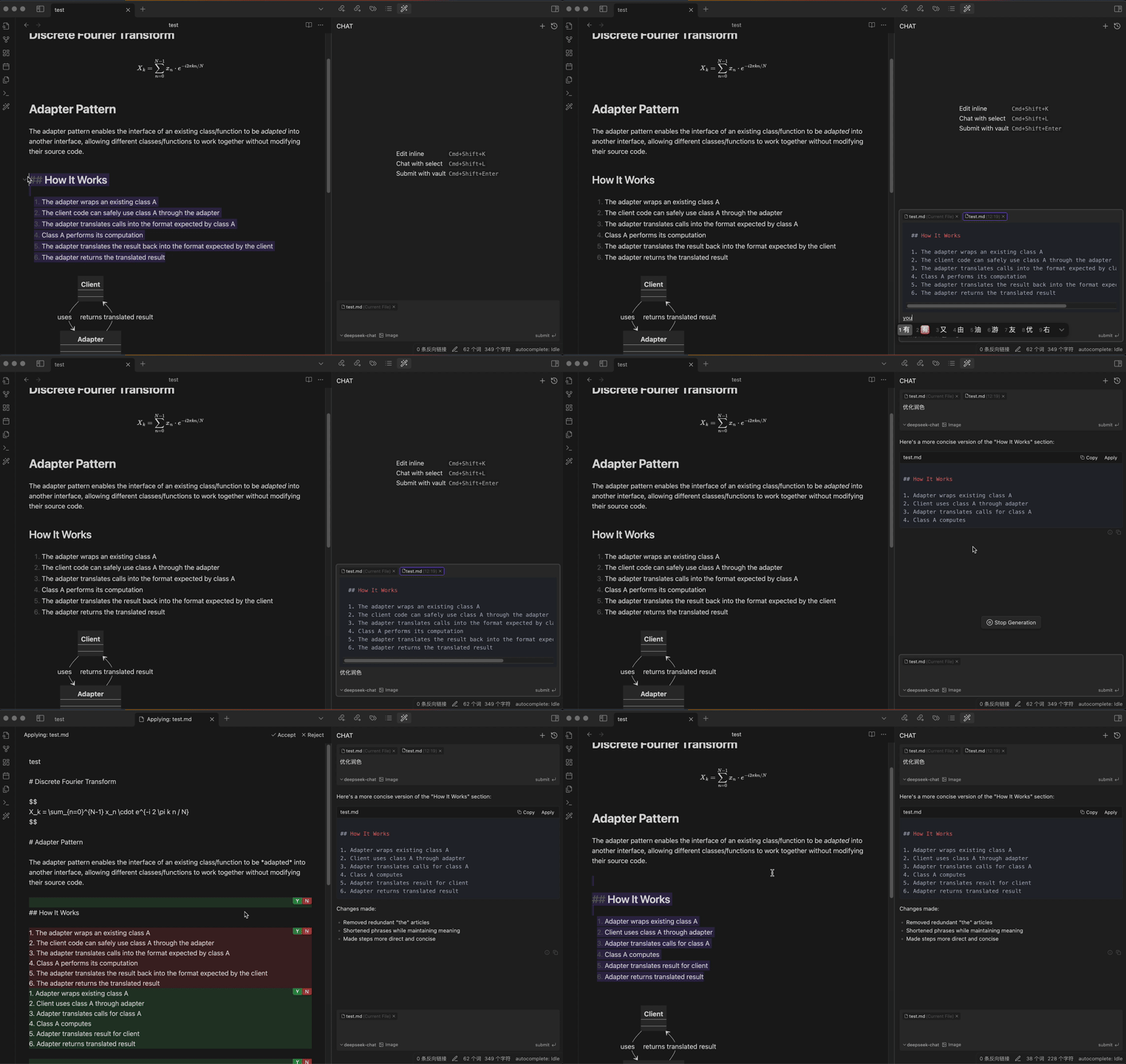
Chat & Edit Flow
Get instant AI assistance and apply suggested improvements with a single click, all within Obsidian
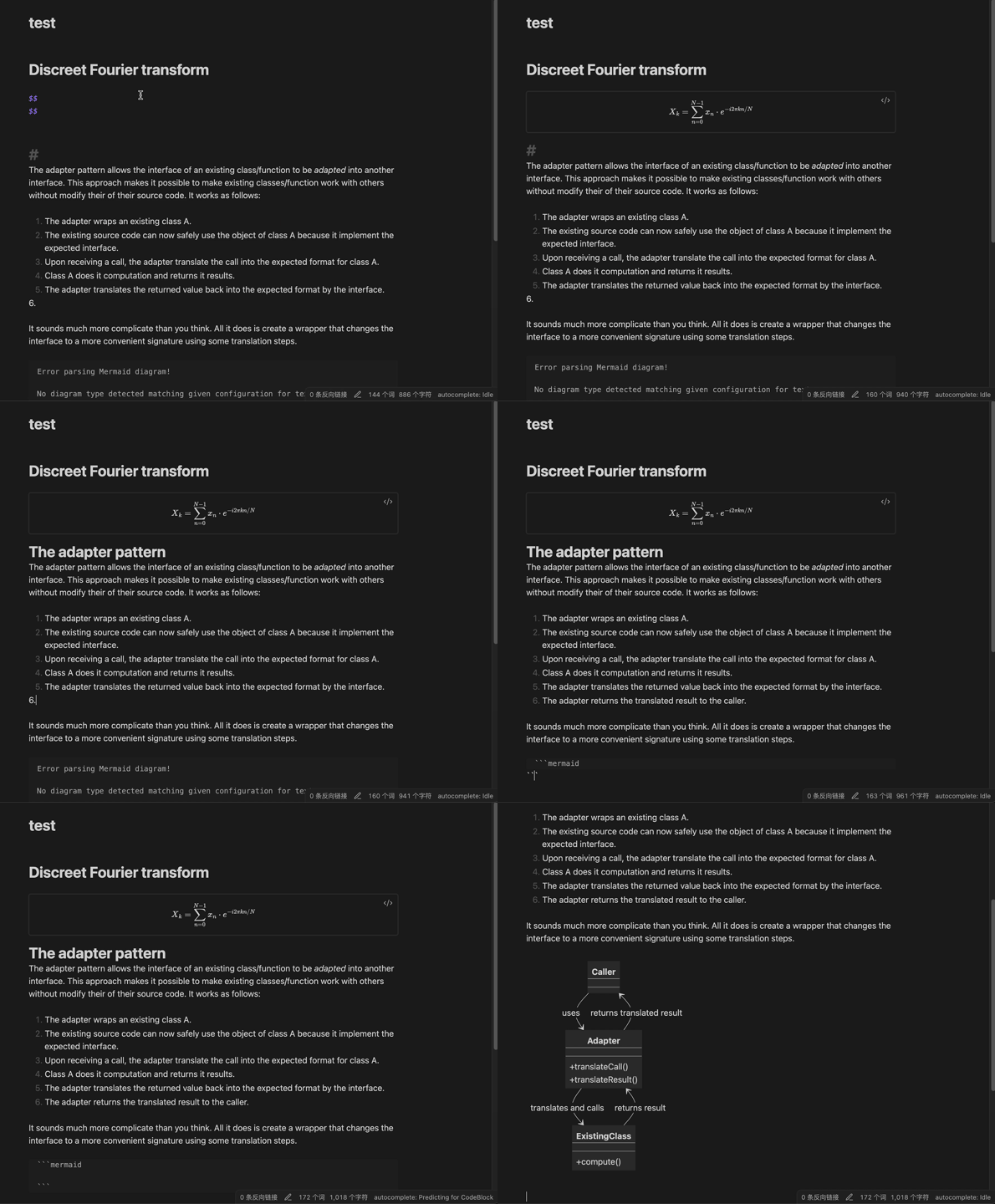
Autocomplete
Receive context-aware writing suggestions as you type
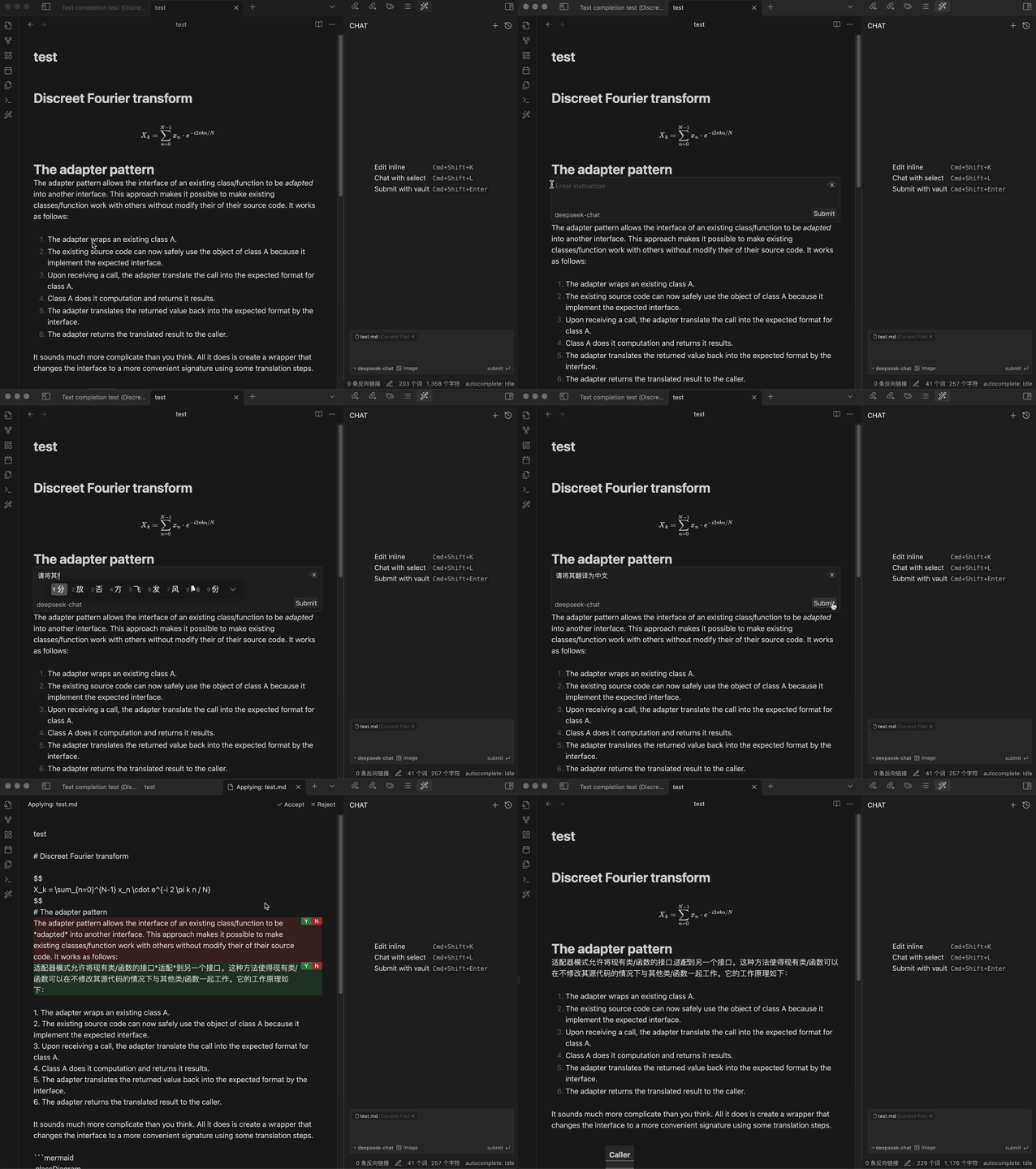
Inline Editing
Edit your notes directly within the current file
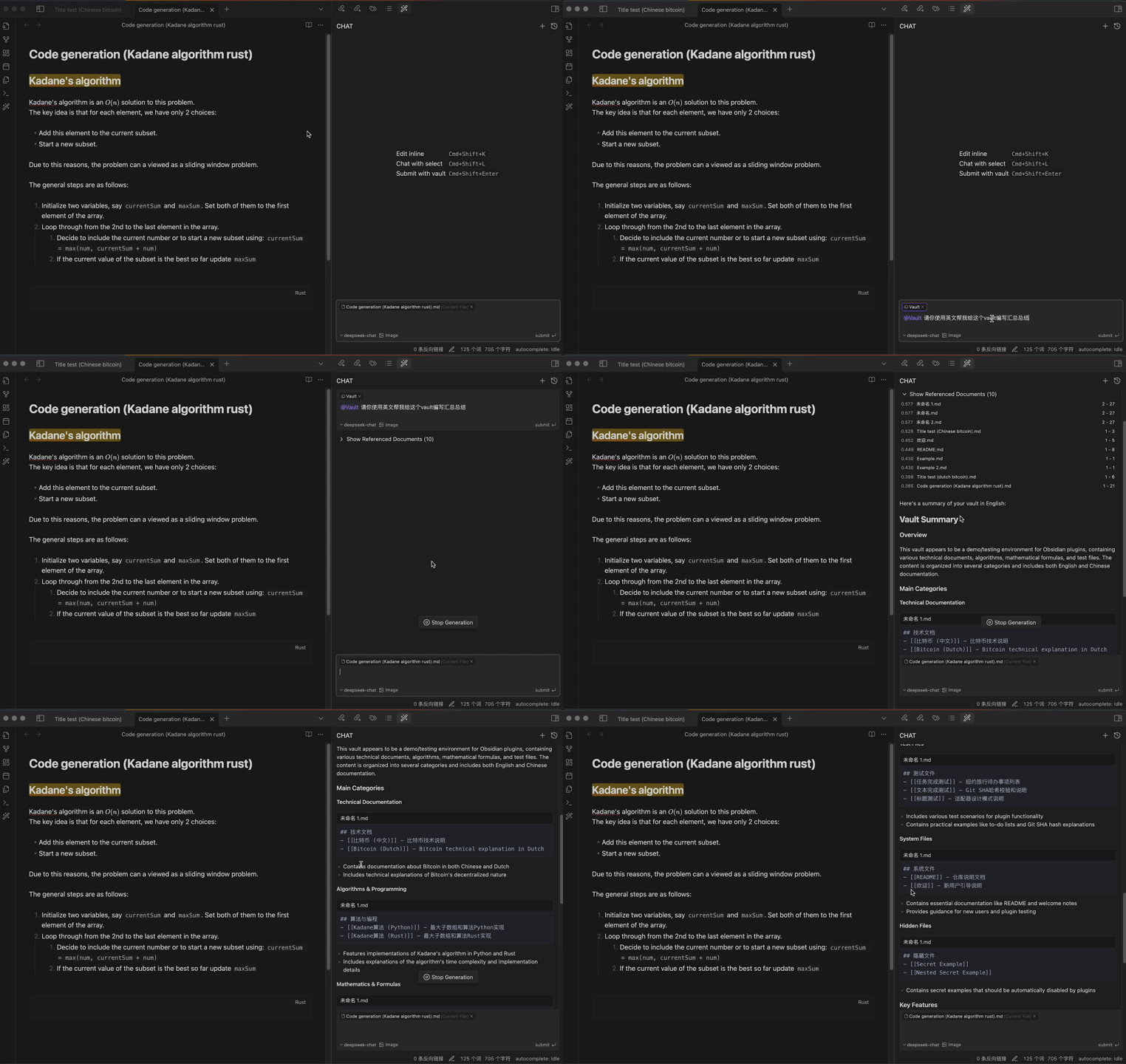
chat with vault
Leverage the power of AI to interact with your entire Obsidian vault, gaining insights and connections across your notes
Getting Started
⚠️ Important: Installer Version RequirementInfio-Copilot requires a recent version of the Obsidian installer. If you experience issues with the plugin not loading properly:
First, try updating Obsidian normally at
Settings > General > Check for updates.If issues persist, manually update your Obsidian installer:
- Download the latest installer from Obsidian's download page
- Close Obsidian completely
- Run the new installer
- Open Obsidian Settings
- Navigate to "Community plugins" and click "Browse"
- Search for "Infio Copilot" and click Install
- Enable the plugin in Community plugins
- Set up your API key in plugin settings
- SiliconFlow : SiliconFlow API Keys
- OpenRouter : OpenRouter API Keys
- Alibaba Bailian : Bailian API Keys
- DeepSeek : DeepSeek API Keys
- OpenAI : ChatGPT API Keys
- Anthropic : Claude API Keys
- Gemini : Gemini API Keys
- Groq : Groq API Keys
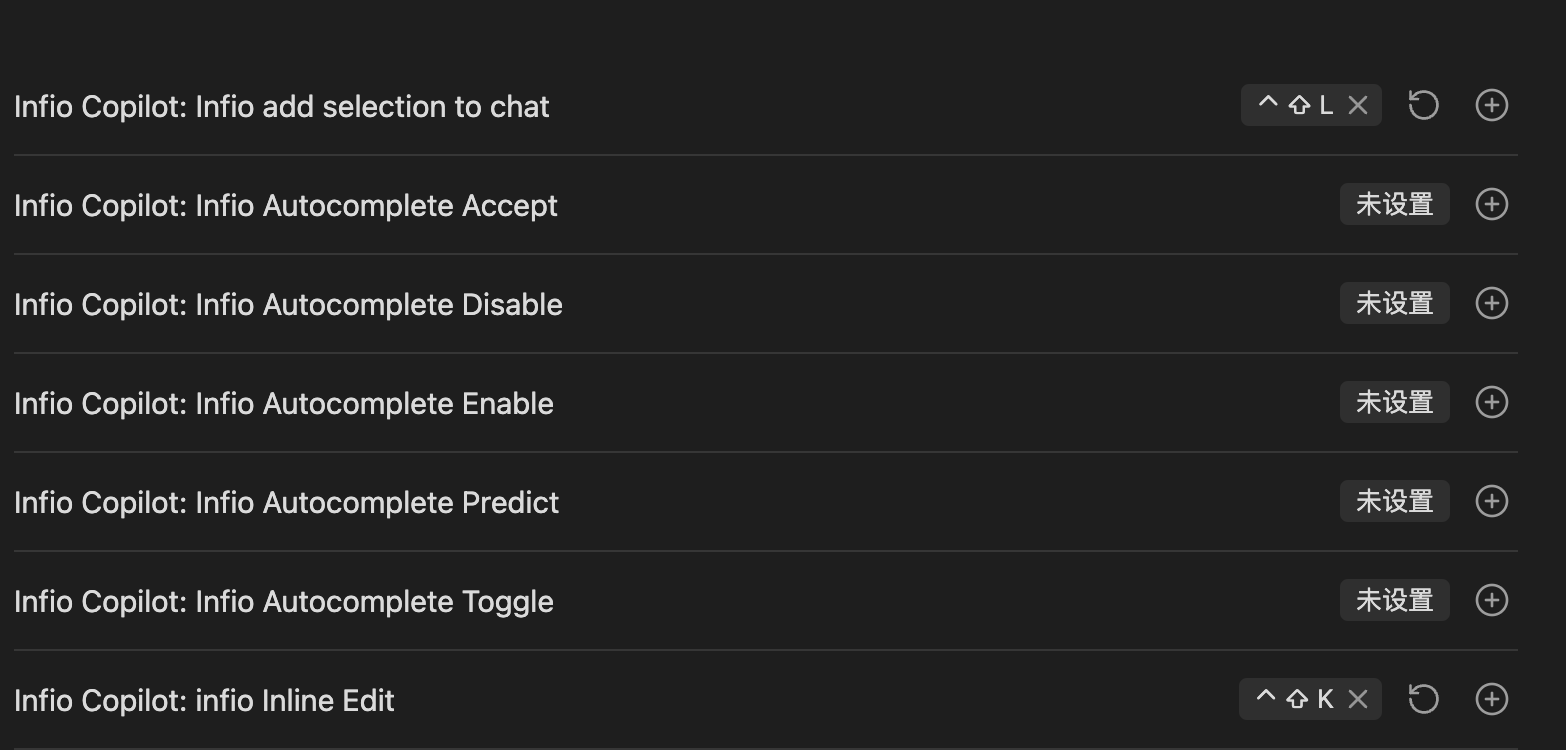
- Set up hotkeys for quick access:
- Go to Settings > Hotkeys
- Search for "Infio Copilot"
- Recommended keybindings:
- Infio Copilot: Infio add selection to chat -> cmd + shift + L
- Infio Copilot: Infio Inline Edit -> cmd + shift + K
- If you need to chat with documents, you must configure an embedding model.
- Currently, only SiliconFlow, Alibaba, Google, and OpenAI platforms support embedding models.
Feedback and Support
We value your input and want to ensure you can easily share your thoughts and report any issues:
- Bug Reports: If you encounter any bugs or unexpected behavior, please submit an issue on our GitHub Issues page. Be sure to include as much detail as possible to help us reproduce and address the problem.
- Feature Requests: For new feature ideas or enhancements, please use our GitHub Discussions - Ideas & Feature Requests page. Create a new discussion to share your suggestions.

Acknowledgments
This project stands on the shoulders of giants. We would like to express our gratitude to the following open-source projects:
- obsidian-copilot-auto-completion - For autocomplete implementation and TypeScript architecture inspiration
- obsidian-smart-composer - For chat/apply UI patterns and PgLite integration examples
- continue & cline - For prompt engineering and LLM interaction patterns
- pglite - For conversation/vector data storage and sample code
License
This project is licensed under the MIT License.